Build an MCP-powered RAG over Videos
Chat with videos and get precise timestamps.
In this chapter, we shall build an MCP-driven video RAG that ingests a video and lets you chat with it.
It also fetches the exact video chunk where an event occurred.
Our tech stack:
- Ragie for video ingestion and retrieval.
- Cursor as the MCP host.
Here's the workflow:
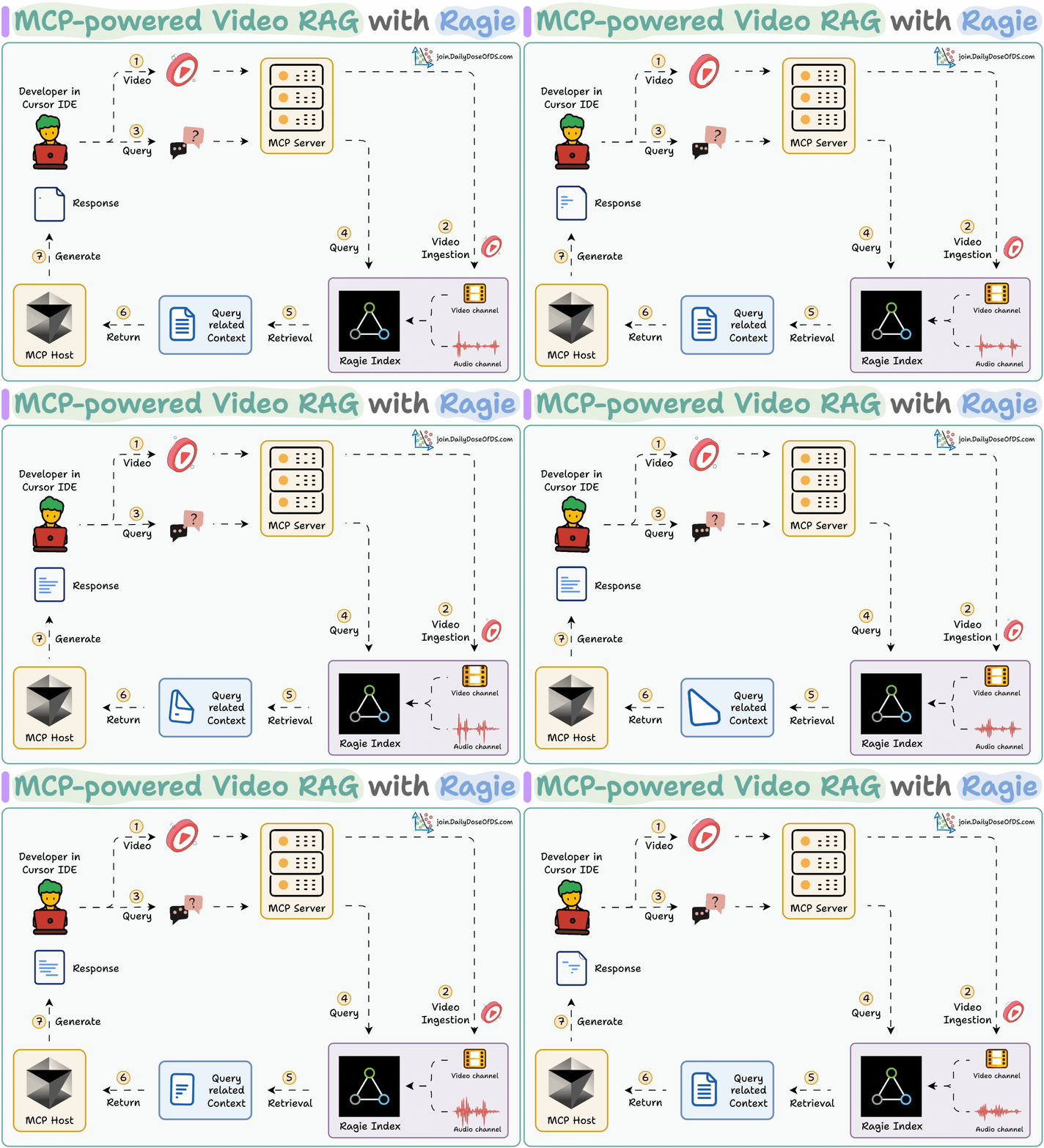
- User specifies video files and a query.
- An Ingestion tool indexes the videos in Ragie.
- A Query tool retrieves info from Ragie Index with citations.
- A show-video tool returns the video chunk that answers the query.
Here's the MCP-powered video rag in action:
Implementation details
Let's implement this (the code is linked later in the issue)!
Ingest data
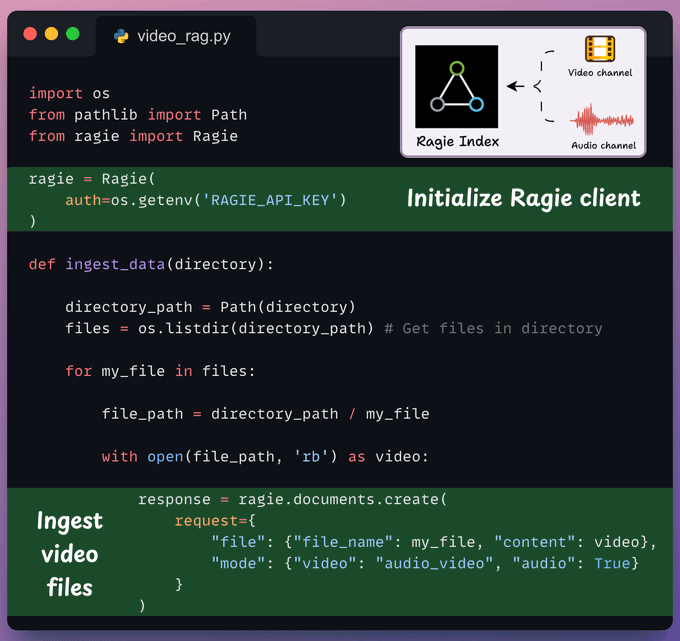
We implement a method to ingest video files into the Ragie index.
We also specify the audio-video mode to load both audio and video channels during ingestion.
Retrieve data
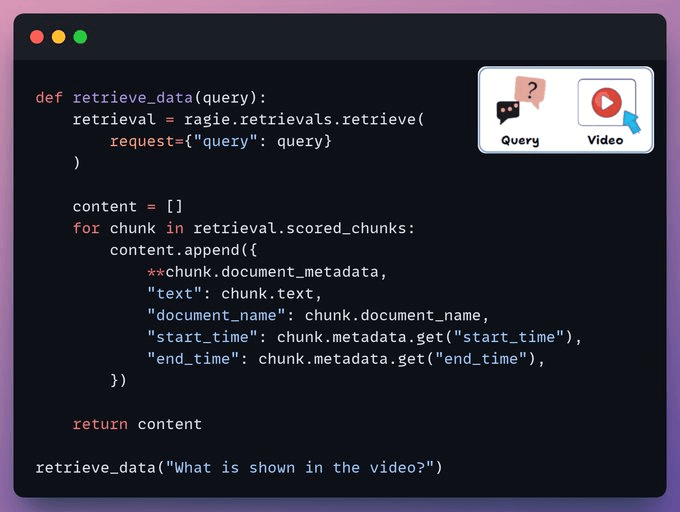
We retrieve the relevant chunks from the video based on the user query.
Each chunk has a start time, an end time, and a few more details that correspond to the video segment.
Create MCP Server
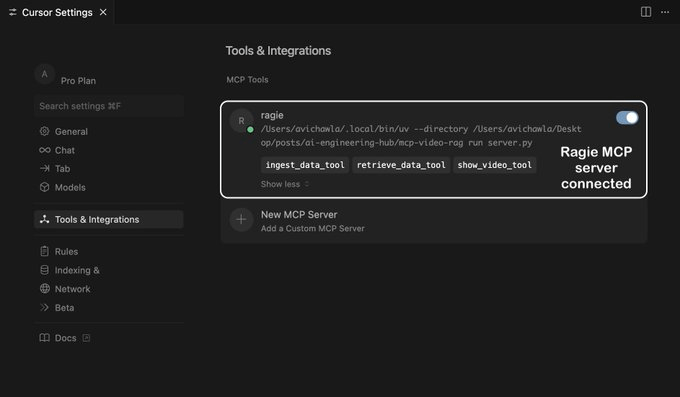
We integrate our RAG pipeline into an MCP server with 3 tools:
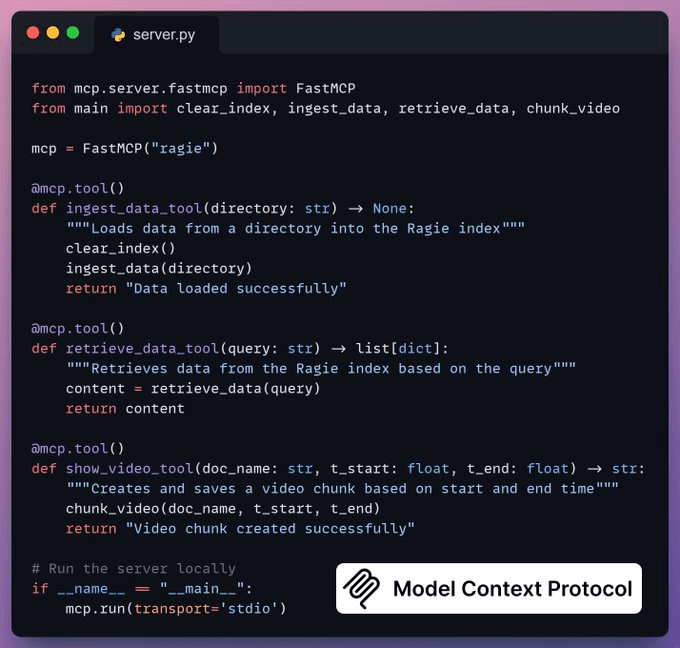
ingest_data_tool: Ingests data into Ragie index.retrieve_data_tool: Retrieves data based on the user query.show_video_tool: Creates video chunks from the original video.
Integrate MCP server with Cursor
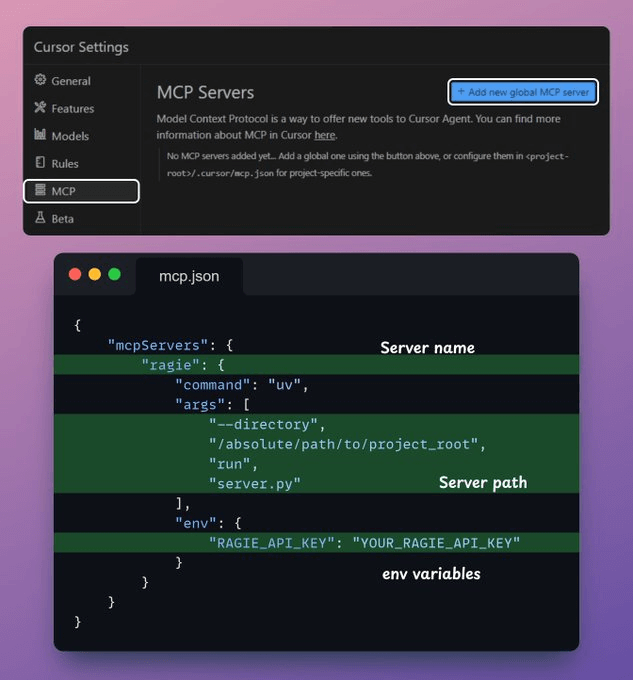
To integrate the MCP server with Cursor, go to Settings → MCP → Add new global MCP server.
In the JSON file, add what's shown below:
Done!
Your local Ragie MCP server is live and connected to Cursor!
Next, we interact with the MCP server through Cursor.
Based on the query, it can:
- Fetch detailed information about an existing video.
- Retrieve the video segment where a specific event occurred.
By integrating audio and video context into RAG, devs can build powerful multimedia and multimodal GenAI apps.
Find the code in this GitHub repo →
Let's move to the next project now!