LLMs
Visual Guide to Model Context Protocol (MCP)
...and understanding API vs. MCP.

Avi Chawla
...and understanding API vs. MCP.

TODAY'S ISSUE
Lately, there has been a lot of buzz around Model Context Protocol (MCP). You must have heard about it.
Today, let’s understand what it is.
Intuitively speaking, MCP is like a USB-C port for your AI applications.
Just as USB-C offers a standardized way to connect devices to various accessories, MCP standardizes how your AI apps connect to different data sources and tools.
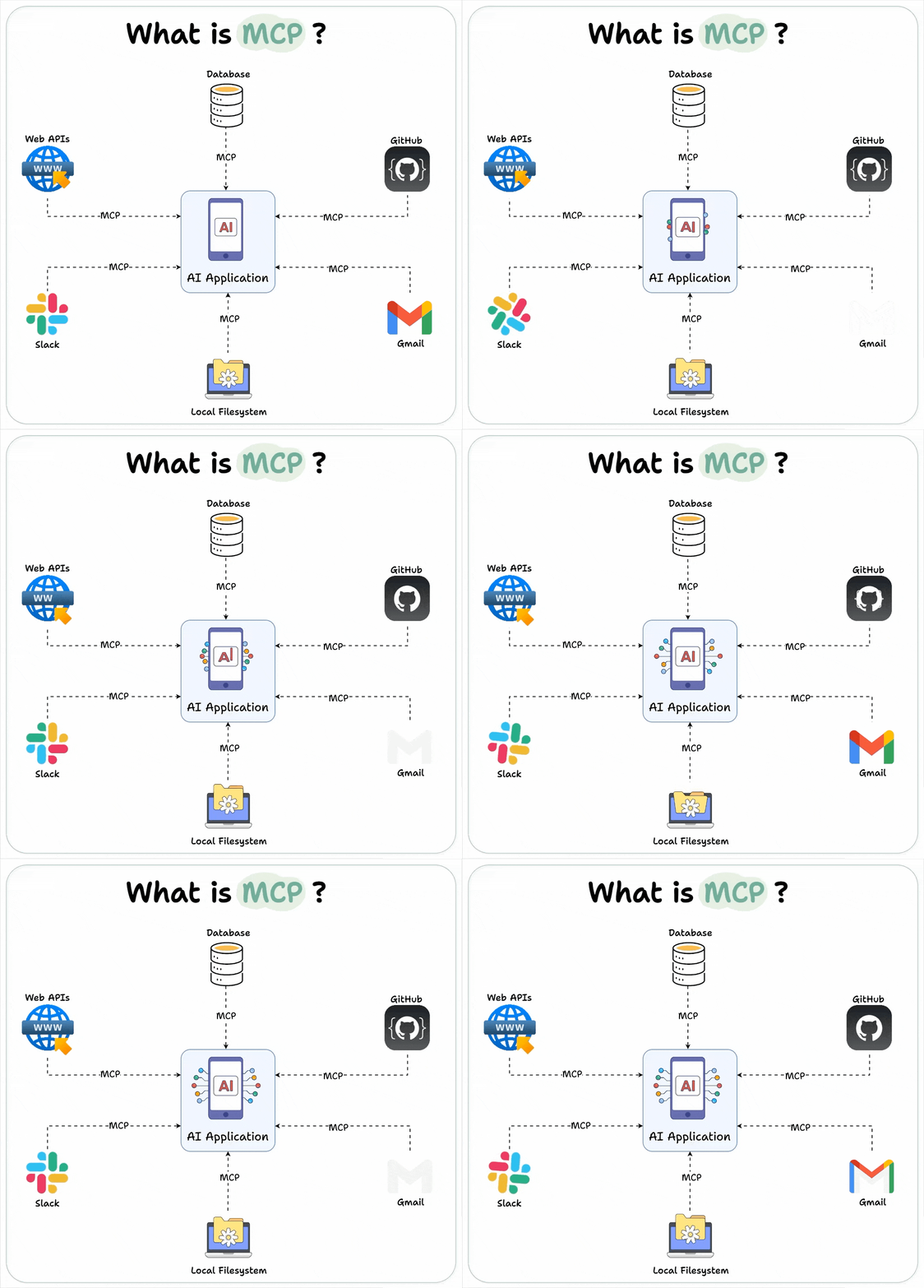
Let’s dive in a bit more technically.
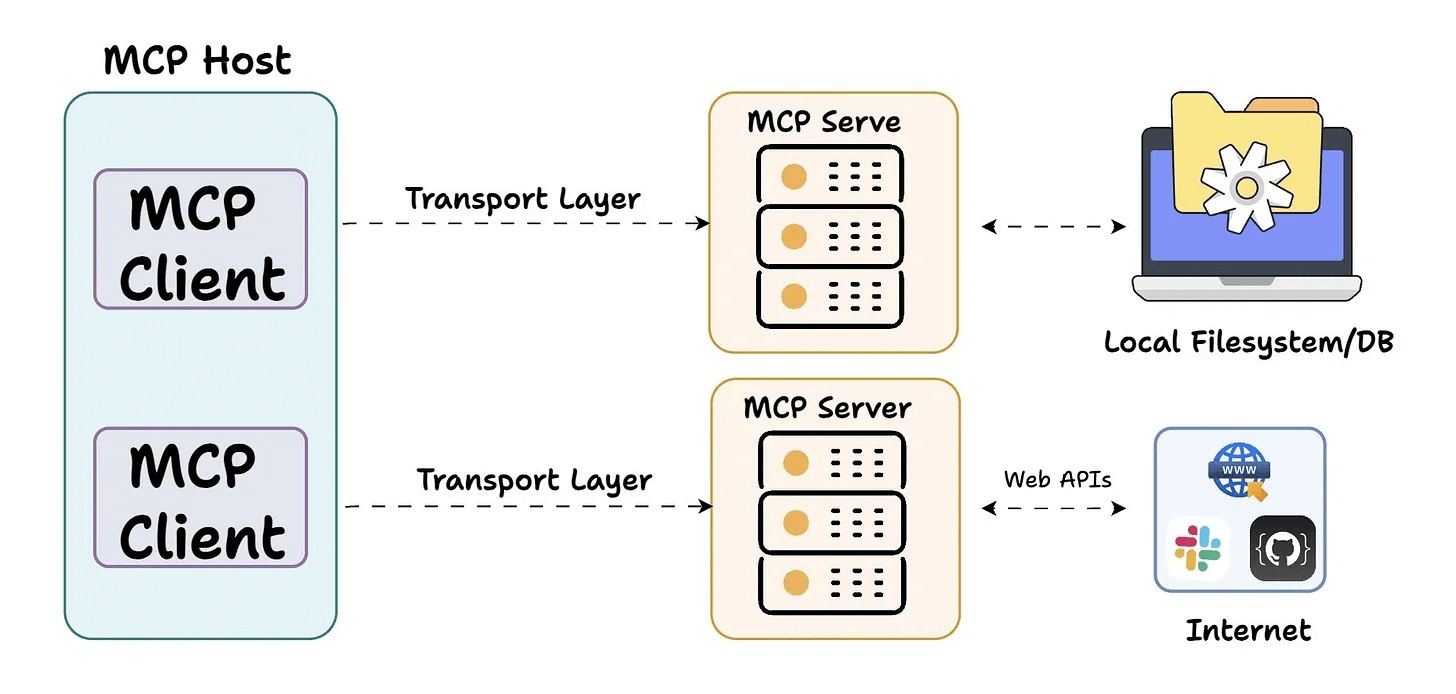
At its core, MCP follows a client-server architecture where a host application can connect to multiple servers.
It has three key components
Here’s an overview before we dig deep👇
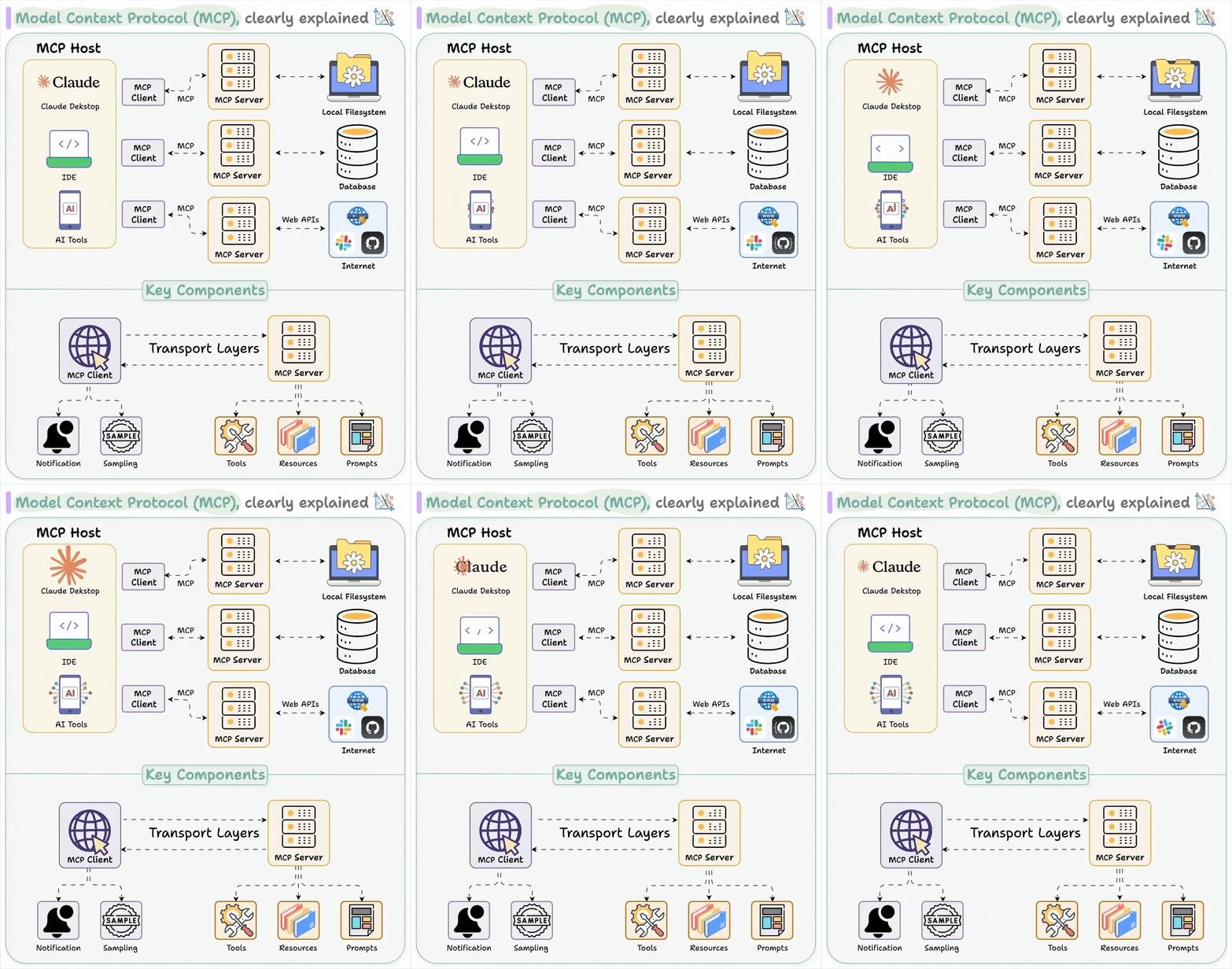
Host represents any AI app (Claude desktop, Cursor) that provides an environment for AI interactions, accesses tools and data, and runs the MCP Client.
MCP Client operates within the host to enable communication with MCP servers.
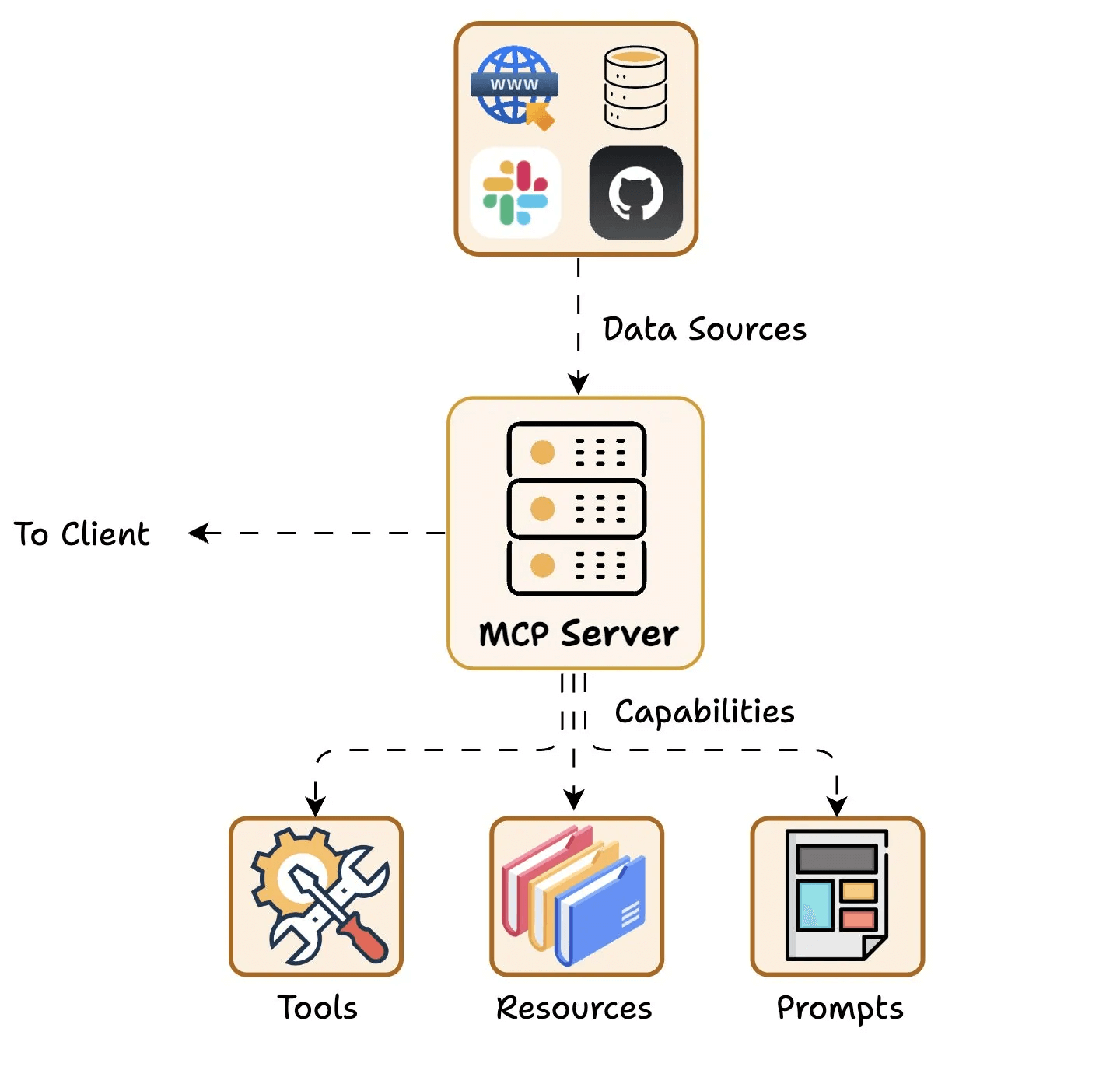
Finally, the MCP Server exposes specific capabilities and provides access to data like:
Understanding client-server communication is essential for building your own MCP client-server.
So let’s understand how the client and the server communicate.
Here’s an illustration before we break it down step by step...
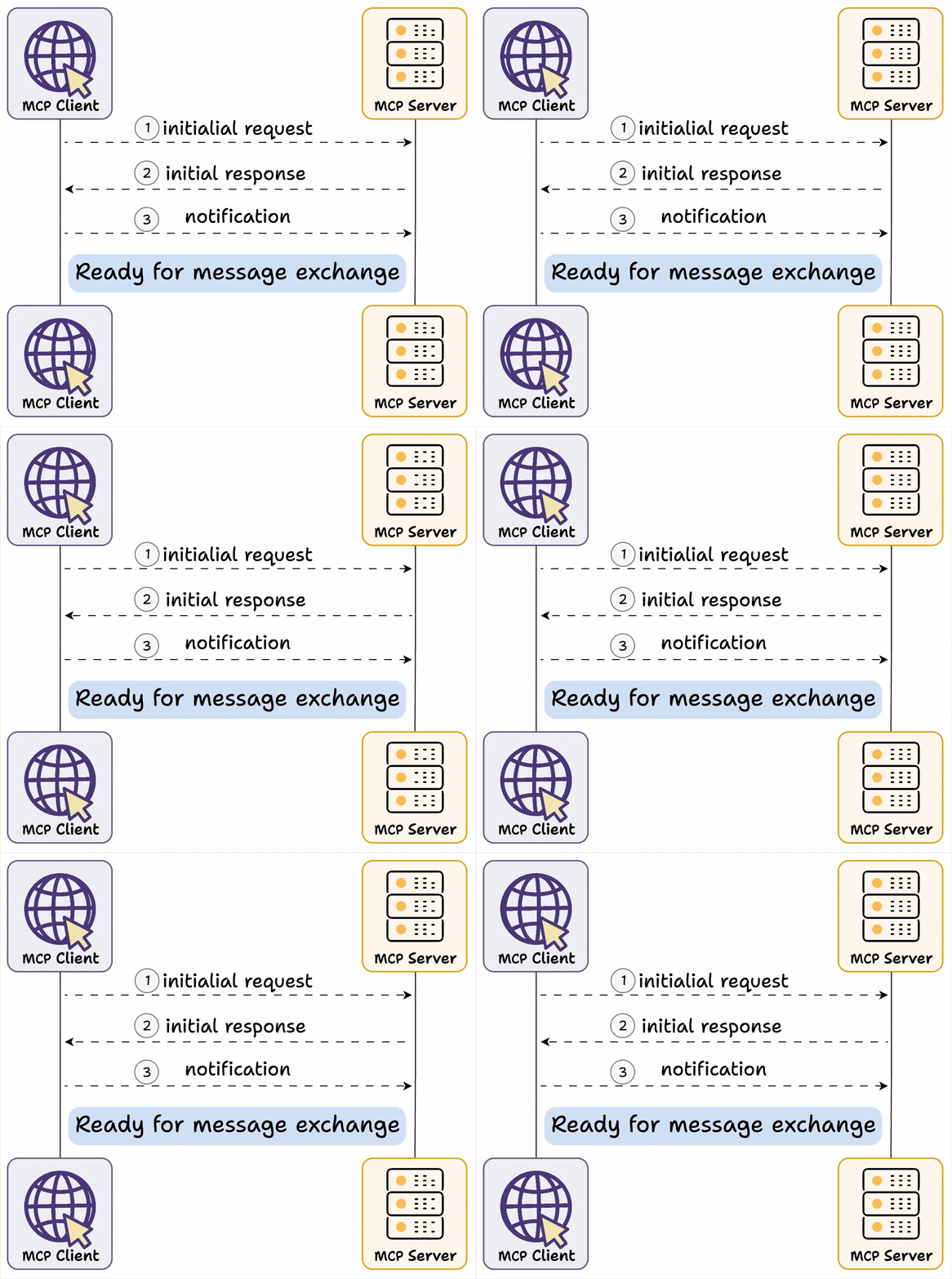
First, we have capability exchange, where:
Once this exchange is done, Client acknowledges the successful connection and further message exchange continues.
Here’s one of the reasons this setup can be so powerful:
In a traditional API setup:
location and date for a weather service), users integrate their applications to send requests with those exact parameters.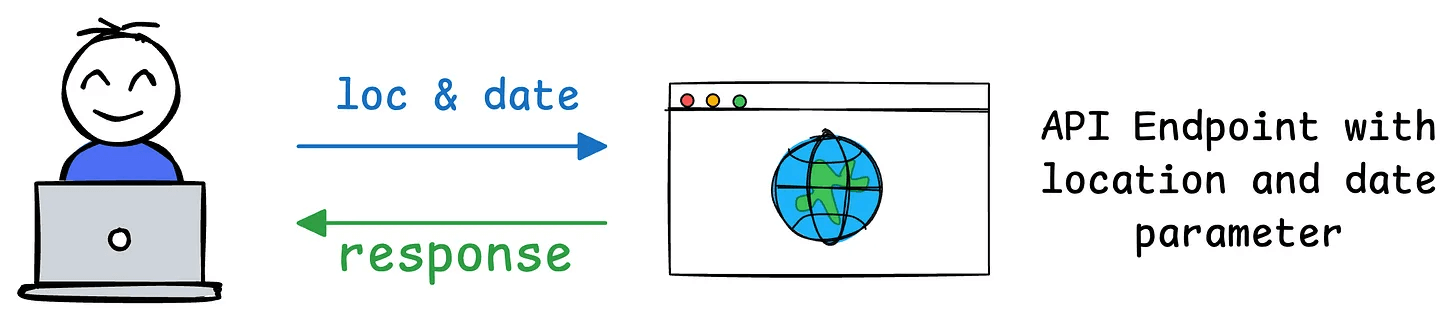
unit for temperature units like Celsius or Fahrenheit), the API’s contract changes.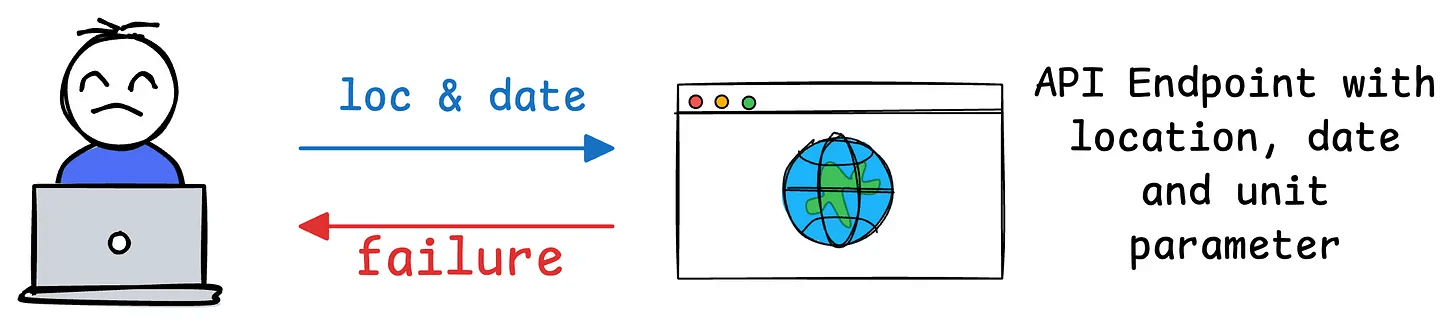
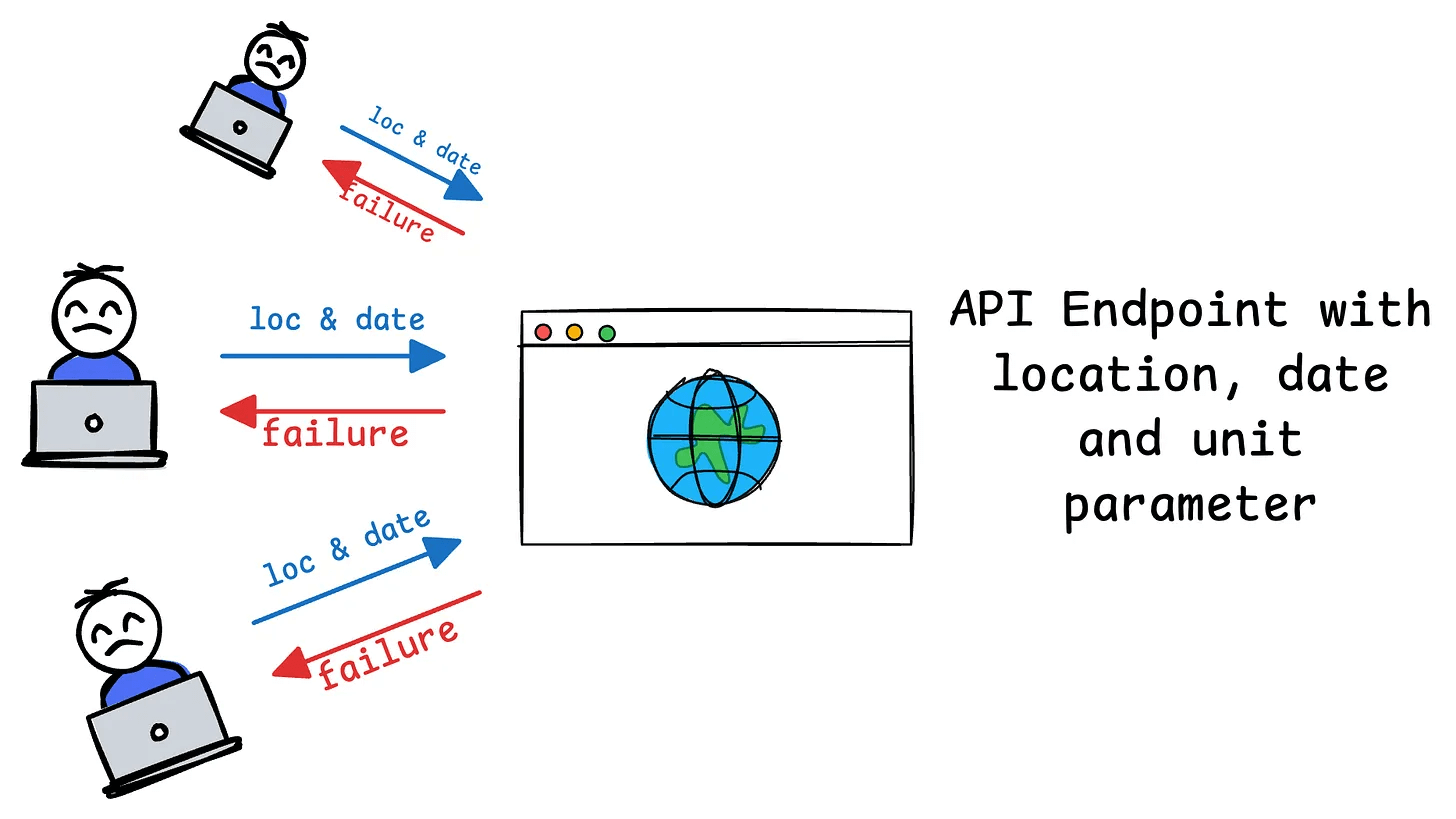
MCP’s design solves this as follows:
location and date, the server communicates these as part of its capabilities.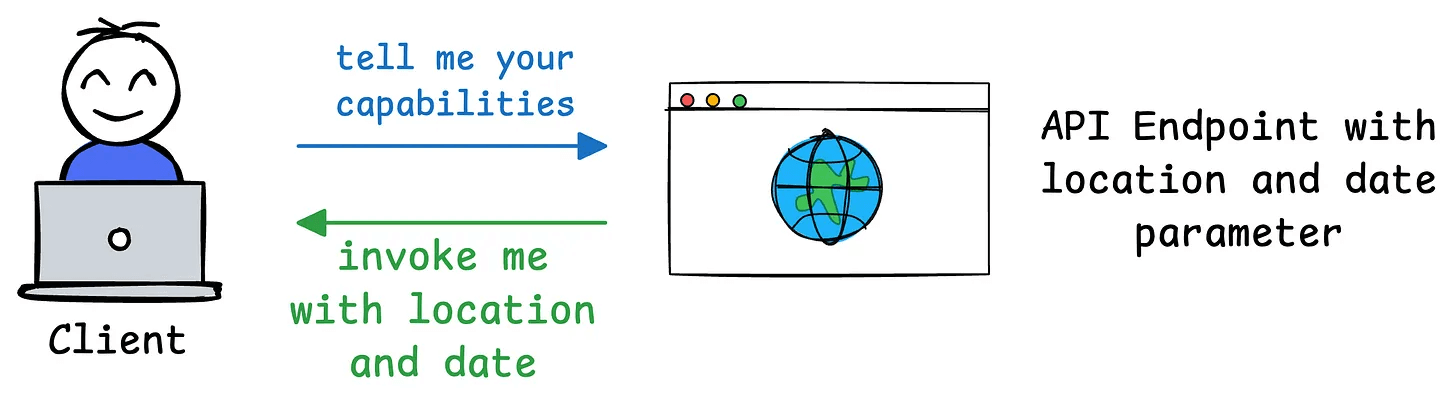
unit parameter, the MCP server can dynamically update its capability description during the next exchange. The client doesn’t need to hardcode or predefine the parameters—it simply queries the server’s current capabilities and adapts accordingly.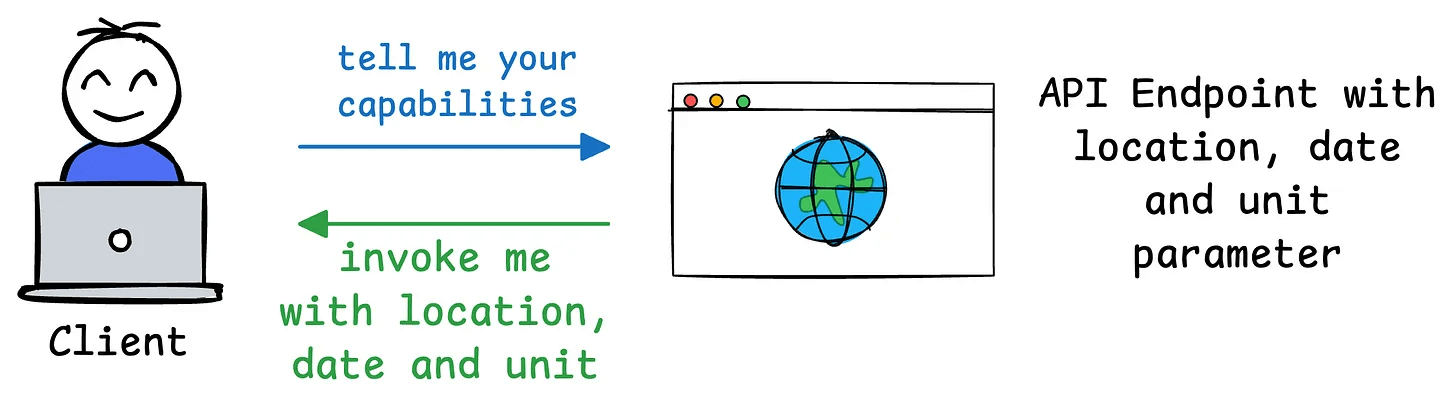
unit in its requests) without needing to rewrite or redeploy code.We hope this clarifies what MCP does.
In the future, we shall explore creating custom MCP servers and building hands-on demos around them. Stay tuned!
👉 Over to you: Do you think MCP is more powerful than traditional API setup?
If you are building real-world LLM-based apps, it is unlikely you can start using the model right away without adjustments. To maintain high utility, you either need:
The following visual will help you decide which one is best for you:
Read more in-depth insights into Prompting vs. RAG vs. Fine-tuning here →
Once a model has been trained, we move to productionizing and deploying it.
If ideas related to production and deployment intimidate you, here’s a quick roadmap for you to upskill (assuming you know how to train a model):
This roadmap should set you up pretty well, even if you have NEVER deployed a single model before since everything is practical and implementation-driven.