LLMs
Function calling & MCP for LLMs
...explained visually and with code.

Avi Chawla
...explained visually and with code.

TODAY'S ISSUE
Before MCPs became mainstream (or popular like they are right now), most AI workflows relied on traditional Function Calling.
Now, MCP (Model Context Protocol) is introducing a shift in how developers structure tool access and orchestration for Agents.
Here’s a visual that explains Function calling & MCP:
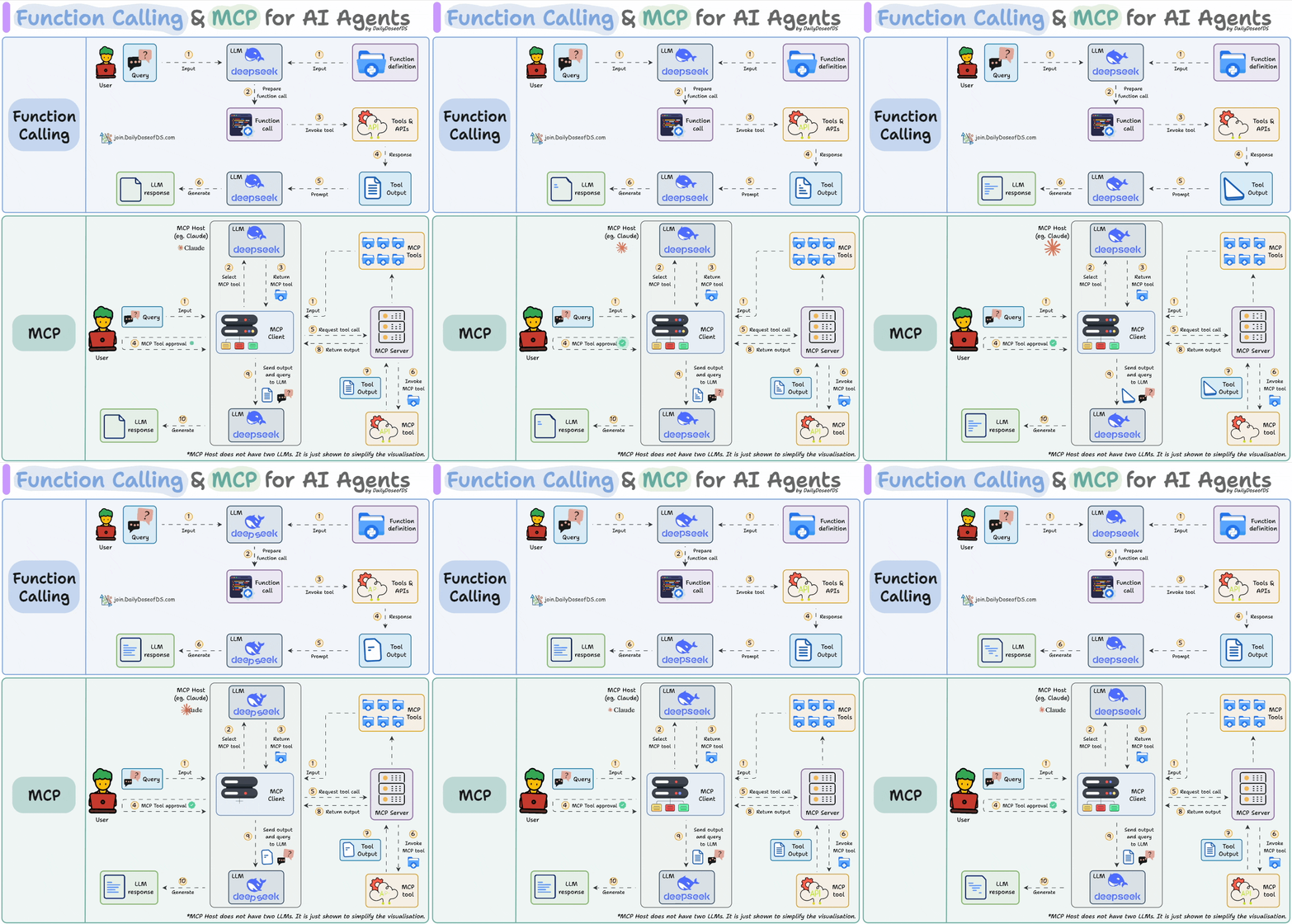
Let’s dive in to learn more!
Function Calling is a mechanism that allows an LLM to recognize what tool it needs based on the user's input and when to invoke it.
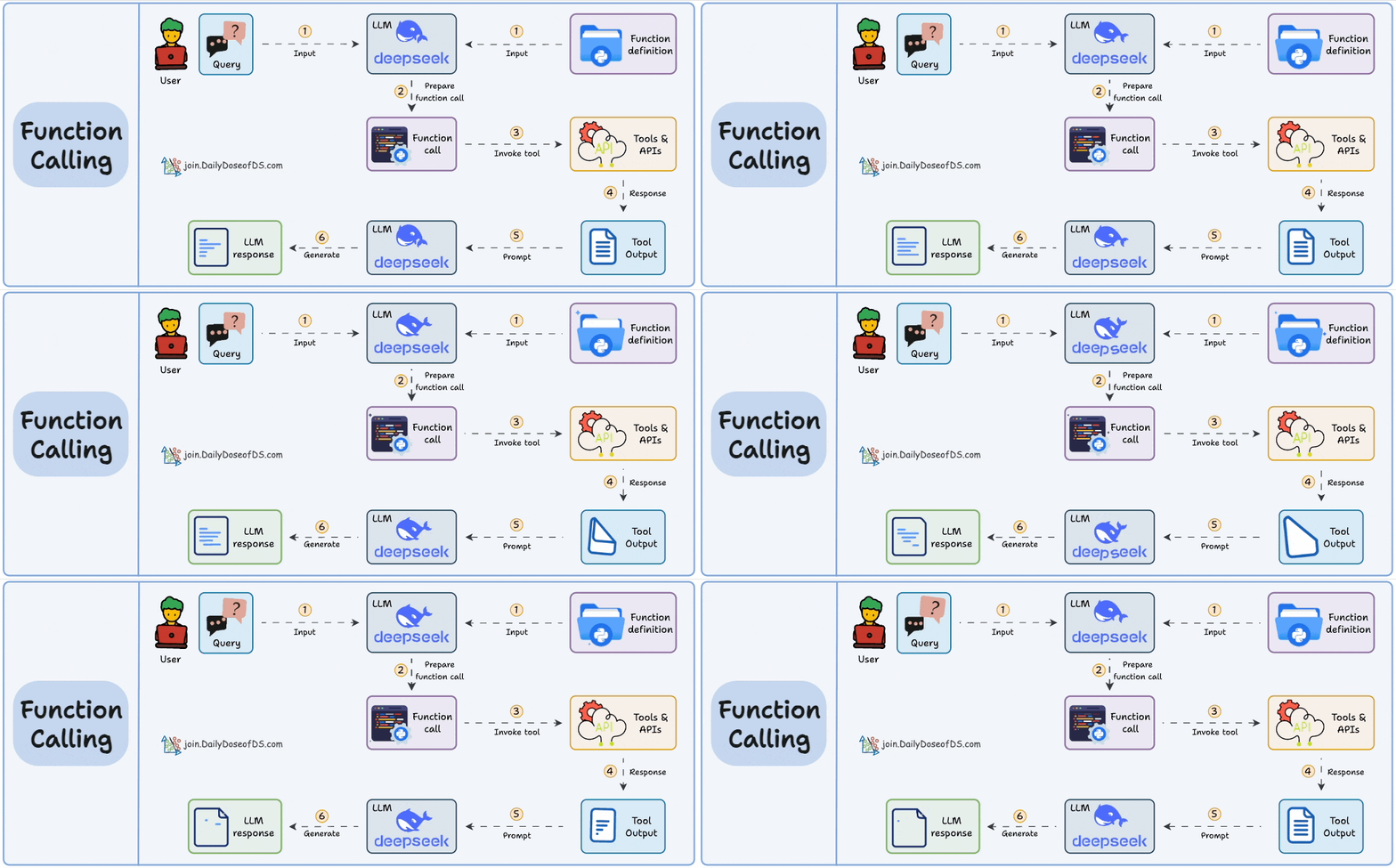
Here’s how it typically works:
Let’s understand this in action real quick!
First, let’s define a tool function, get_stock_price. It uses the yfinance library to fetch the latest closing price for a specified stock ticker:
Next, we prompt an LLM (served with Ollama) and pass the tools the model can access for external information (if needed):
Printing the response, we get:
Notice that the message key in the above response object has tool_calls, which includes relevant details, such as:
tool.function.name: The name of the tool to be called.tool.function.arguments: The arguments required by the tool.Thus, we can utilize this info to produce a response as follows:
This produces the following output:
Notice that the entire process happened within our application context. We were responsible for:
In short, Function Calling is about enabling dynamic tool use within your own stack—but it still requires you to wire everything manually.
MCP, or Model Context Protocol, attempts to standardize this process.
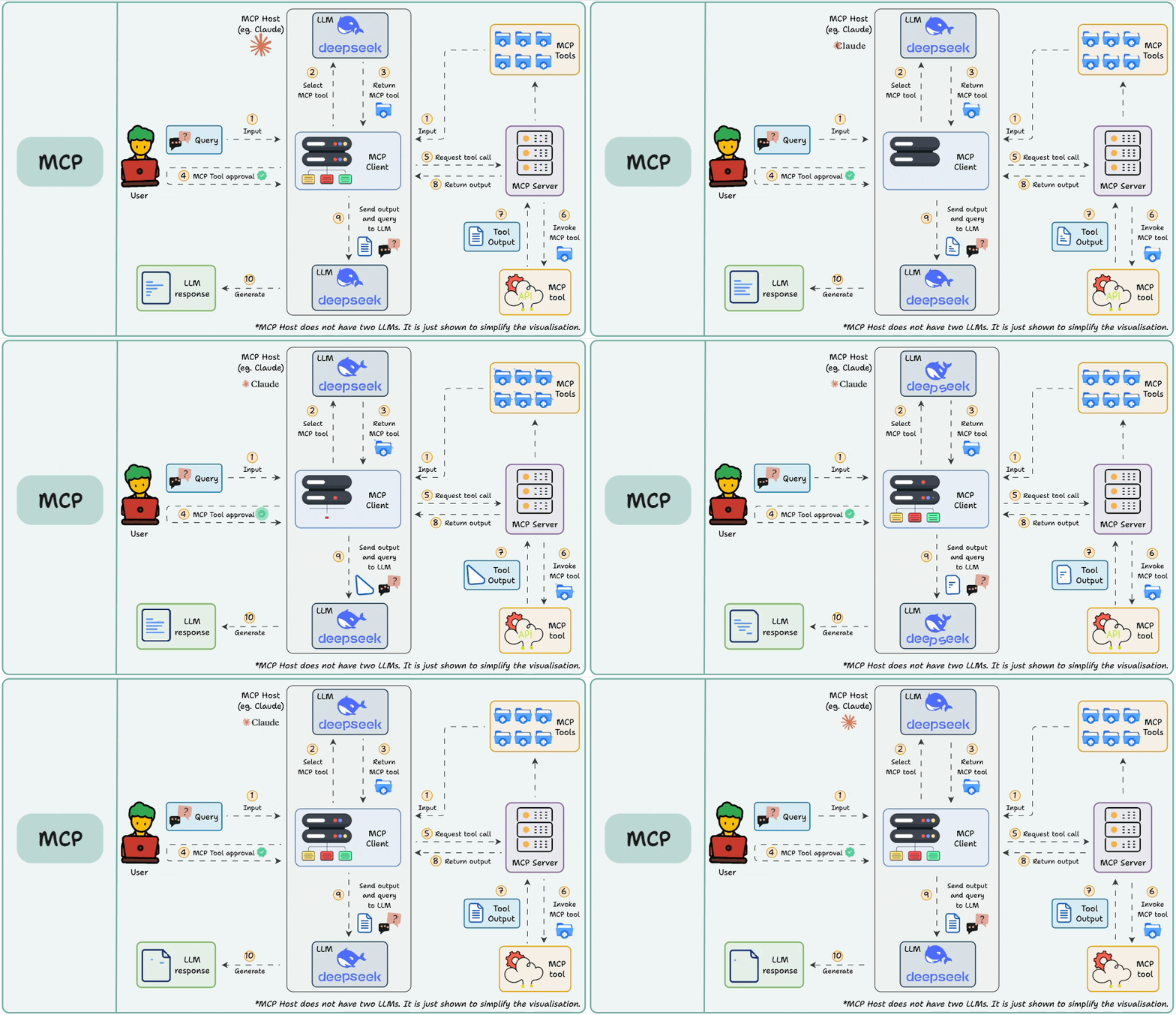
While Function Calling focuses on what the model wants to do, MCP focuses on how tools are made discoverable and consumable—especially across multiple agents, models, or platforms.
Instead of hard-wiring tools inside every app or agent, MCP:
Let’s understand this in action real quick by integrating Firecrawl's MCP server to utilize scraping tools within Cursor IDE.
To do this, go to Settings → MCP → Add new global MCP server.
In the JSON file, add what's shown below👇
Once done, you will find all the tools exposed by Firecrawl's MCP server that your Agents can use!
Notice that we didn't write a line of Python code to integrate Firecrawl's tools. Instead, we just integrated the MCP server.
Next, let's interact with this MCP server.
As shown in the video, when asked to list the imports of CrewAI tools listed in my blog:
So to put it another way—think of MCP as infrastructure.
It creates a shared ecosystem where tools are treated like standardized services—similar to how REST APIs or gRPC endpoints work in traditional software engineering.
Here’s the key point: MCP and Function Calling are not in conflict. They’re two sides of the same workflow.
For example, an agent might say, “I need to search the web,” using function calling.
That request can be routed through MCP to select from available web search tools, invoke the correct one, and return the result in a standard format.
If you don't know about MCP servers, we covered them recently in the newsletter here:
Over to you: What is your perspective on Function Calling and MCPs?
Thanks for reading!
On paper, implementing a RAG system seems simple—connect a vector database, process documents, embed the data, embed the query, query the vector database, and prompt the LLM.
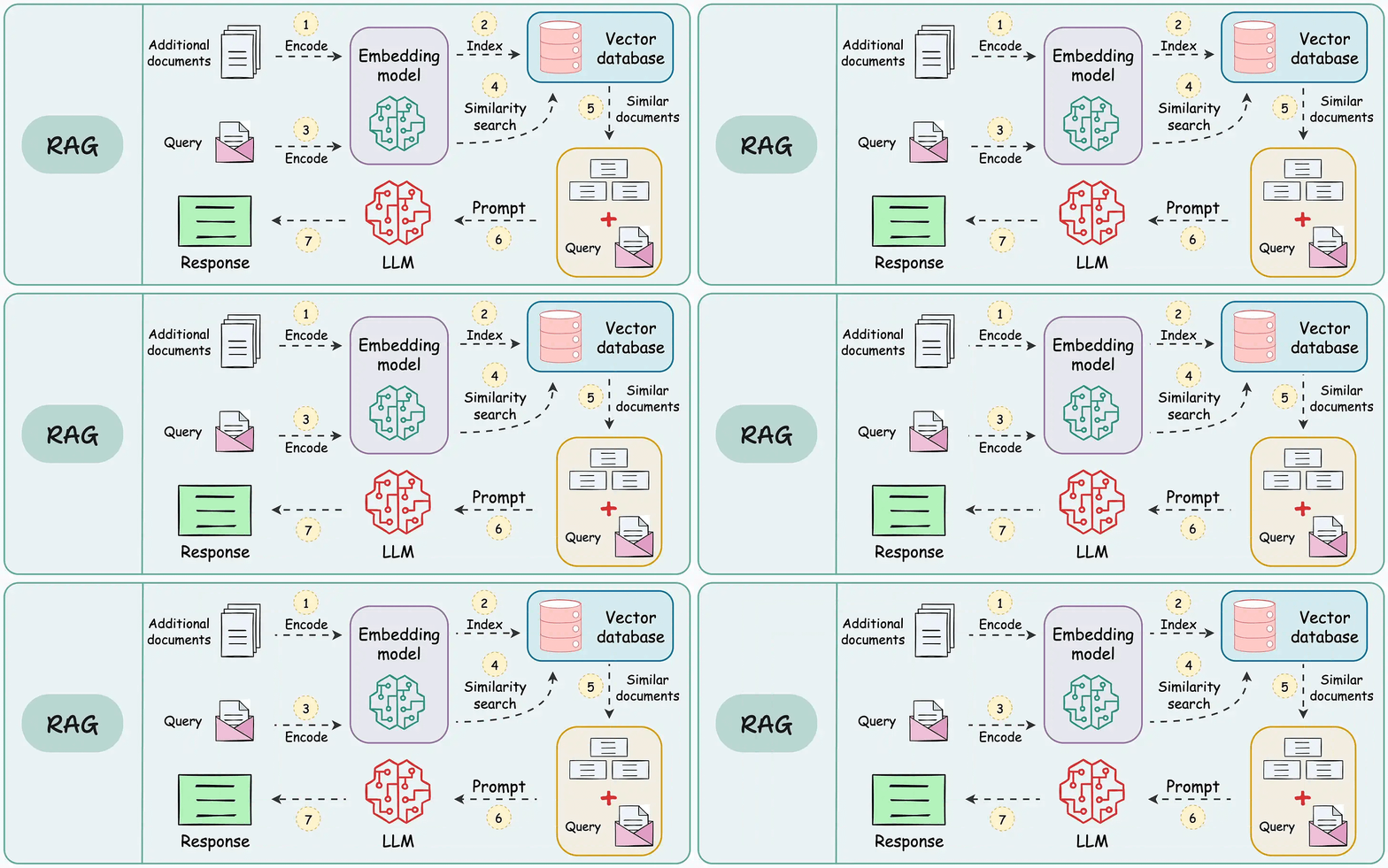
But in practice, turning a prototype into a high-performance application is an entirely different challenge.
We published a two-part guide that covers 16 practical techniques to build real-world RAG systems:
The list could go on since almost every major tech company I know employs graph ML in some capacity.
Becoming proficient in graph ML now seems to be far more critical than traditional deep learning to differentiate your profile and aim for these positions.
A significant proportion of our real-world data often exists (or can be represented) as graphs:
The field of graph neural networks (GNNs) intends to fill this gap by extending deep learning techniques to graph data.
Learn sophisticated graph architectures and how to train them on graph data in this crash course →