LLMs
Step-by-step Guide to Fine-tune Qwen3
100% locally.

Avi Chawla
100% locally.

TODAY'S ISSUE
Recently, Alibaba released Qwen 3, the latest generation of LLMs in the Qwen series with dense and mixture-of-experts (MoE) models.
Here’s a tutorial on how you can fine-tune it using Unsloth.
The code is available in this Studio: Fine-tuning Qwen 3 locally. You can run it without any installations by reproducing our environment below:
The video below depicts inference using the HuggingFace transformers library on our fine-tuned model with and without thinking mode.
Let’s begin!
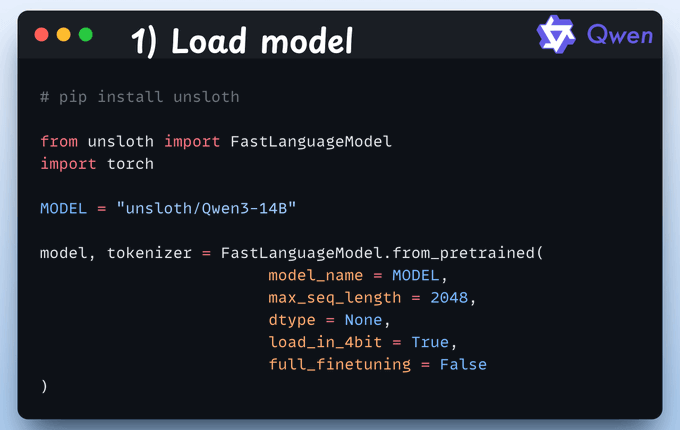
We start by loading the Qwen 3 (14B variant) model and its tokenizer using Unsloth.
We'll use LoRA to avoid fine-tuning the entire model.
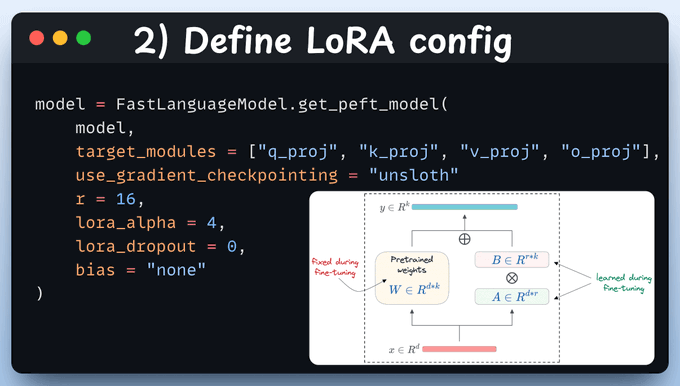
To do this, we use Unsloth's PEFT by specifying:
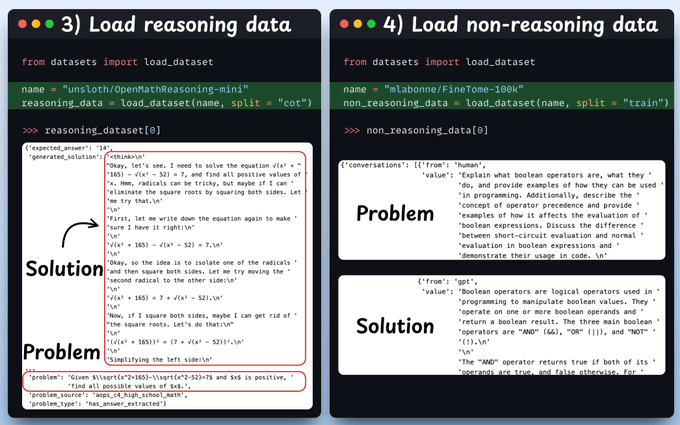
Next, we load a reasoning and non-reasoning dataset, over which we'll fine-tune our Qwen 3 model.
Check a sample from each of these datasets:
Before fine-tuning, we must prepare the dataset in a conversational format:
Check the code below and a sample from each of these datasets:
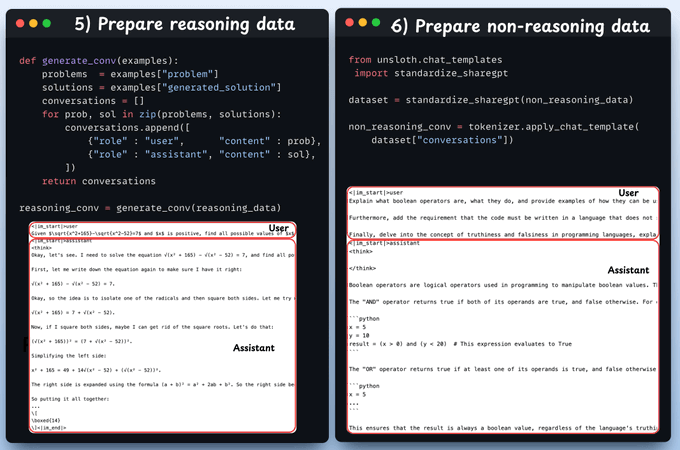
Note: Use clear prompt-response pairs. Format the fine-tuning data so that each problem is presented in a consistent, model-friendly way. Typically, this means turning each math problem into an instruction or question prompt and providing a well-structured solution or answer as the completion. Consistency in formatting helps the model learn how to transition from question to answer.- Incorporate step-by-step solutions (Chain-of-Thought).- Mark the final answer clearly- Ensure compatibility with evaluation benchmarks
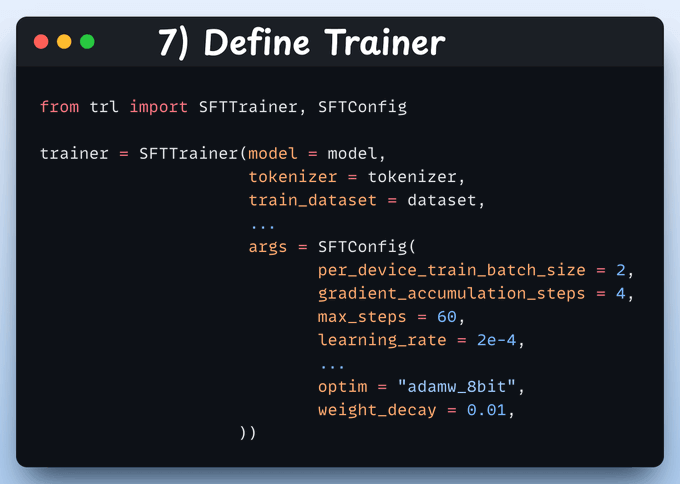
Here, we create a Trainer object by specifying the training config, like learning rate, model, tokenizer, and more.
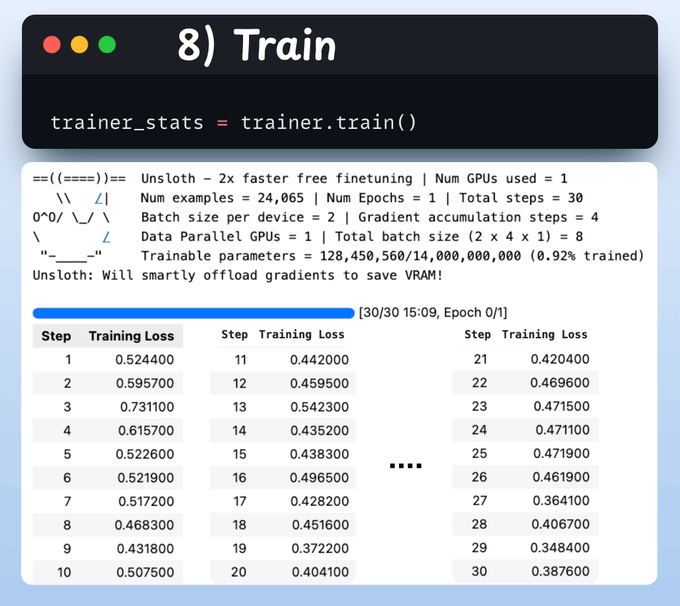
With that done, we initiate training. The loss is decreasing with training, which means the model is being trained fine.
Check this code and output👇
Below, we run the model via the HuggingFace transformers library in a thinking and non-thinking mode. Thinking requires us to set the enable_thinking parameter to True.
With that, we have fine-tuned Qwen 3 completely locally!
The code is available in this Studio: Fine-tuning Qwen3 locally. You can run it without any installations by reproducing our environment below:
We found the easiest way to build an MCP server.
Just follow these 3 steps:
That's all! FactoryAI builds it for you.
We have attached a video walkthrough below:
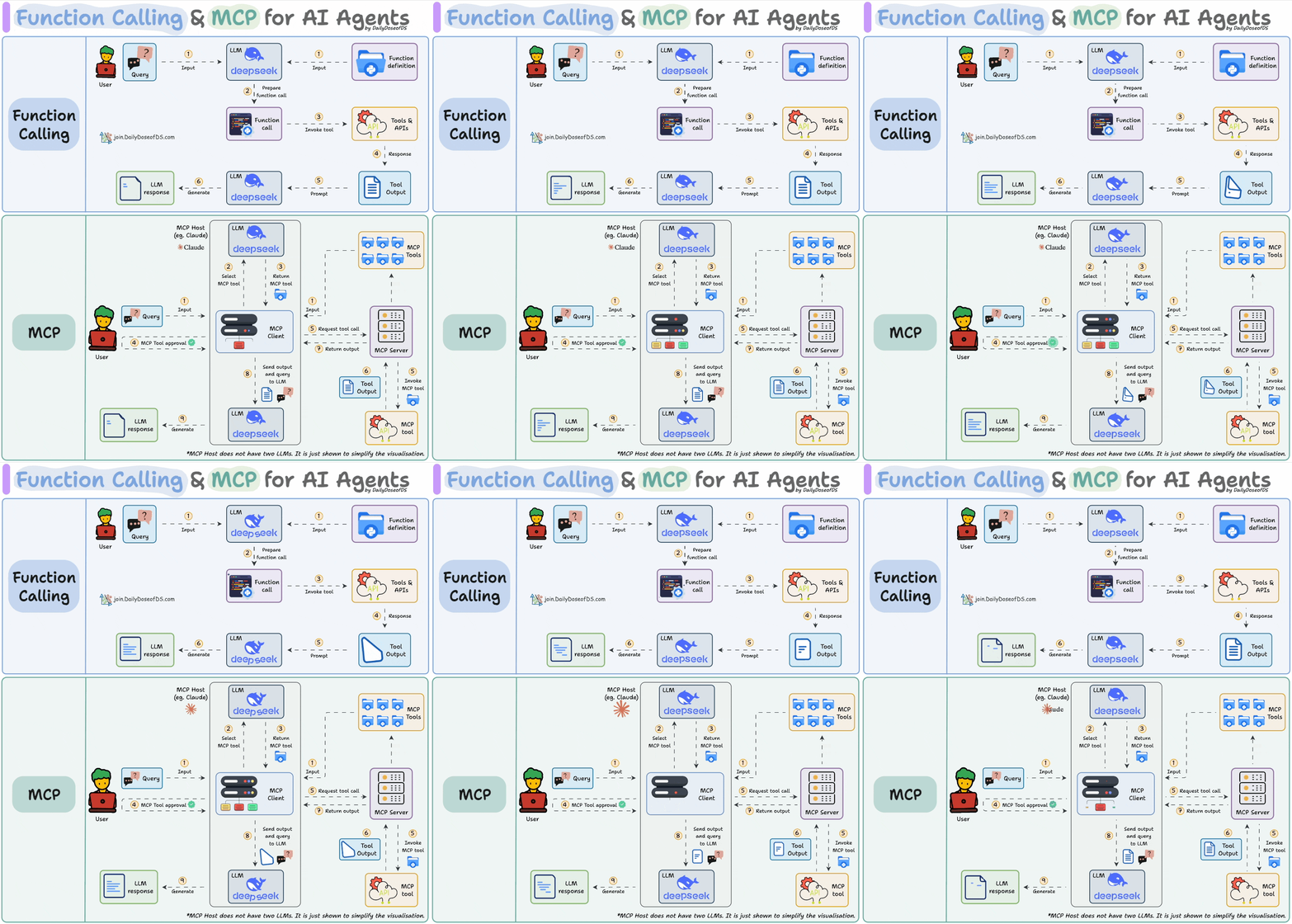
If you don't know about MCP servers, we covered them recently in the newsletter here:
There’s so much data on your mobile phone right now — images, text messages, etc.
And this is just about one user—you.
But applications can have millions of users. The amount of data we can train ML models on is unfathomable.
The problem?
This data is private.
So consolidating this data into a single place to train a model.
The solution?
Federated learning is a smart way to address this challenge.
The core idea is to ship models to devices, train the model on the device, and retrieve the updates:
But this isn't as simple as it sounds.
1) Since the model is trained on the client side, how to reduce its size?
2) How do we aggregate different models received from the client side?
3) [IMPORTANT] Privacy-sensitive datasets are always biased with personal likings and beliefs. For instance, in an image-related task:
Learn how to implement federated learning systems (beginner-friendly) →