Build an MCP-powered Audio Analysis Toolkit
...explained step-by-step with code.
Here's another MCP demo, which is an MCP-driven Audio Analysis toolkit that accepts an audio file and lets you:
1. Transcribe it
2. Perform sentiment analysis
3. Summarize it
4. Identify named entities mentioned
5. Extract broad ideas 6. Interact with it
…all via MCPs.
Here’s our tech stack:
- AssemblyAI for transcription and audio analysis.
- Claude Desktop as the MCP host.
Here's our workflow:
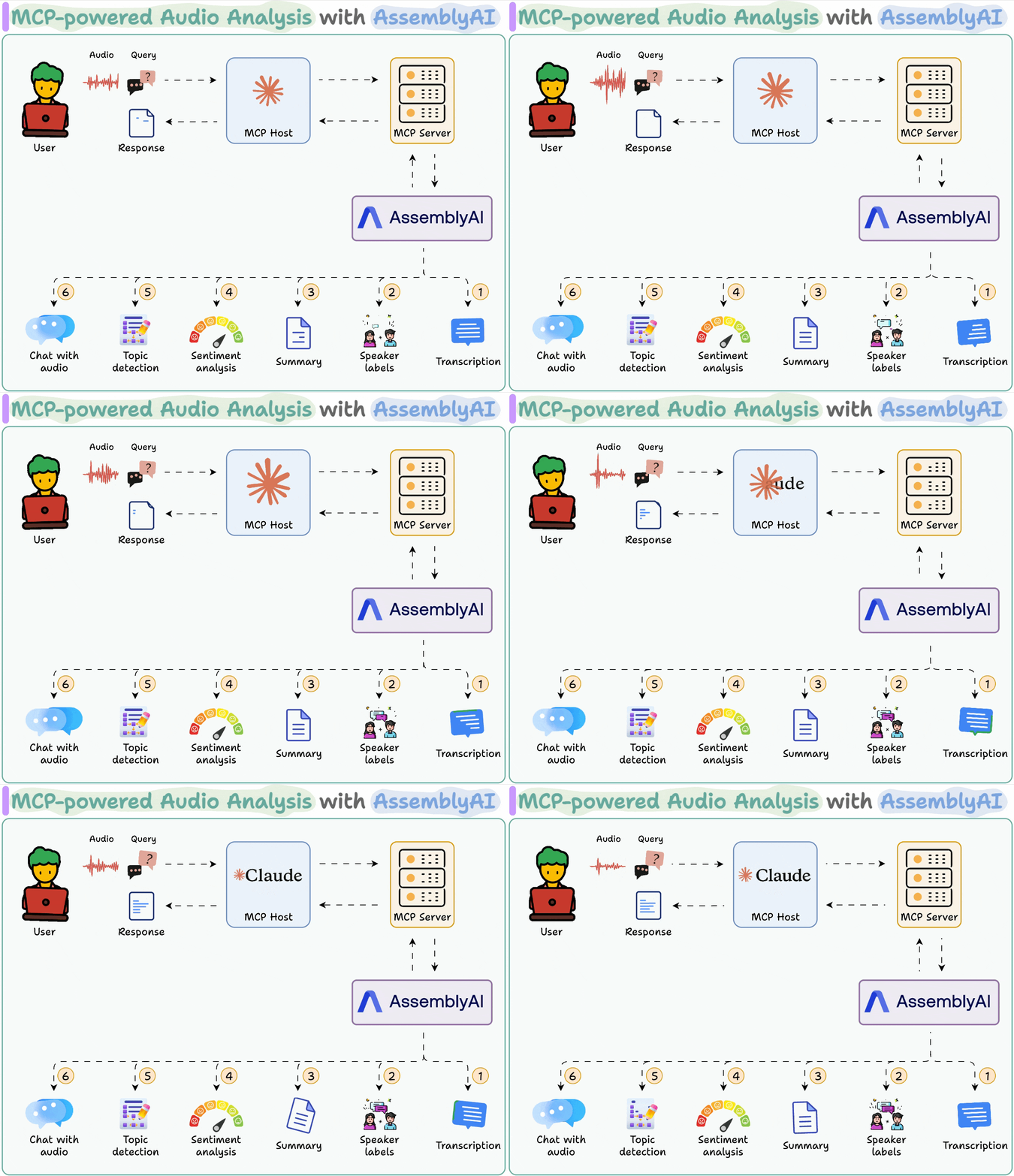
- User's audio input is sent to AssemblyAI via a local MCP server.
- AssemblyAI transcribes it while providing the summary, speaker labels, sentiment, and topics.
- Post-transcription, the user can also chat with audio.
Let’s implement this!
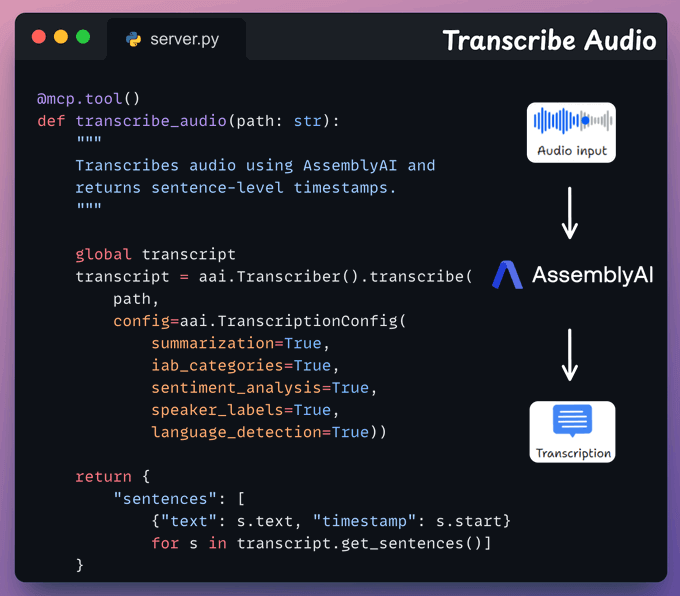
Transcription MCP tool
This tool accepts an audio input from the user and transcribes it using AssemblyAI.
We also store the full transcript to use in the next tool.
Audio analysis tool
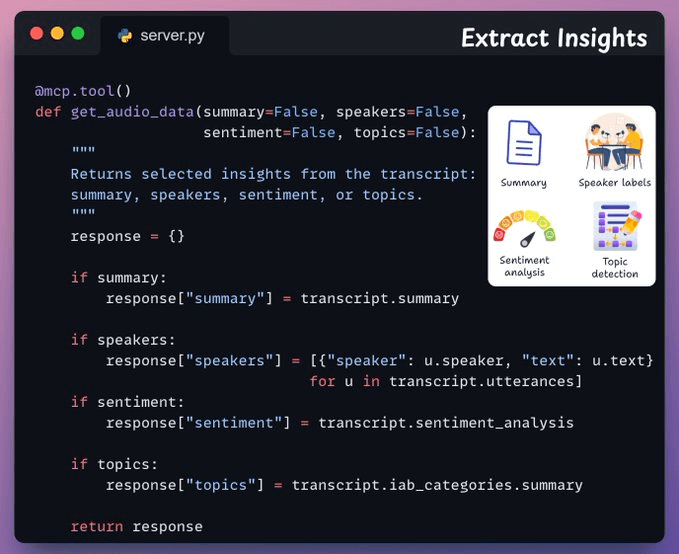
Next, we have a tool that returns specific insights from the transcript, like speaker labels, sentiment, topics, and summary.
Based on the user’s input query, the corresponding flags will be automatically set to True when the Agent will prepare the tool call via MCP:
Create MCP Server
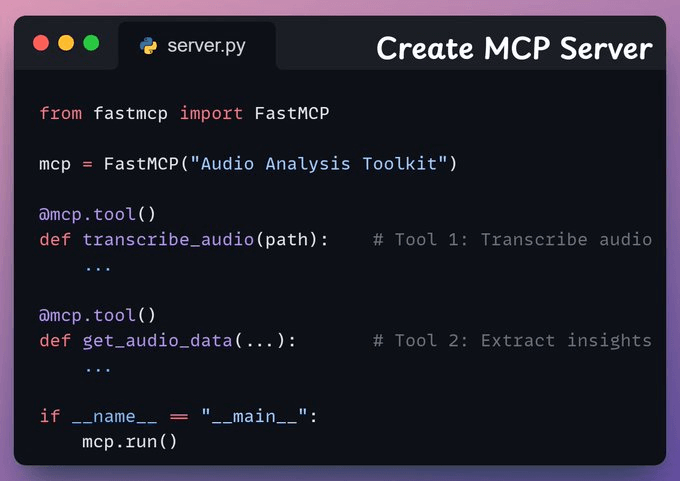
Now, we’ll set up an MCP server to use the tools we created above.
Integrate MCP server with Claude Desktop
Go to File → Settings → Developer → Edit Config and add the following code.
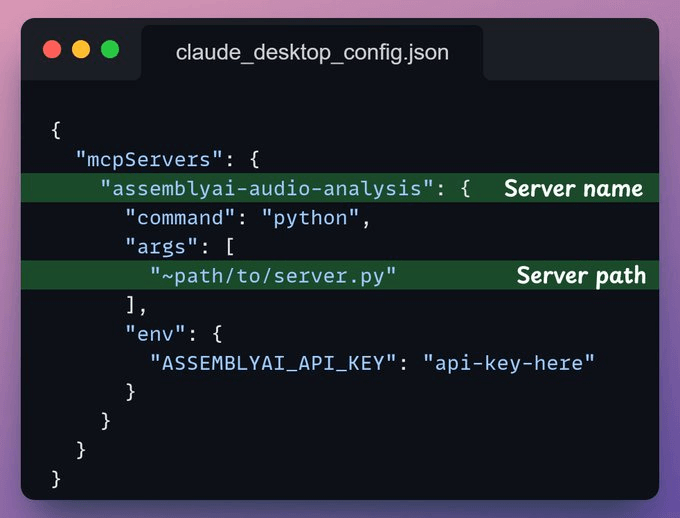
Once the server is configured, Claude Desktop will show the two tools we built above in the Tools menu:
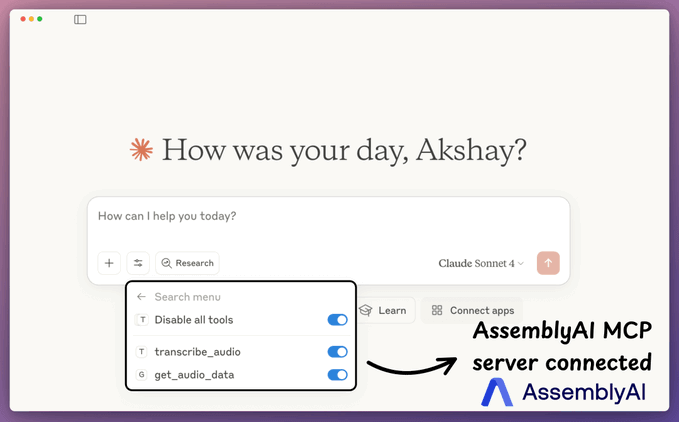
- transcribe_audio
- get_audio_data
And now you can interact with it:
We have also created a Streamlit UI for the audio analysis app.
You can upload the audio, extract insights, and chat with it using AssemblyAI’s LeMUR.
And that was our MCP-powered audio analysis toolkit.
Here's the workflow again for your reference:
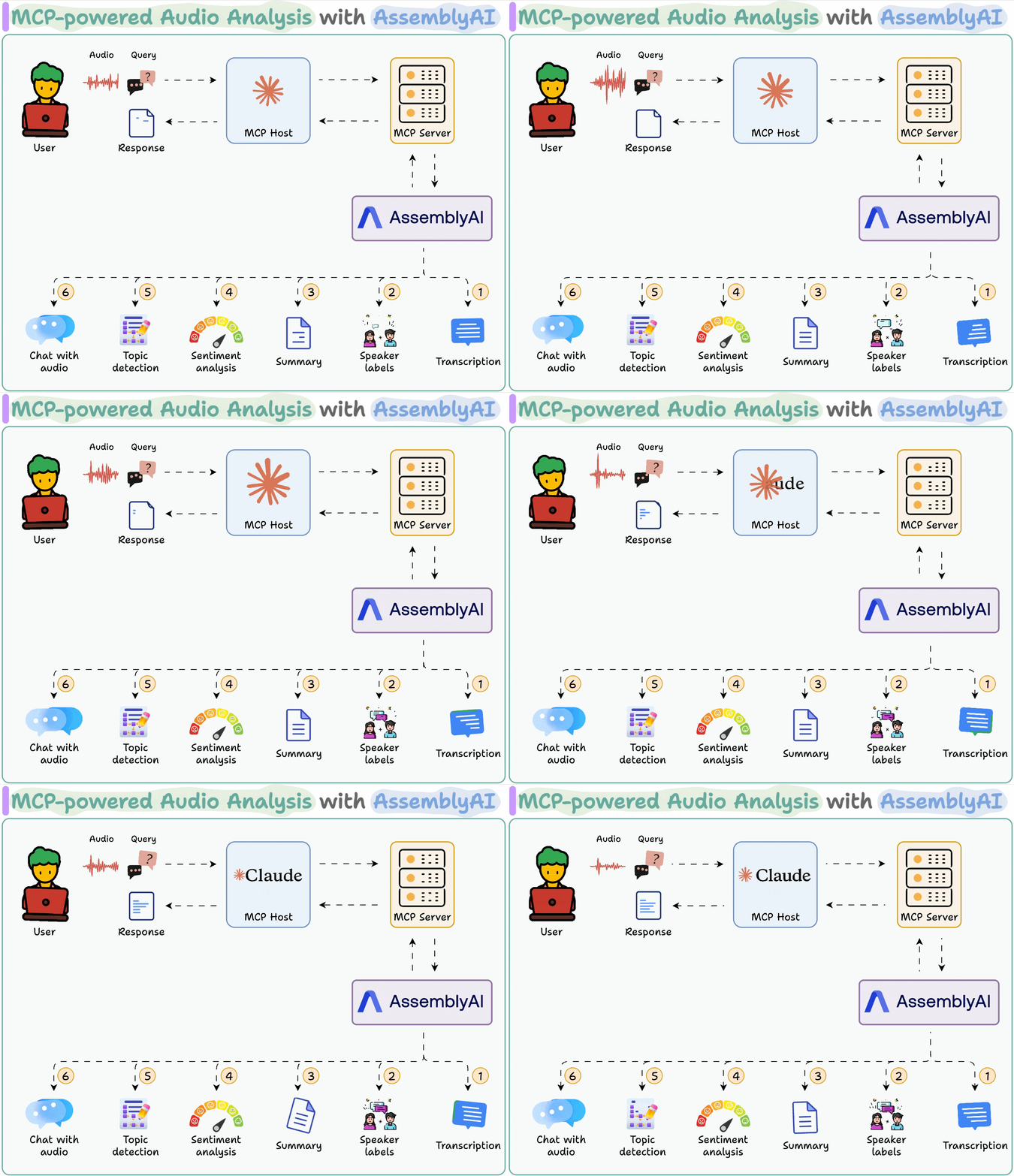
- User-provided audio is sent to AssemblyAI through the MCP server.
- AssemblyAI processes it, MCP host returns the requested insights.
You can find the code in this repo →
Thanks for reading!