Agents
Building a Multi-agent Financial Analyst
...using Microsoft's Autogen and Llama3-70B.

Avi Chawla
...using Microsoft's Autogen and Llama3-70B.

TODAY'S ISSUE
Lately, we have done quite a few demos where we built multi-agent systems (we’ll link them towards the end of this issue).
Today, let’s do another demo, wherein we’ll build a multi-agent financial analyst using Microsoft’s Autogen and Llama3-70B:
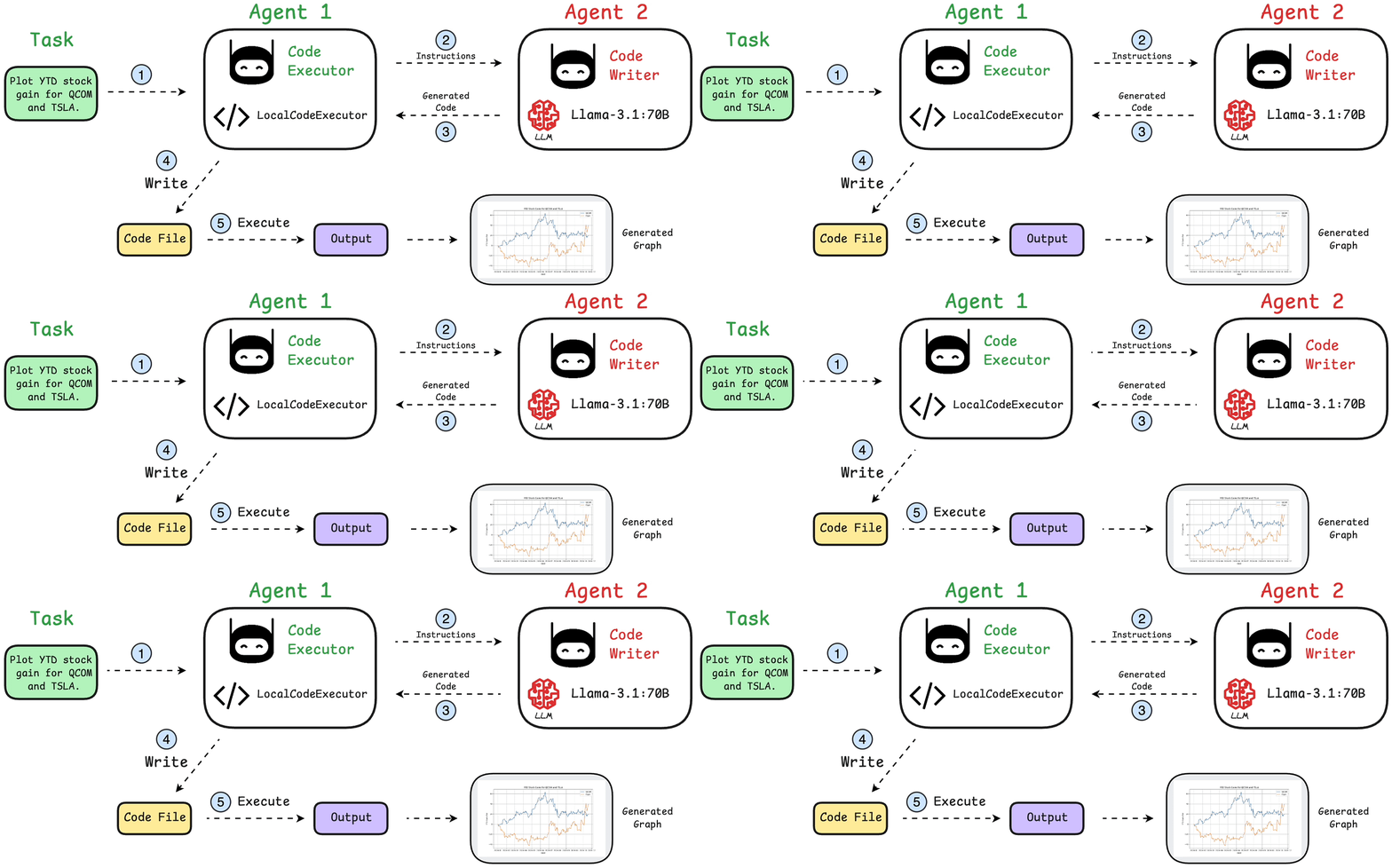
Here’s our tech stack for this demo:
We’ll have two agents in this multi-agent app:
If you prefer to watch, we have added a video demo below.
It demonstrates what we’re building today and a quick walkthrough of Qualcomm’s playground to help you get started with everything.
Get your API keys and free playground access to run Llama 3.1-8B, 70B here →
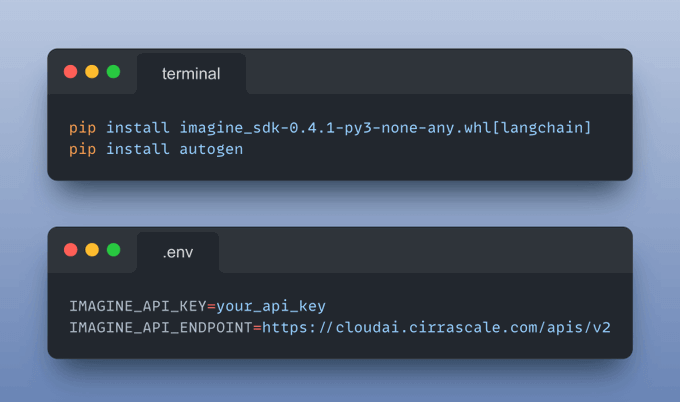
Next, install the following dependencies and add your API keys obtained from the playground to the .env file.
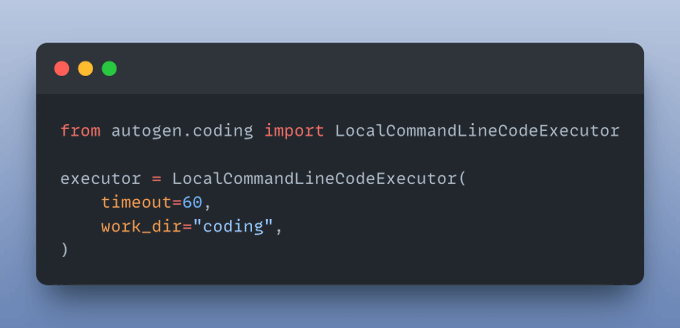
The LocalCommandLineCodeExecutor runs the AI-generated code and saves all files and results in the specified directory.
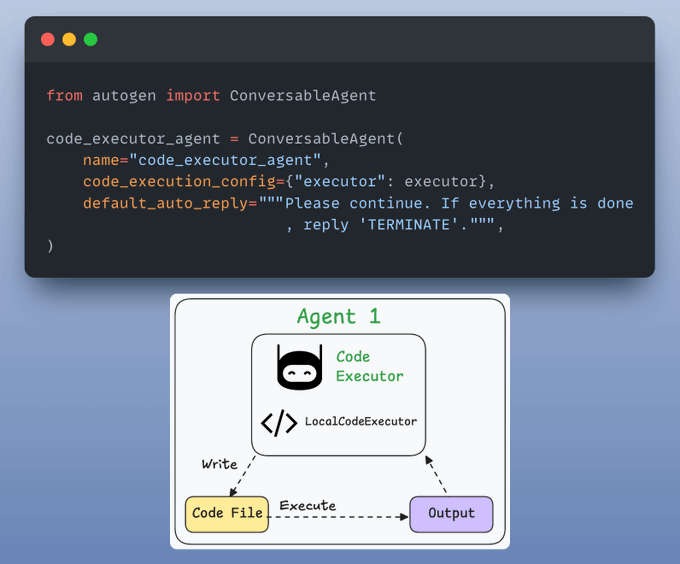
Code executor agent orchestrates code execution:
Collects final results
It uses an LLM to generate code based on user instructions and collaborates with the code executor agent.
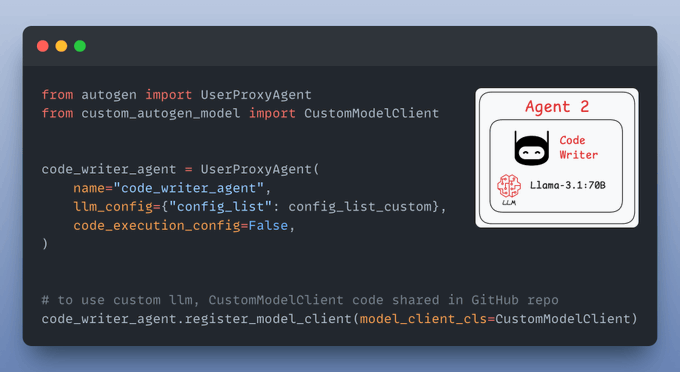
Almost done!
Finally, we provide a query and let the agents collaborate:
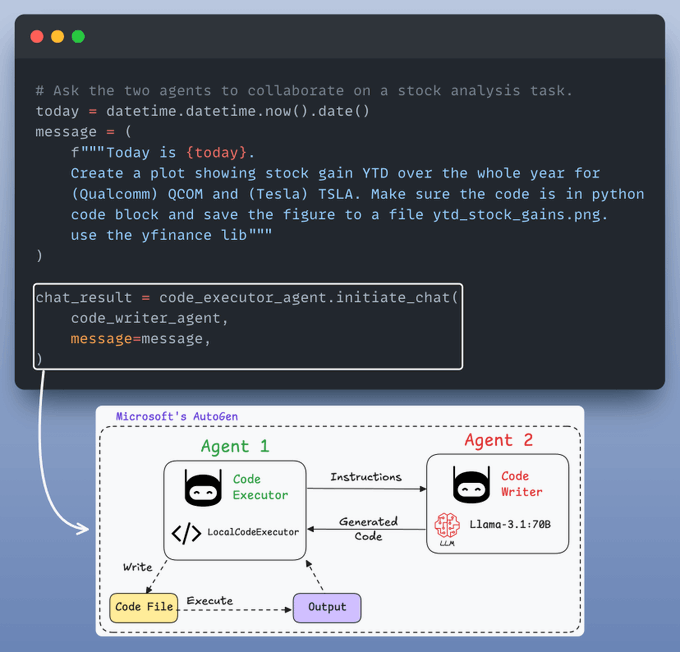
Recall that we configured the LocalCommandLineCodeExecutor above to save all files and results in the specified directory.
Let’s display the stock analysis chart:
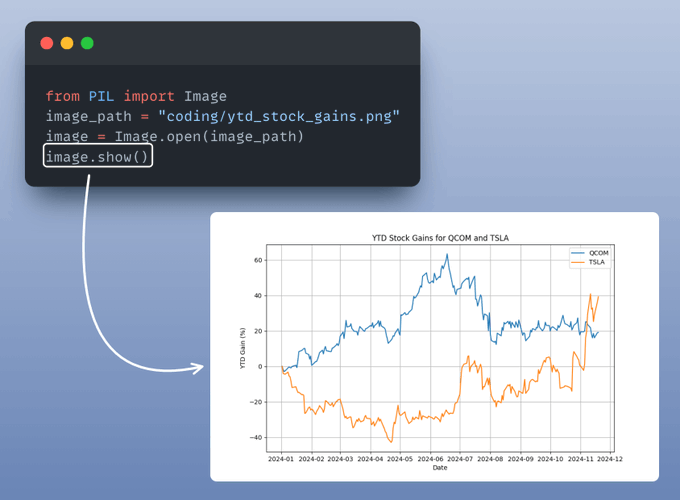
Perfect!
It produces the desired result.
You can find all the code and instructions to run in this GitHub repo: AI Engineering Hub.
We launched this repo recently, wherein we’ll publish the code for such hands-on AI engineering newsletter issues.
This repository will be dedicated to:
Find it here: AI Engineering Hub (and do star it).
🙌 Also, a big thanks to Qualcomm for partnering with us and letting us use one of the fastest LLM inference engines they provide for today’s newsletter issue.
👉 Over to you: What other topics would you like to learn about?
If you are building real-world LLM-based apps, it is unlikely you can start using the model right away without adjustments. To maintain high utility, you either need:
The following visual will help you decide which one is best for you:
Read more in-depth insights into Prompting vs. RAG vs. Fine-tuning here →
Once a model has been trained, we move to productionizing and deploying it.
If ideas related to production and deployment intimidate you, here’s a quick roadmap for you to upskill (assuming you know how to train a model):
This roadmap should set you up pretty well, even if you have NEVER deployed a single model before since everything is practical and implementation-driven.