Build a Shared Memory for Claude Desktop and Cursor
100% local.
Developers use Claude Desktop and Cursor independently with no context sharing or connection.
In other words, Claude Desktop (an MCP host) has no visibility over what you do in Cursor (another MCP host), and vice versa.
In this project, we'll show you how to add a common memory layer to Claude Desktop and Cursor so you can cross-operate without losing context.
Our tech stack:
- Graphiti MCP as a memory layer for AI Agents (GitHub repo; 10k stars).
- Cursor and Claude Desktop as the MCP hosts.
Here’s the workflow:
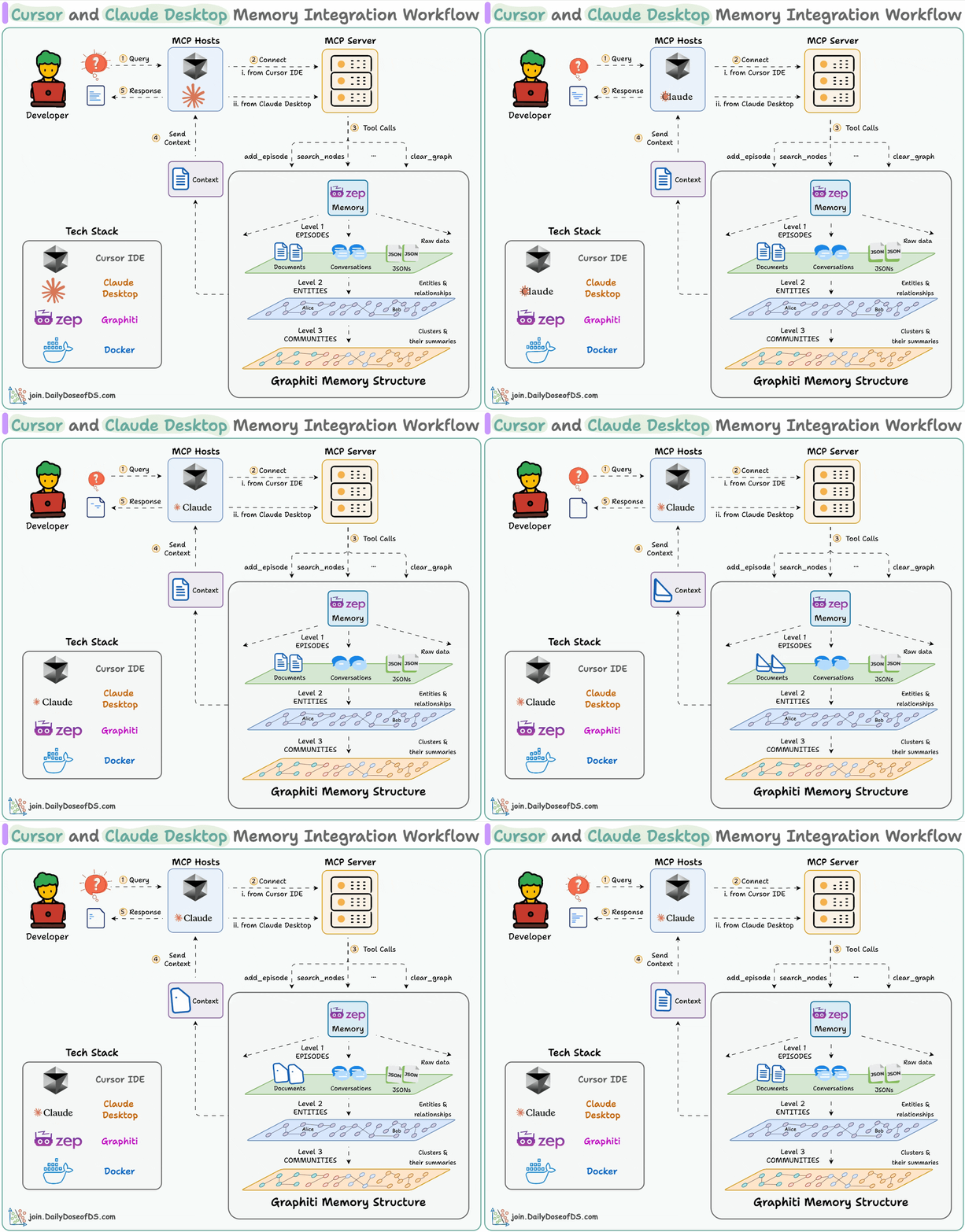
- User submits query to Cursor & Claude.
- Facts/Info are stored in a common memory layer using Graphiti MCP.
- Memory is queried if context is required in any interaction.
- Graphiti shares memory across multiple hosts.
We have added a video below that gives a walkthrough of the final outcome:
Implementation details
Now, let's dive into the code!
Docker Setup
Deploy the Graphiti MCP server locally using Docker Compose. This setup starts the MCP server with Server-Sent Events (SSE) transport.
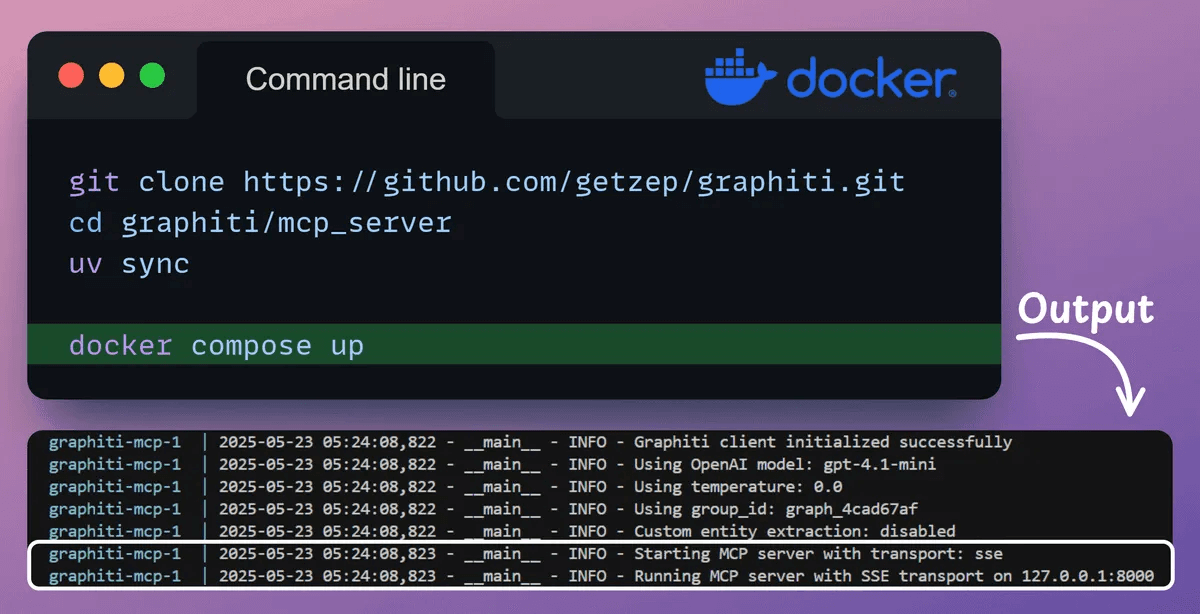
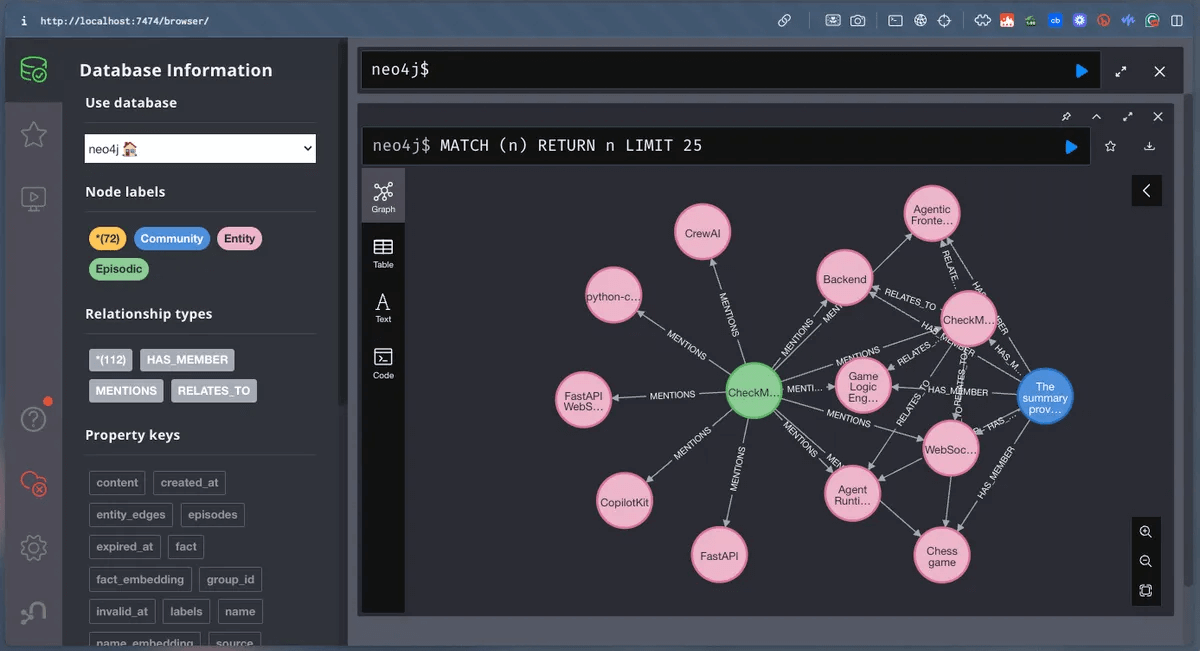
The Docker setup above includes a Neo4j container, which launches the database as a local instance.
This configuration lets you query and visualize the knowledge graph using the Neo4j browser preview.
Connect MCP server to Cursor
With tools and our server ready, let's integrate it with our Cursor IDE!
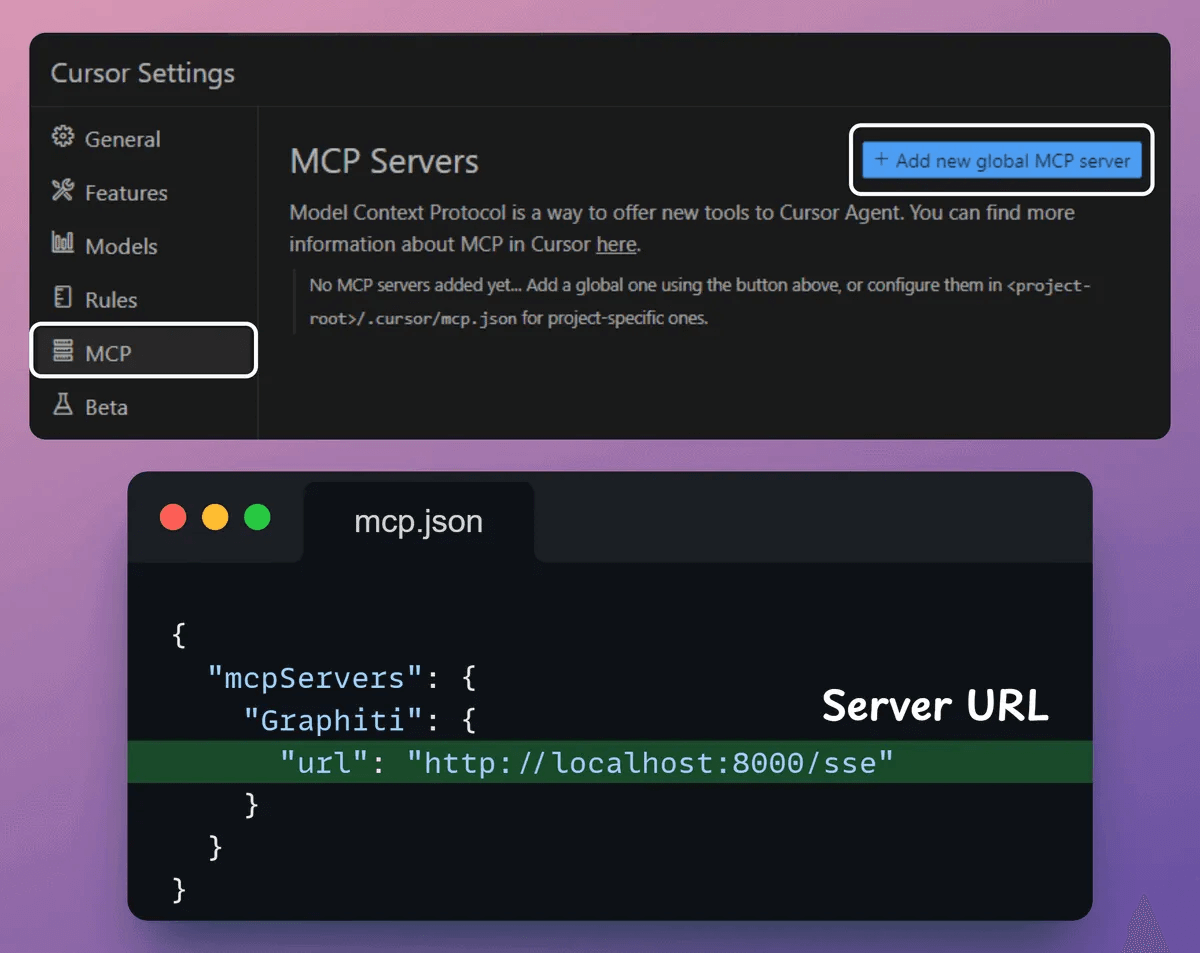
Go to: File → Preferences → Cursor Settings → MCP → Add new global MCP server.
In the JSON file, add what's shown below:
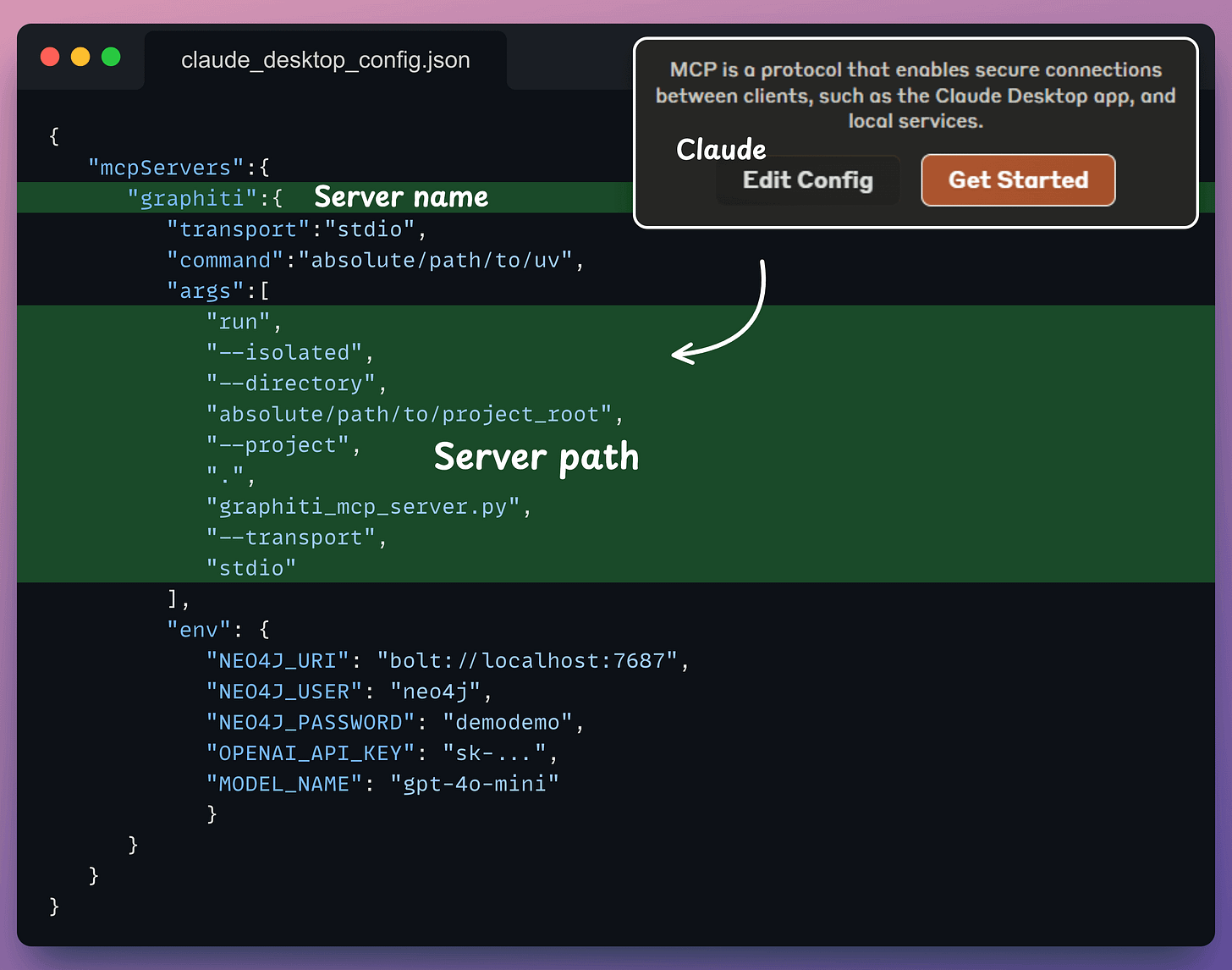
Connect MCP server with Claude
With tools and our server ready, let's integrate it with our Claude Desktop!
Go to: File → Settings → Developer → Edit Config.
In the JSON file, add what's shown below:
Done!
Our Graphiti MCP server is live and connected to Cursor & Claude!
Now you can chat with Claude Desktop, share facts/info, store the response in memory, and retrieve them from Cursor, and vice versa:
This way, you can pipe Claude’s insights straight into Cursor, all via a single MCP.
To summarize, here's the full workflow again for your reference.
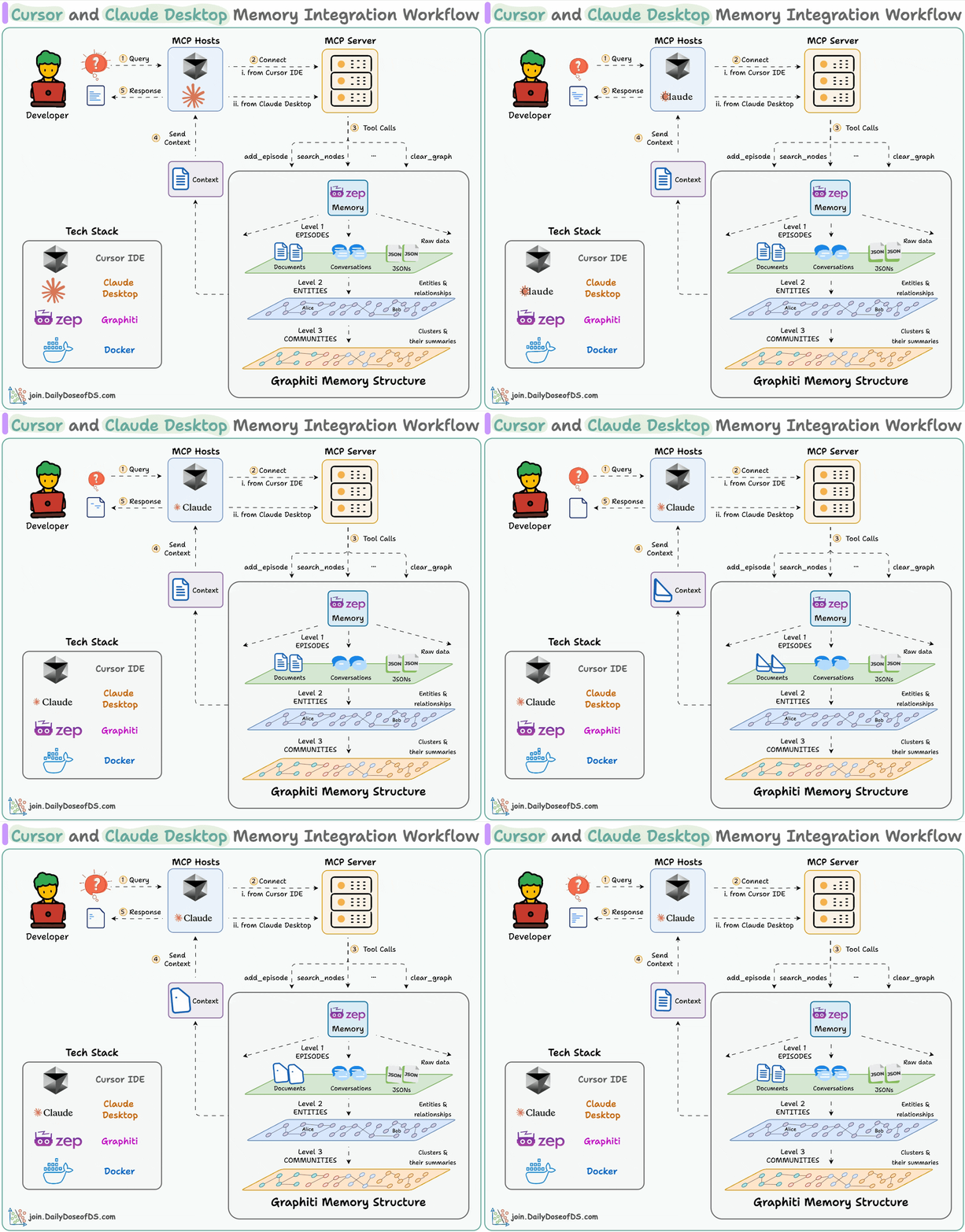
- User submits query to Cursor & Claude.
- Facts/Info are stored and retrieved from a common memory layer.
The memory layer is powered by Graphiti MCP.
While the steps detailed above should help you, you can find a detailed setup guide in the Graphiti MCP README file →
Let's move to the next project now!