LLMs
Build a Multi-agent Network with Agent2Agent Protocol
...explained step-by-step.

Avi Chawla
...explained step-by-step.

TODAY'S ISSUE
Agentic applications require both A2A and MCP.
Check this visual to understand where A2A fits in the ecosystem:
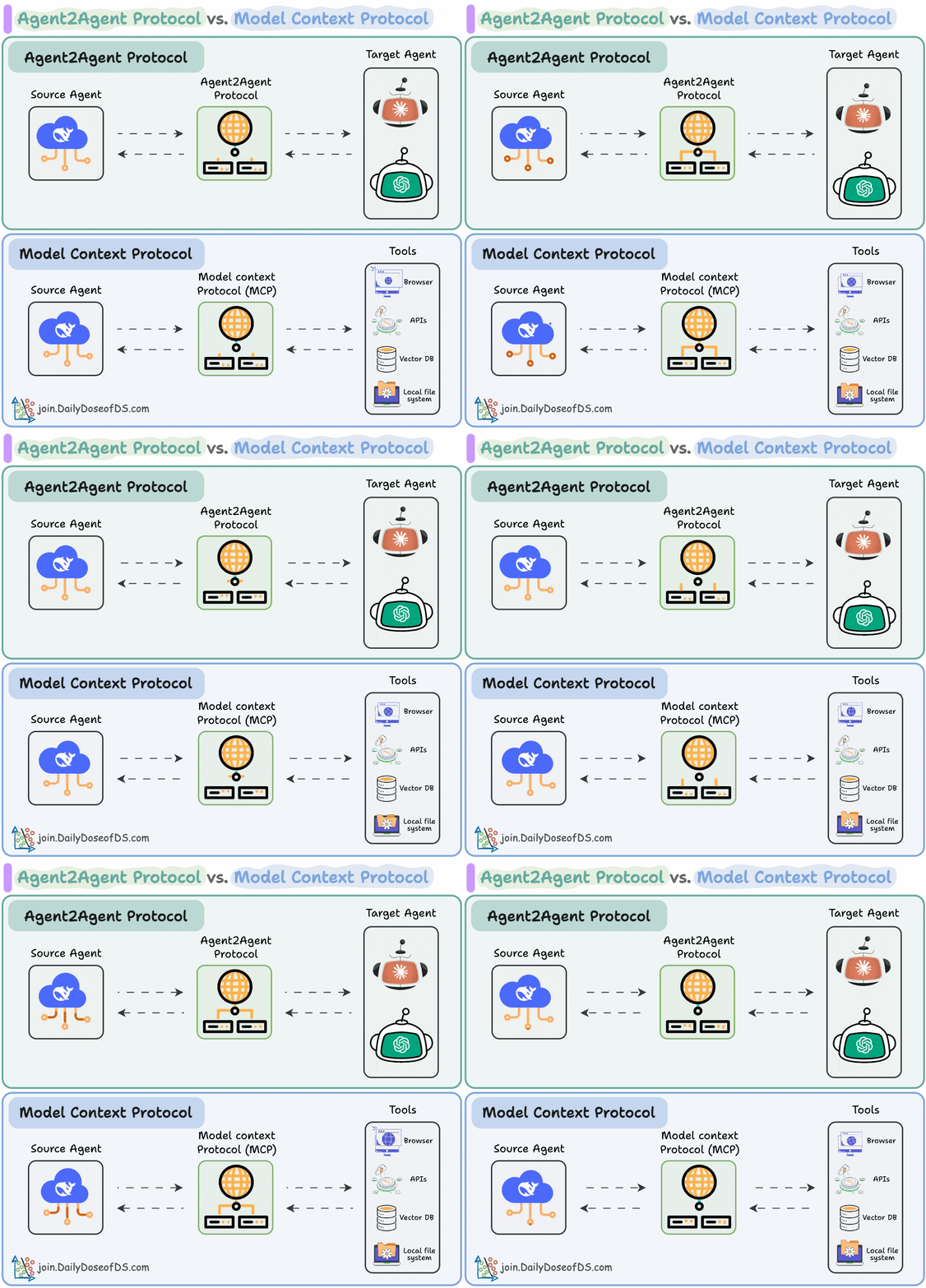
Today, let us show you how to build an Agent network and communicate with Agents using the Agent2Agent Protocol.
The code is linked later in the issue.
Let’s begin!
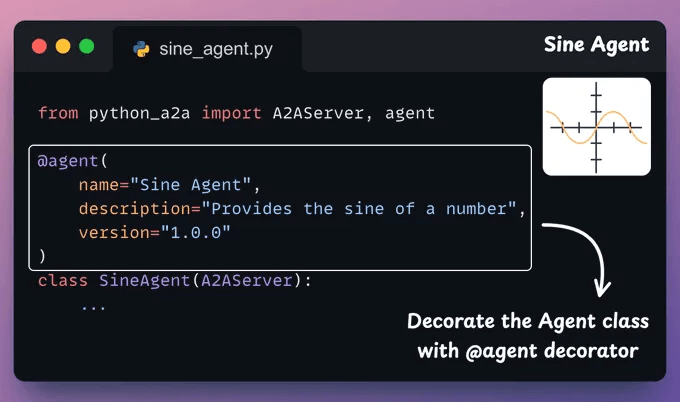
Here's how an Agent provider should serve/host their Agent.
Each Agent has some skills that it can expose to other Agents. So the class must declare a method with the @skill decorator.
For instance, a skill of our SineAgent is that it can compute the Sine of a number. This is implemented below:
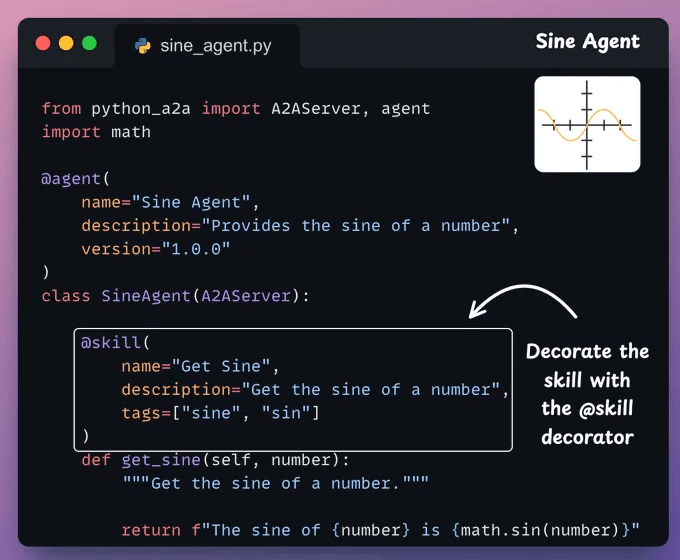
In this method, you can add your Agent’s execution loop.
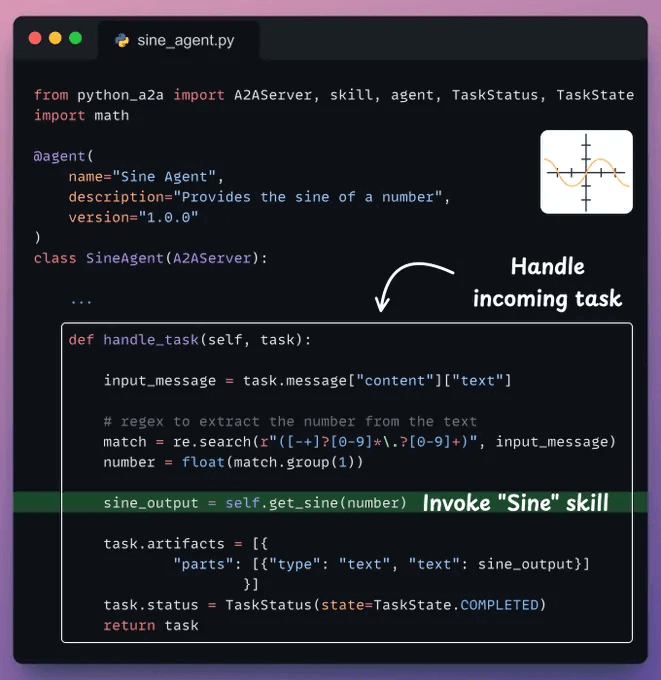
Moving on, an Agent can have multiple skills. Thus, a handle_task method accepts the input task, uses the available skills, and returns the output.
In our case, we simply invoke the Sine skill method after parsing the input.
Finally, in the main body of the agent, we deploy the Agent:
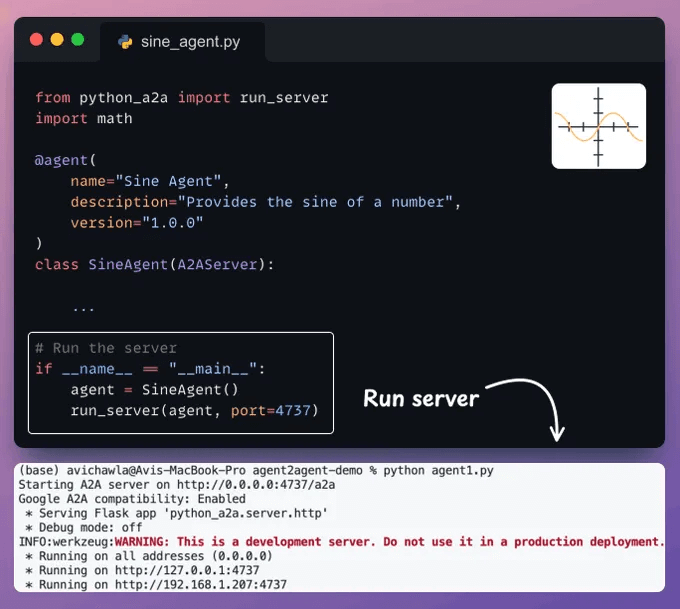
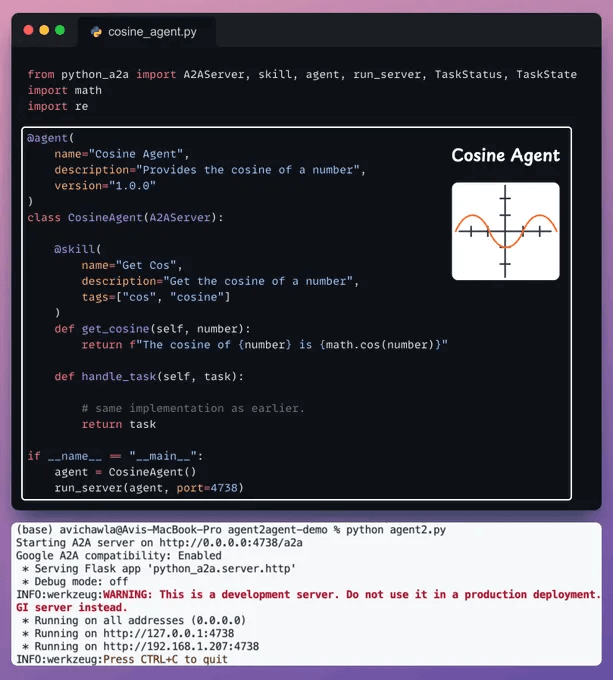
We repeat the same process to build and deploy a Cosine Agent as well:
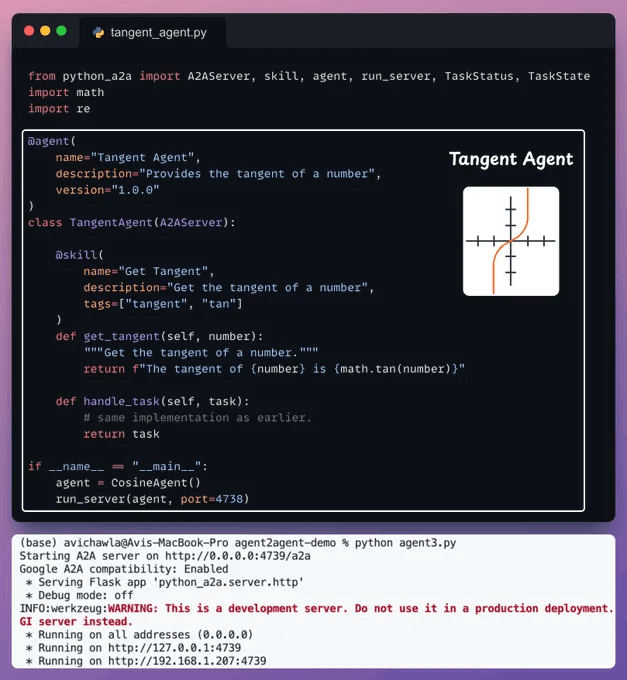
Finally, we repeat the same process to build and deploy a Tangent Agent:
Now that Agents have been hosted and deployed, a client can integrate them into their existing applications.
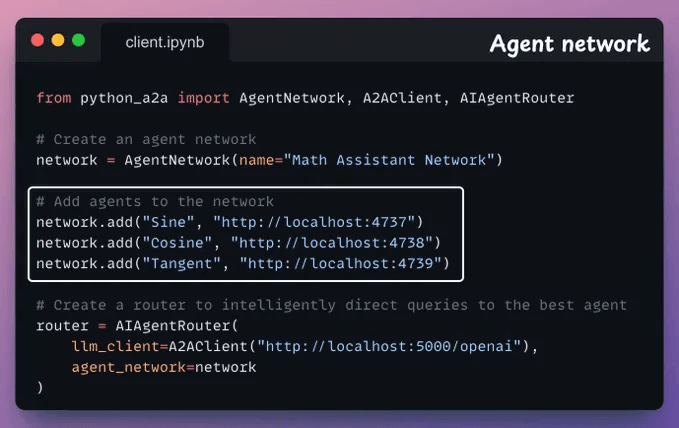
We also add a router to intelligently direct queries.
With that, we can send a query to our network and see if it is routed to the appropriate Agent.
Below, we have a query to compute the Tangent, and our router directed it correctly to the Tangent Agent:
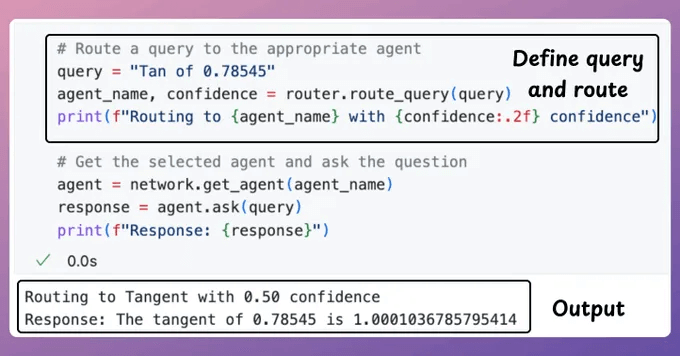
Below, we send another query and get the correct output again.
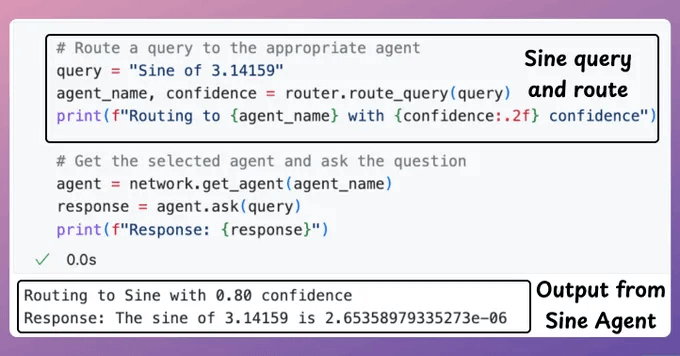
And that's how you can build and deploy your own Agent network and communicate with other Agents using the A2A protocol.
To recap:
We intentionally kept this issue simple for explainability.
We’ll make this more practical in an upcoming issue. Stay tuned!
If you want to learn more about the basics of Agent2Agent Protocol, we covered it in this newsletter issue →
The code for today's issue is available in this repo →
Thanks for reading!
Lately, there has been a lot of interest in MCPs.
Here's a step-by-step video walkthrough of creating your own MCP server!
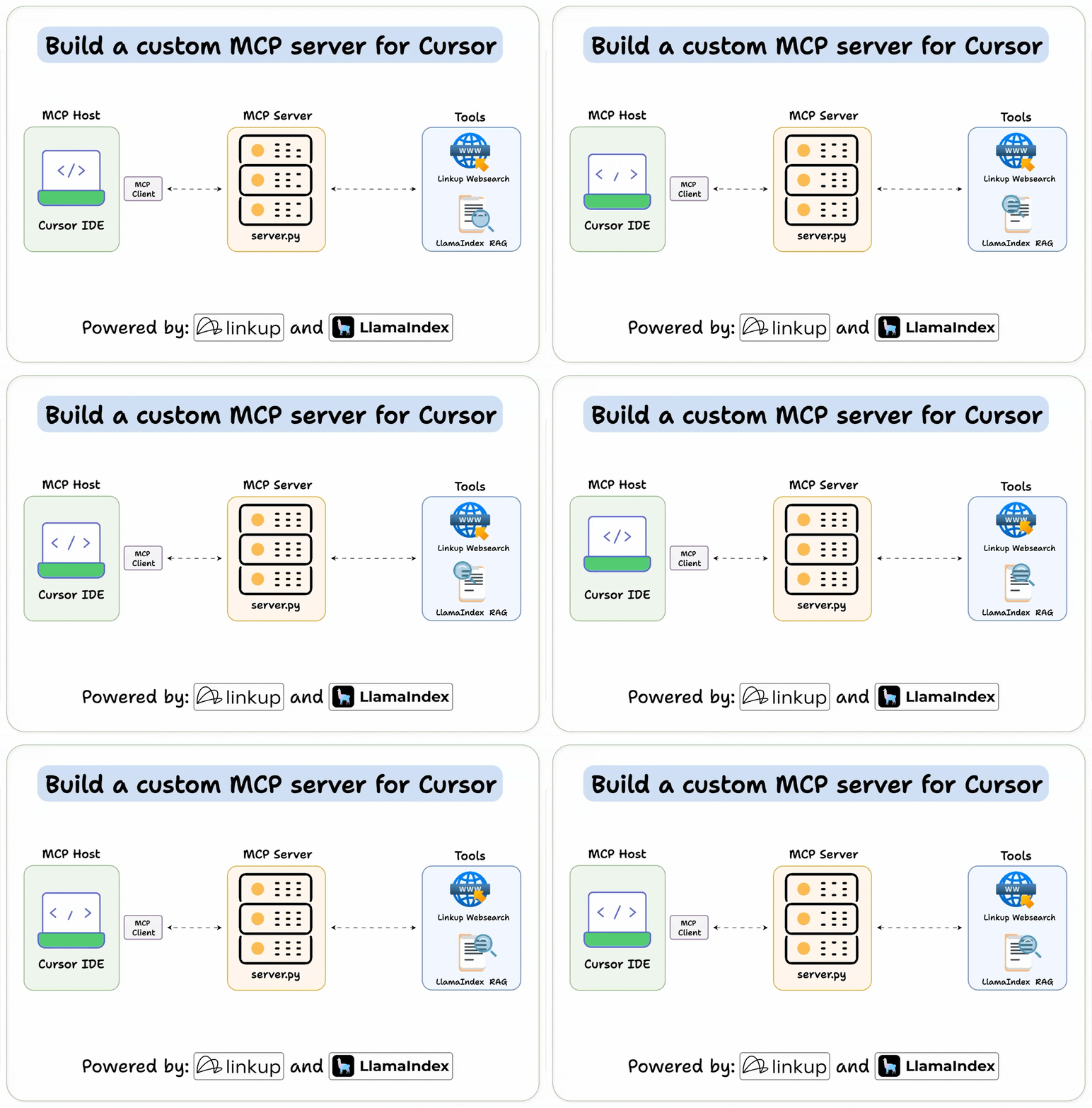
It connects to Cursor and lets the Agent perform deep web searches and RAG over a specified directory.
Cursor IDE is our MCP host, and we connect it to our custom server.
Here’s the tech stack:
Find the code on GitHub here → (don't forget to star the repo)
Despite rigorously testing an ML model locally (on validation and test sets), it could be a terrible idea to instantly replace the previous model with the new model.
A more reliable strategy is to test the model in production (yes, on real-world incoming data).
While this might sound risky, ML teams do it all the time, and it isn’t that complicated.
There are many ways to do this.