Agents
Intro to ReAct (Reasoning and Action) Agents
...and building one with Dynamiq.

Avi Chawla
...and building one with Dynamiq.

TODAY'S ISSUE
ReAct agents, short for Reasoning and Action agents, is a framework that combines the reasoning power of LLMs with the ability to take action!
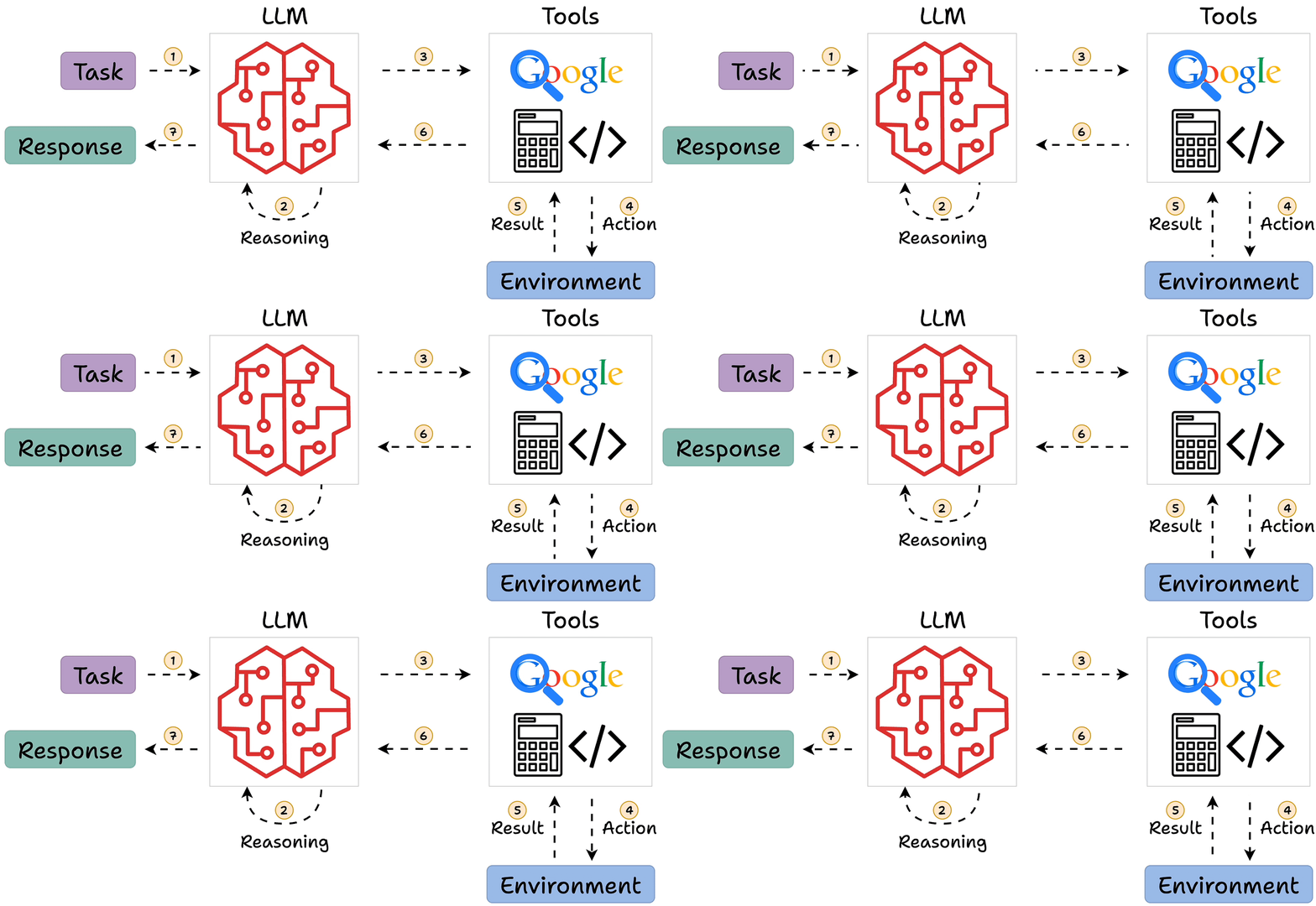
Today, let’s understand what ReAct agents are in detail and how to build one using Dynamiq.
ReACT agents integrate the thinking and reasoning capabilities of LLMs with actionable steps.
This allows the AI to comprehend, plan, and interact with the real world.
Simply put, it's like giving AI both a brain to figure out what to do and hands to actually do the work!
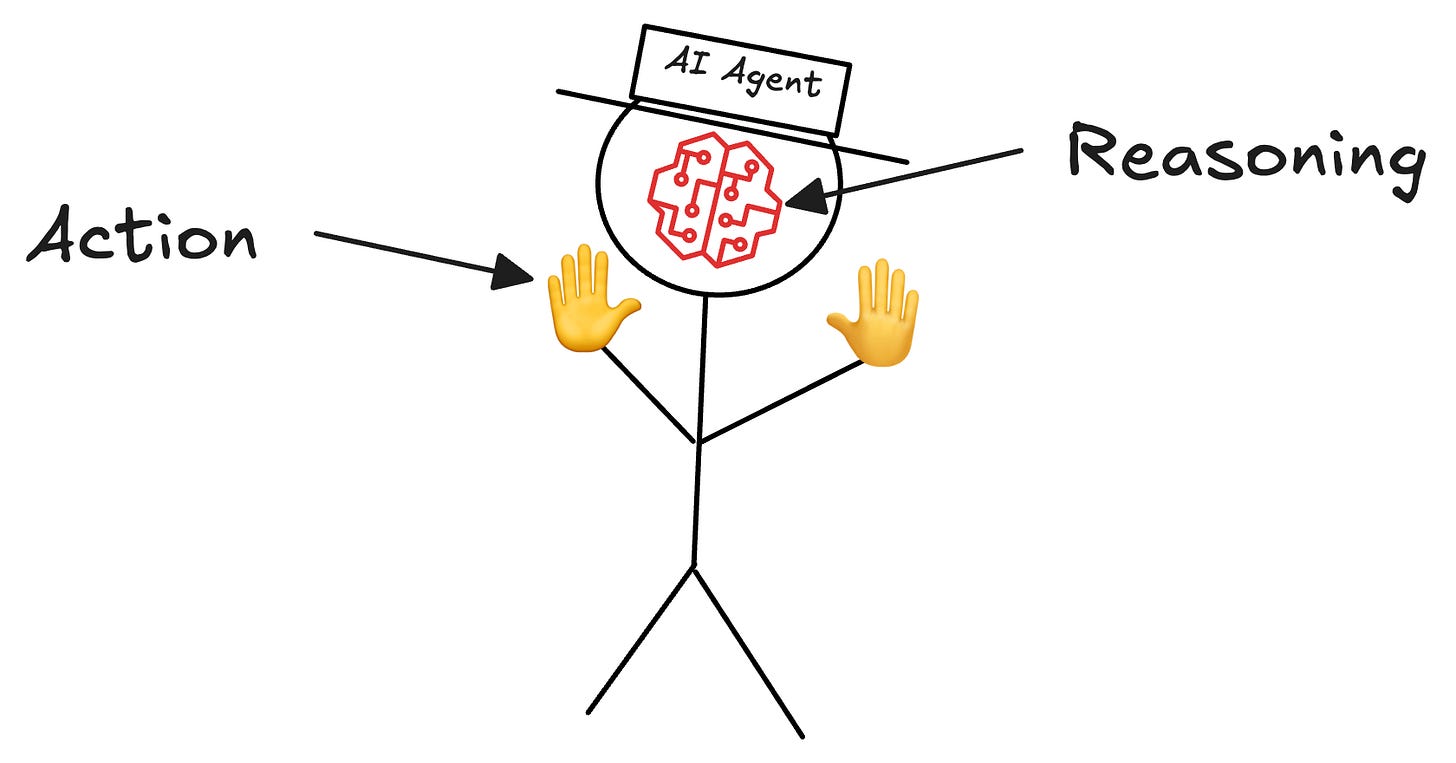
The video below explains this idea in much more depth.
Let’s get a bit more practical.
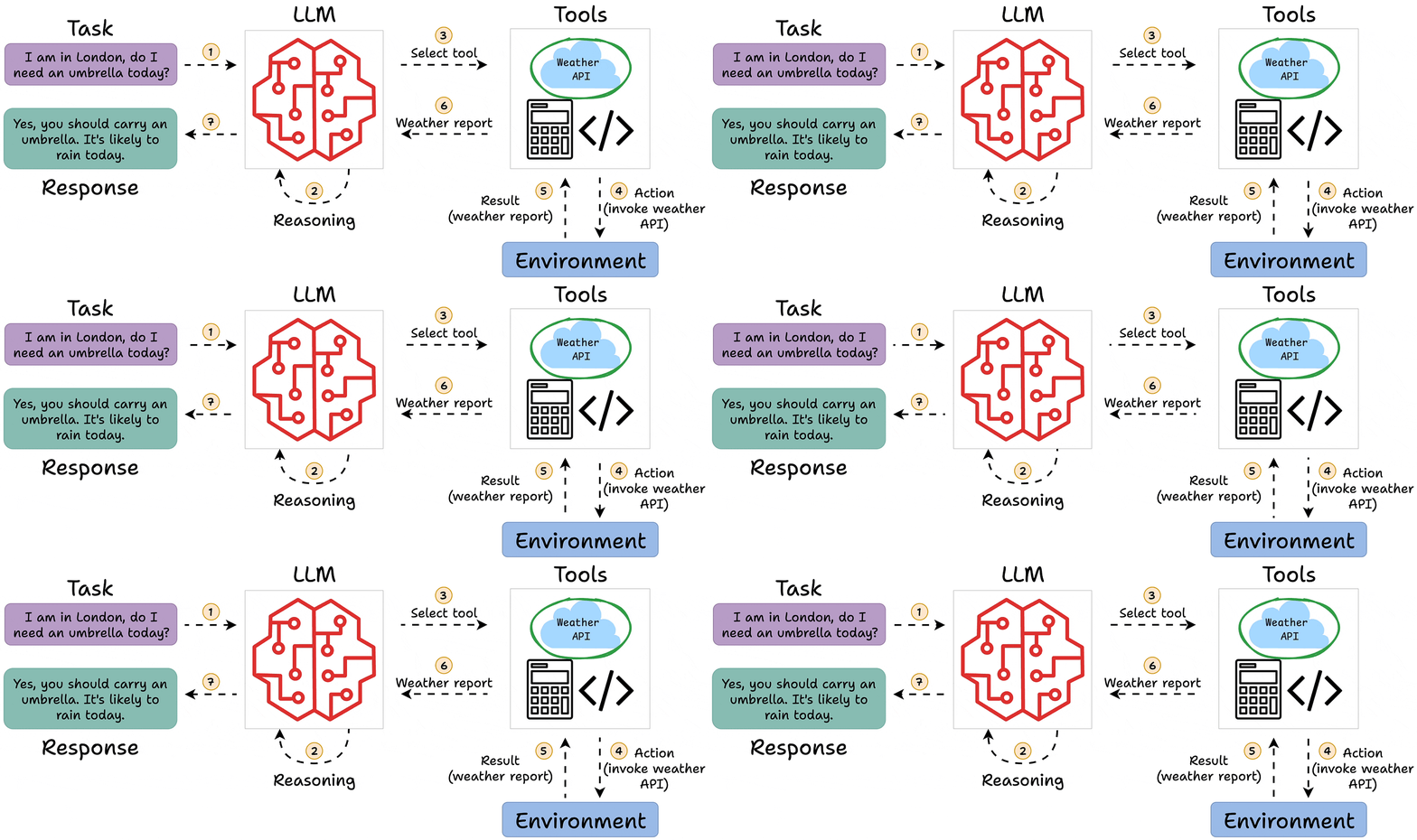
Imagine a ReACT agent helping a user decide whether to carry an umbrella.
Here's how the logical flow an agent should follow to answer this query →
I am in London, do I need an umbrella today?
Next, let’s use Dynamiq to build a simple ReAct agent.
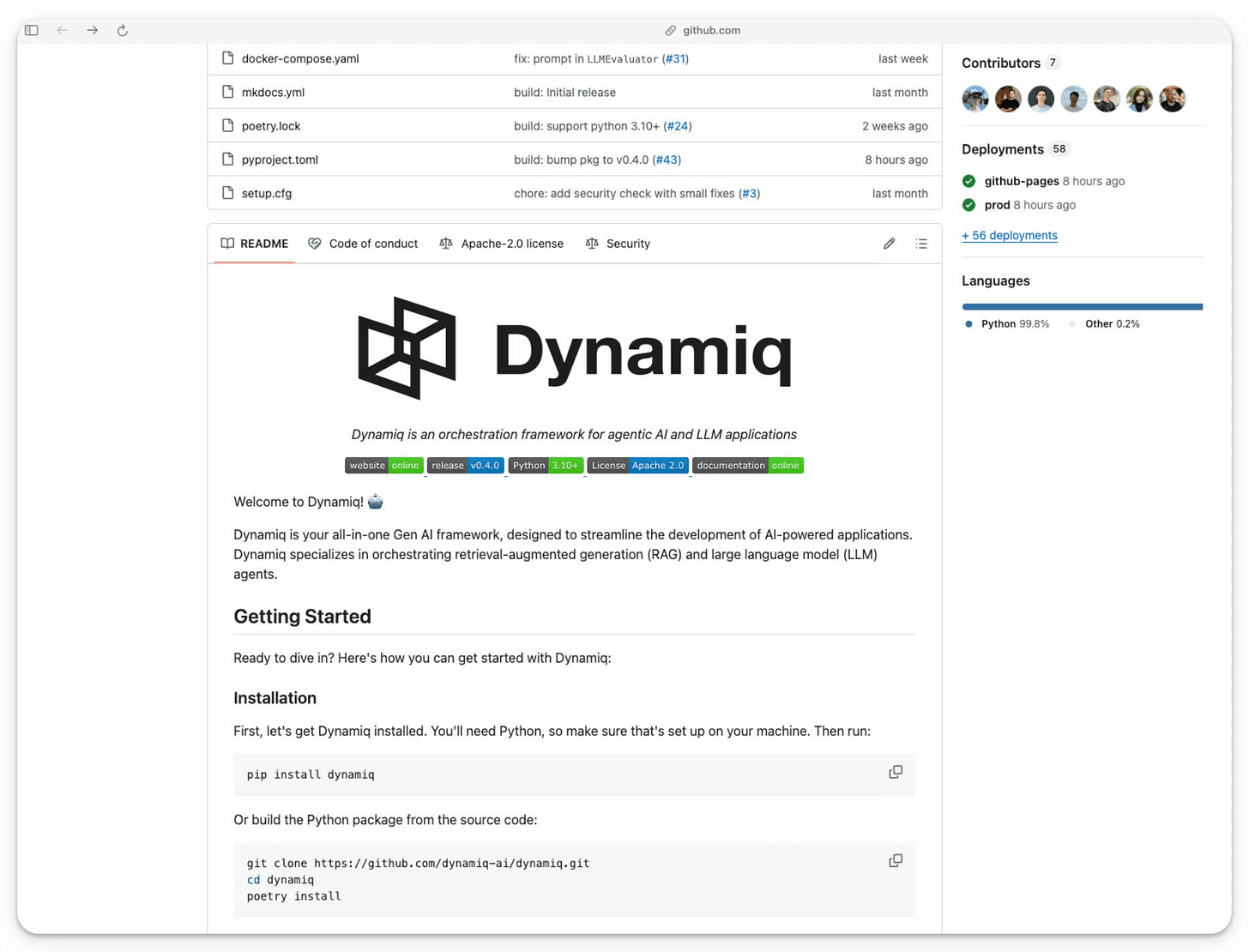
Dynamiq is a completely open-source, low-code, and all-in-one Gen AI framework for developing LLM applications with AI Agents and RAGs.
Here’s what stood out for me about Dynamiq:
Next, let’s build a simple ReAct agent.
Get started by installing Dynamiq (pip install dynamiq) and importing the necessary libraries:
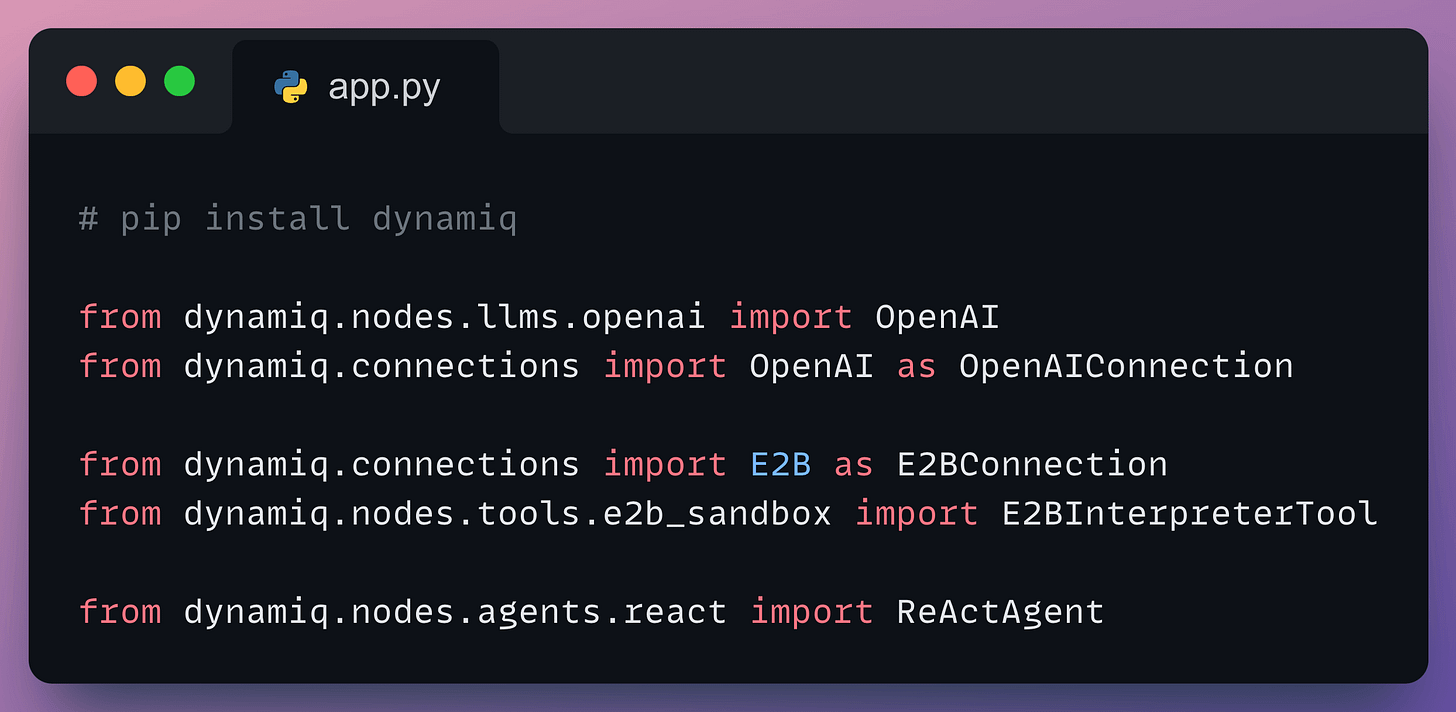
ReActAgent class orchestrates the ReAct agent.Next, we set up E2B and an LLM as follows:
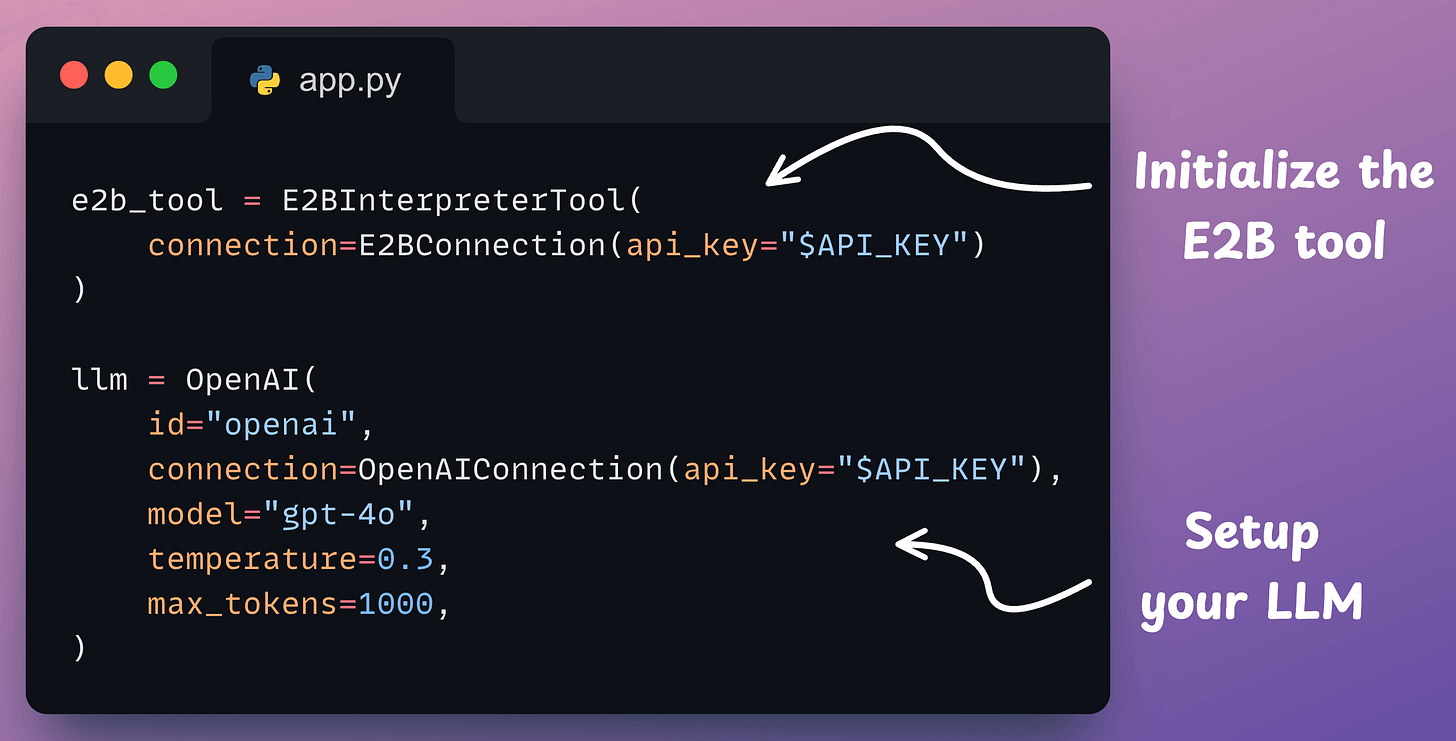
The code above is pretty self-explanatory.
Last step!
Dynamiq provides a straightforward interface for creating an agent. You just need to specify the LLM, the tools it can access, and its role.
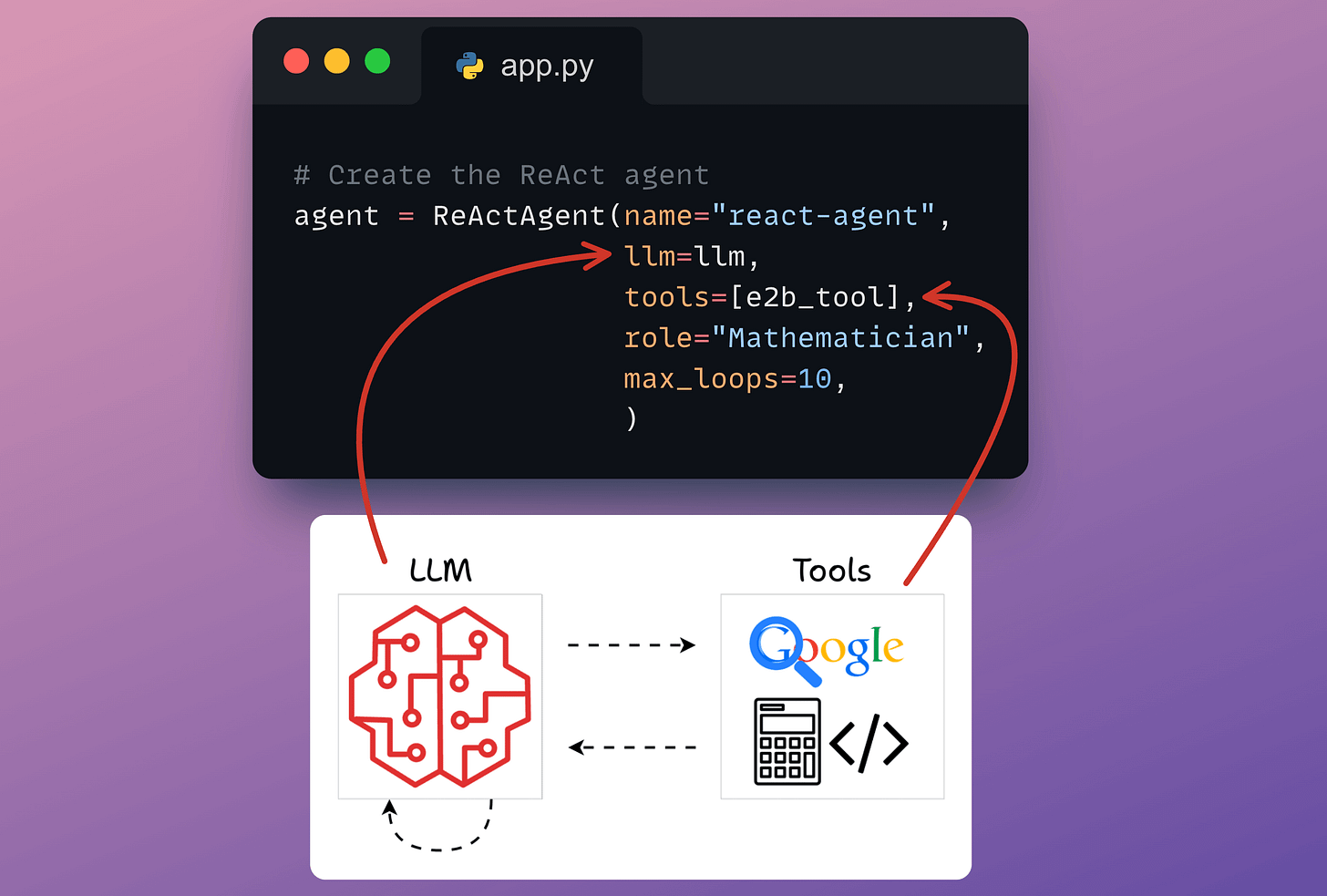
Done!
Finally, when everything is set up.
We provide a query and run the agent as follows:
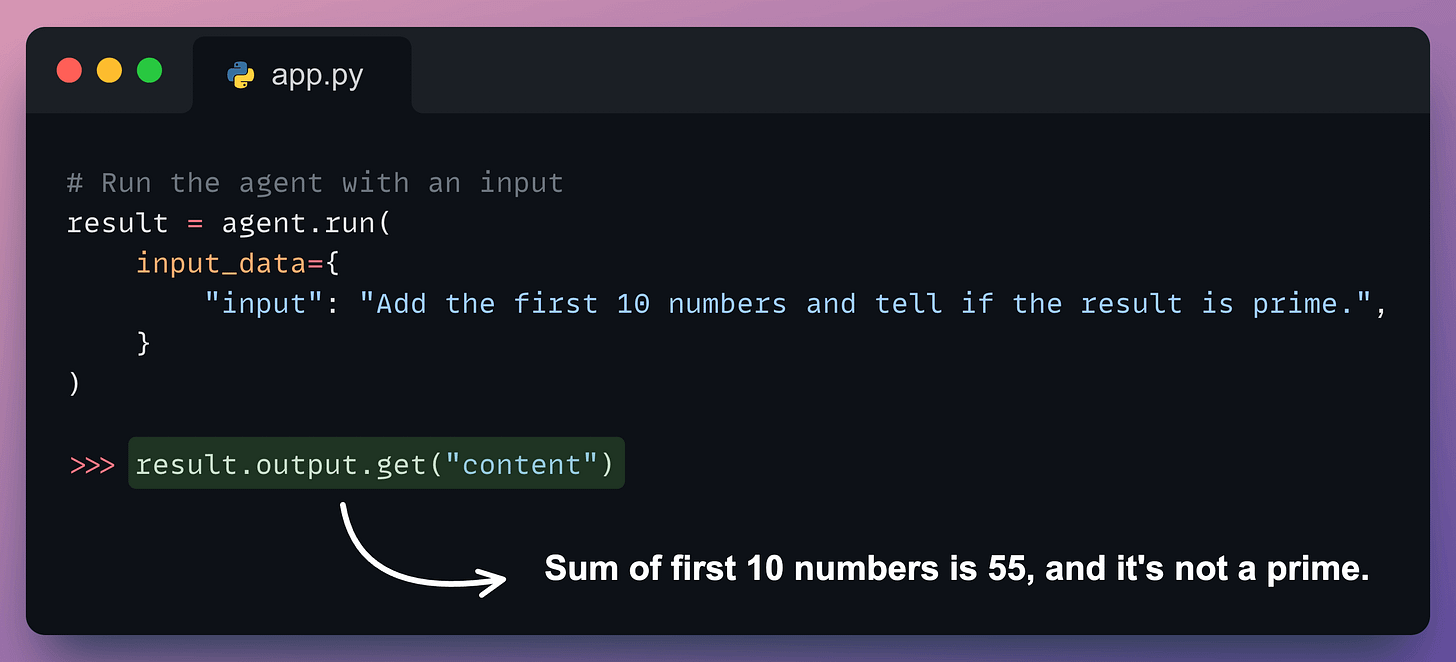
Perfect. It produces the correct output.
We have been using Dynamiq for a while now.
It is a fully Pythonic, open-source, low-code, and all-in-one Gen AI framework for developing LLM applications with AI Agents and RAGs.
Here’s what I like about Dynamiq:
All this makes it 10x easier to build production-ready AI applications.
If you're an AI Engineer, Dynamiq will save you hours of tedious orchestrations!
Several demo examples of simple LLM flows, RAG apps, ReAct agents, multi-agent orchestration, etc., are available on Dynamiq's GitHub.
Support their work by starring this GitHub repo: Dynamiq's GitHub.
Thanks to Dynamiq for showing us their easy-to-use and highly powerful Gen AI framework and partnering with us on today's issue.
👉 Over to you: What else would you like to learn about AI agents?
Thanks for reading!
If you are building real-world LLM-based apps, it is unlikely you can start using the model right away without adjustments. To maintain high utility, you either need:
The following visual will help you decide which one is best for you:
Read more in-depth insights into Prompting vs. RAG vs. Fine-tuning here →
Once a model has been trained, we move to productionizing and deploying it.
If ideas related to production and deployment intimidate you, here’s a quick roadmap for you to upskill (assuming you know how to train a model):
This roadmap should set you up pretty well, even if you have NEVER deployed a single model before since everything is practical and implementation-driven.