LLMs
[Hands-on] Build Your Reasoning LLM
100% local.

Avi Chawla
100% local.

TODAY'S ISSUE
Reinforcement Fine-tuning (RFT) allows you to transform any open-source LLM into a reasoning powerhouse.
No labeled data is needed.
Today, we'll use Predibase for RFT to transform Qwen-2.5:7b into a reasoning model.
We have attached a video below if you prefer watching instead of reading. The code is linked later in the issue.
Let's begin!
Before diving into RFT, it's crucial to understand how we usually fine-tune LLMs using SFT or supervised fine-tuning.
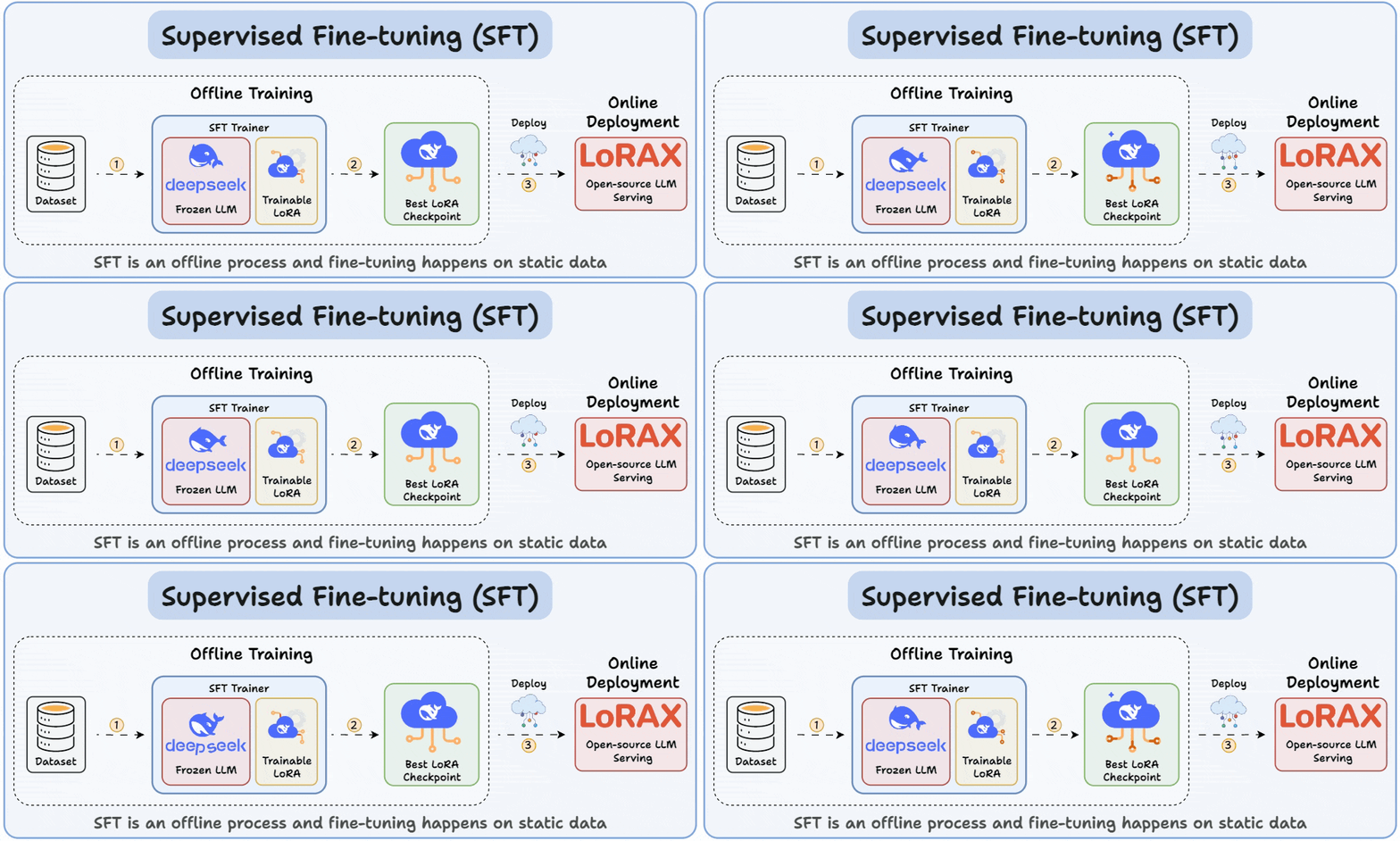
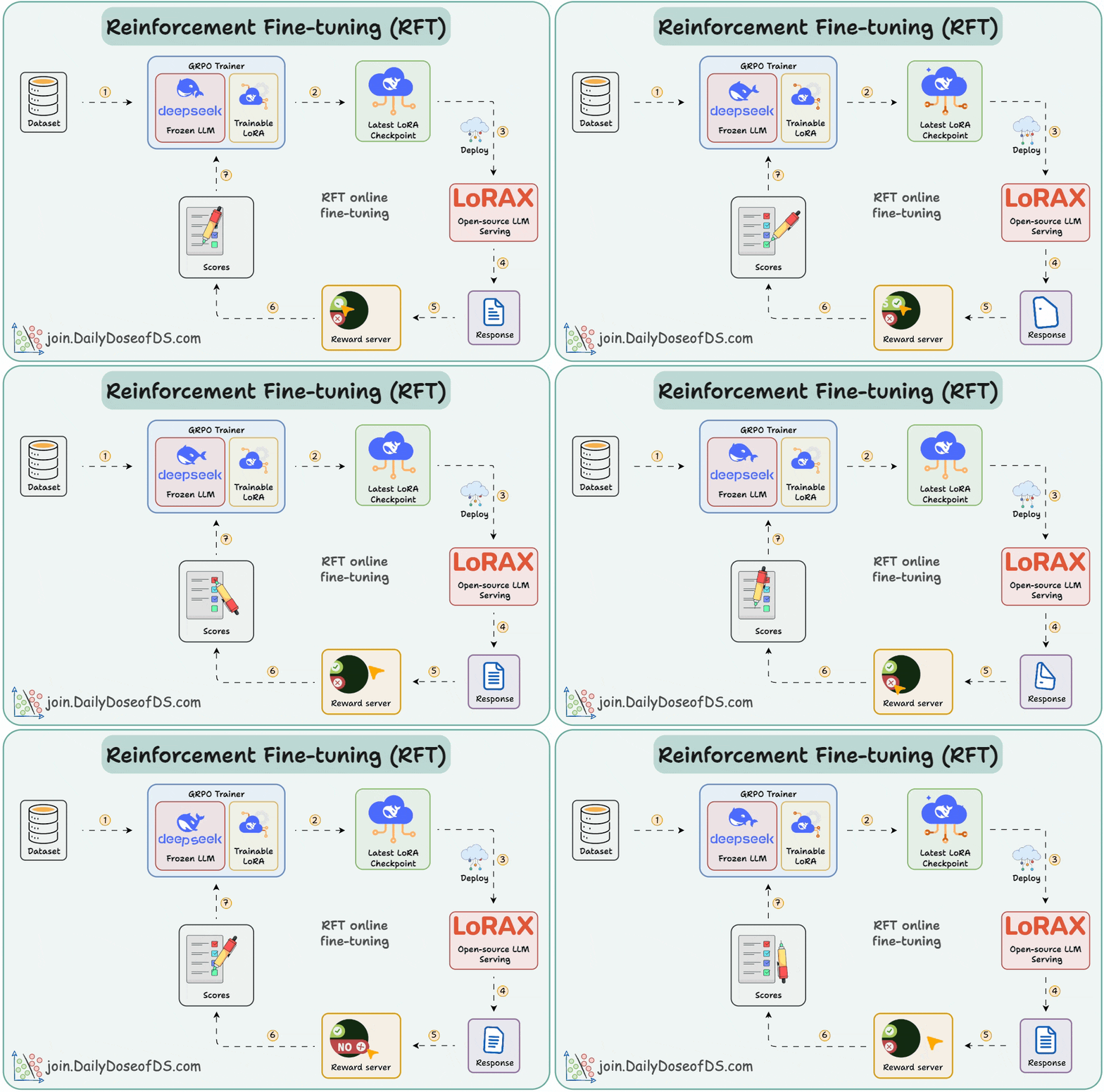
SFT uses static data and often memorizes answers. RFT, being online, learns from rewards and explores new strategies.
Now, let's turn Qwen-2.5 into a reasoning LLM.
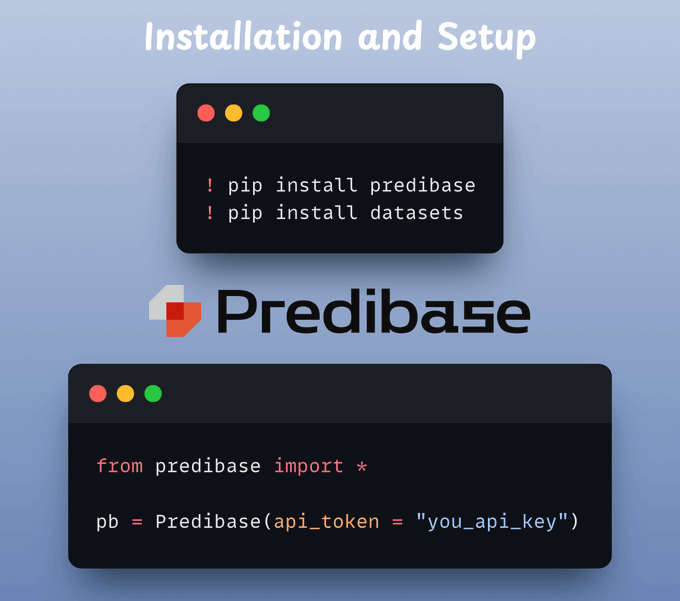
First, we install all the necessary dependencies and complete the setup (you need a Predibase API key):
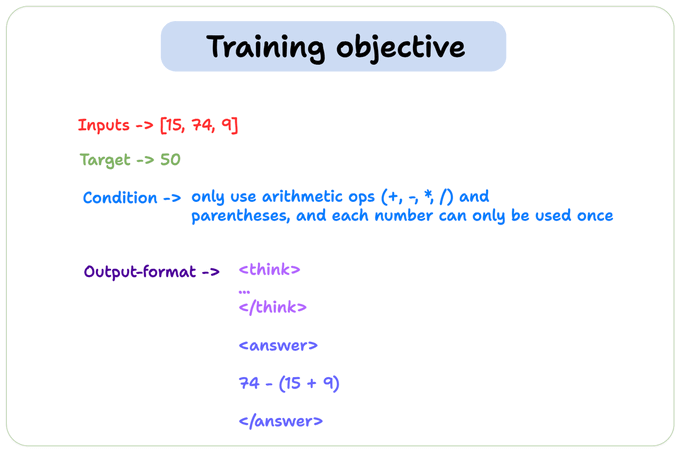
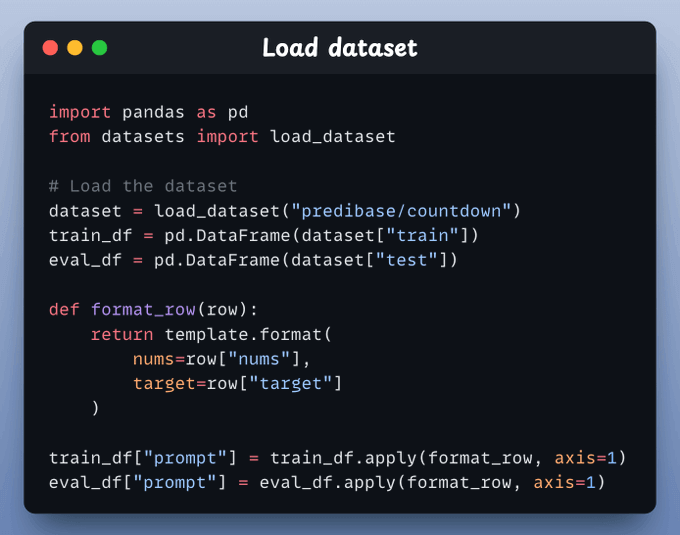
We'll fine-tune our model using the Countdown dataset, a popular resource for evaluating and enhancing the reasoning and math capabilities of an LLM.
This is passed as a prompt template in the code.
Load the dataset for finetuning and add a proper prompt template to each record that we can feed to the LLM.
#1) Format reward function:
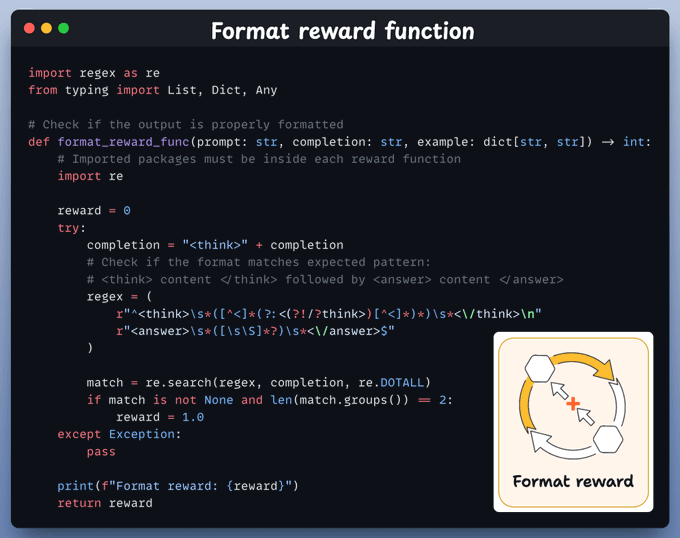
This checks whether the model’s output contains a <think> block and an <answer> block in the correct order.
If it does, the model scores +1. Otherwise, it’s zero.
#2) Equation reward function
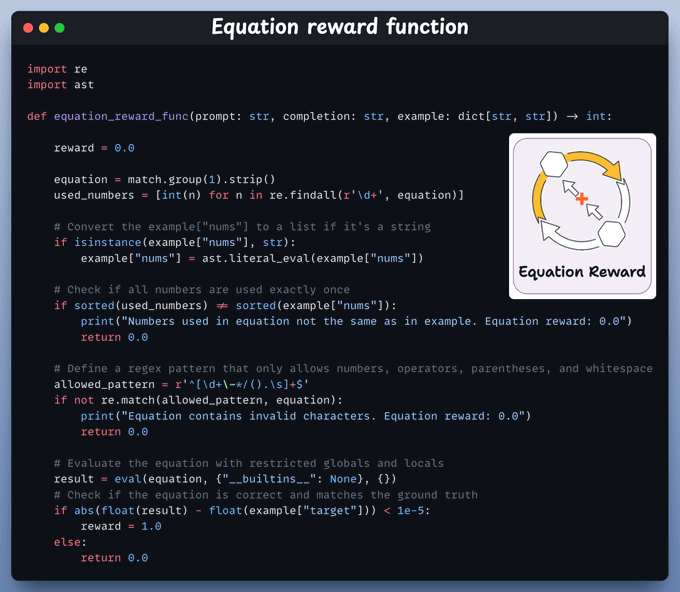
We parse the model’s final equation, check it uses all numbers once, contains only valid math symbols, and correctly calculates the target.
If everything checks out, the reward is +1.
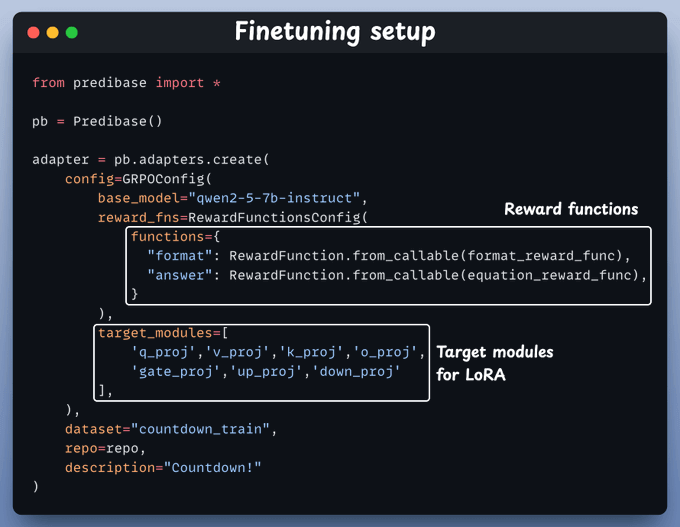
We set up a GRPO-based fine-tuning job with two reward functions—one checks the format, and the other verifies the math.
We also specify target modules for LoRA fine-tuning.
And we're done!
That’s all we need to fine-tune the LLM.
Once this has been trained, we can test the model.
Below, we have asked it to create an equation with the numbers 15, 74, and 9 that evaluates to 50, and it produces the correct response:

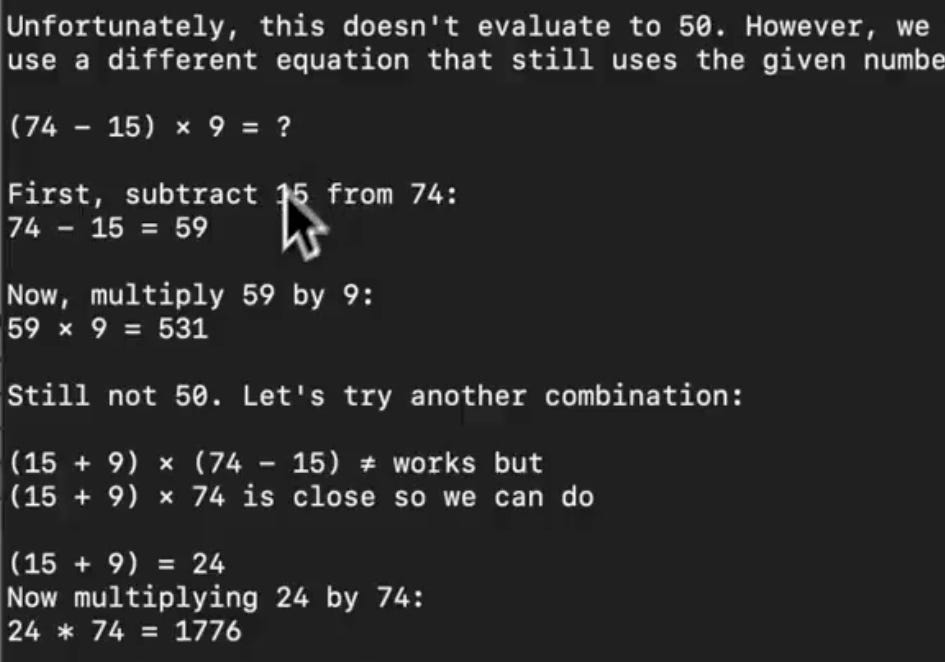
On the flip side, when we ask Llama3.2 the same question, it is not able to answer it:
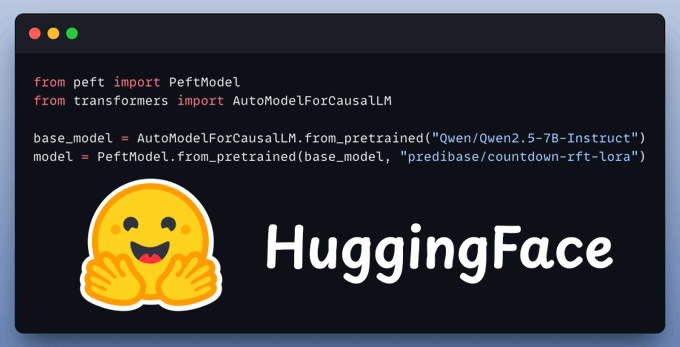
You can also find the model we just trained; it's available on HuggingFace:
You can find all the code for this demo in this Colab notebook →
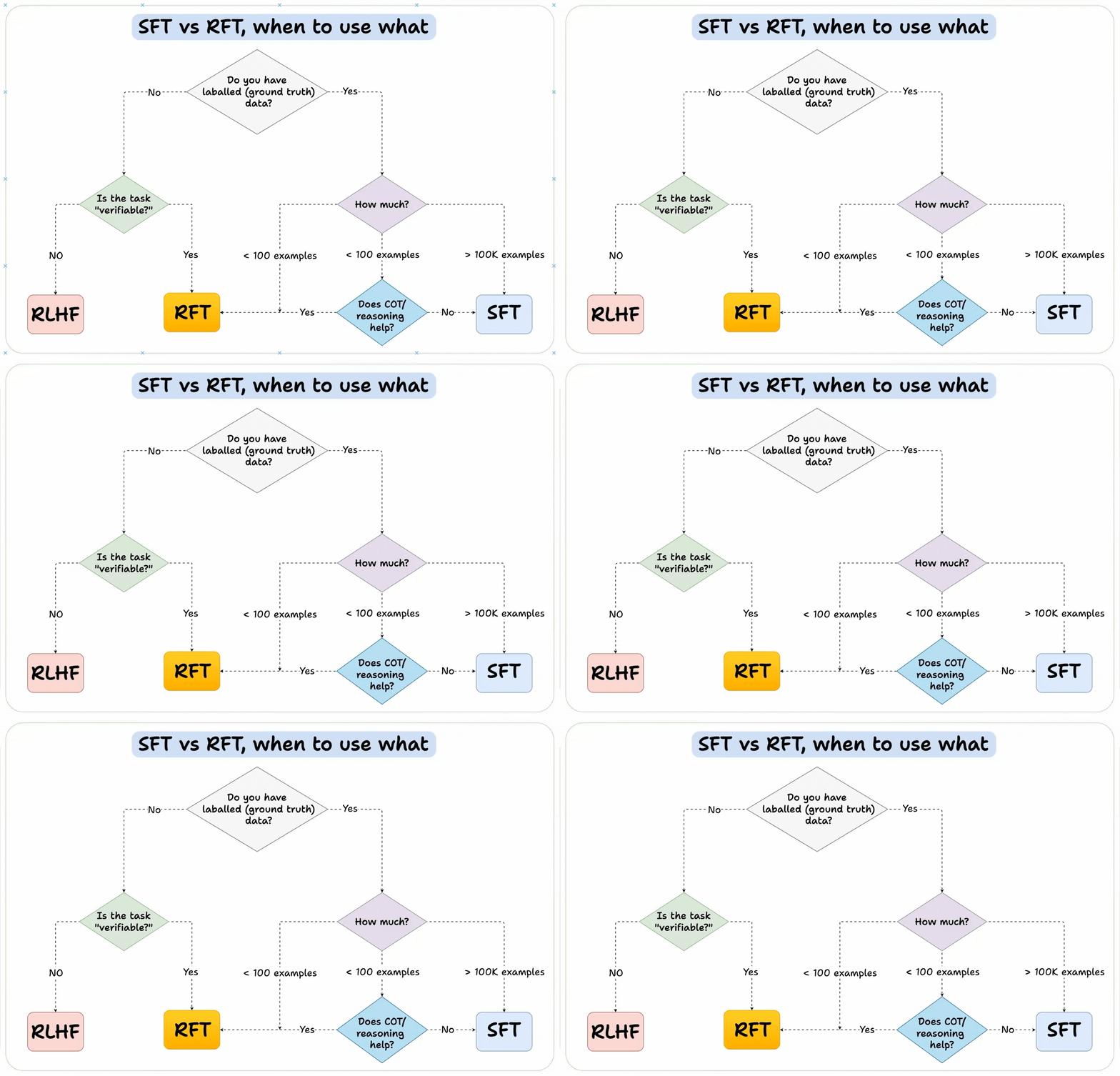
We'll leave you with a guide on how to choose the right fine-tuning method:
Thanks for reading!