LLMs
Building a RAG app using Llama-3.3
Meta's latest LLM (100% Local).

Avi Chawla
Meta's latest LLM (100% Local).

TODAY'S ISSUE
Meta released Llama-3.3 yesterday.
So we thought of releasing a practical and hands-on demo of using Llama 3.3 to build a RAG app.
The final outcome is shown in the video below:
The app accepts a document and lets the user interact with it via chat.
We’ll use:
The code is available in this Studio: Llama 3.3 RAG app code. You can run it without any installations by reproducing our environment below:
Let’s build it!
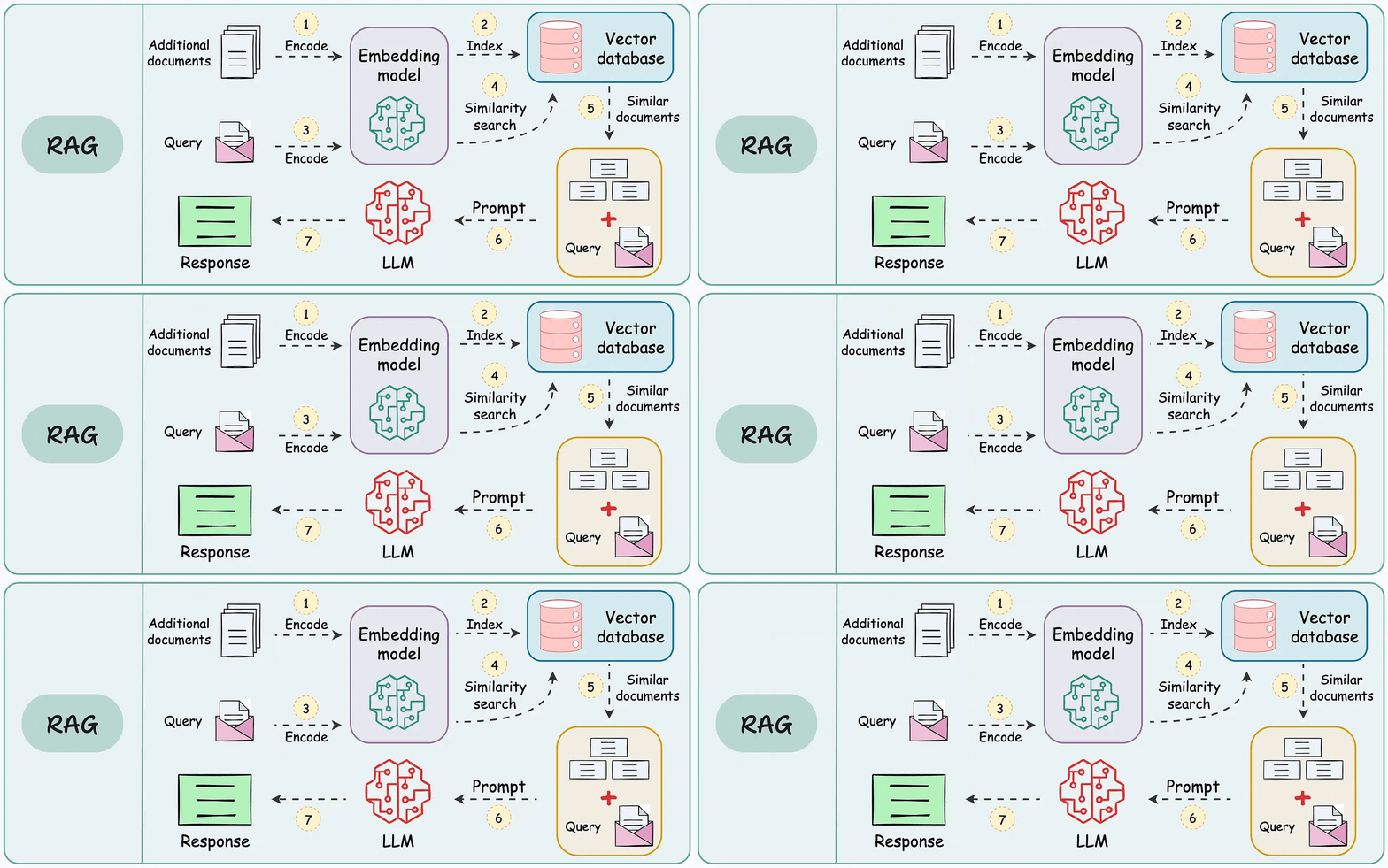
The workflow is shown in the animation below:
Next, let’s start implementing it.
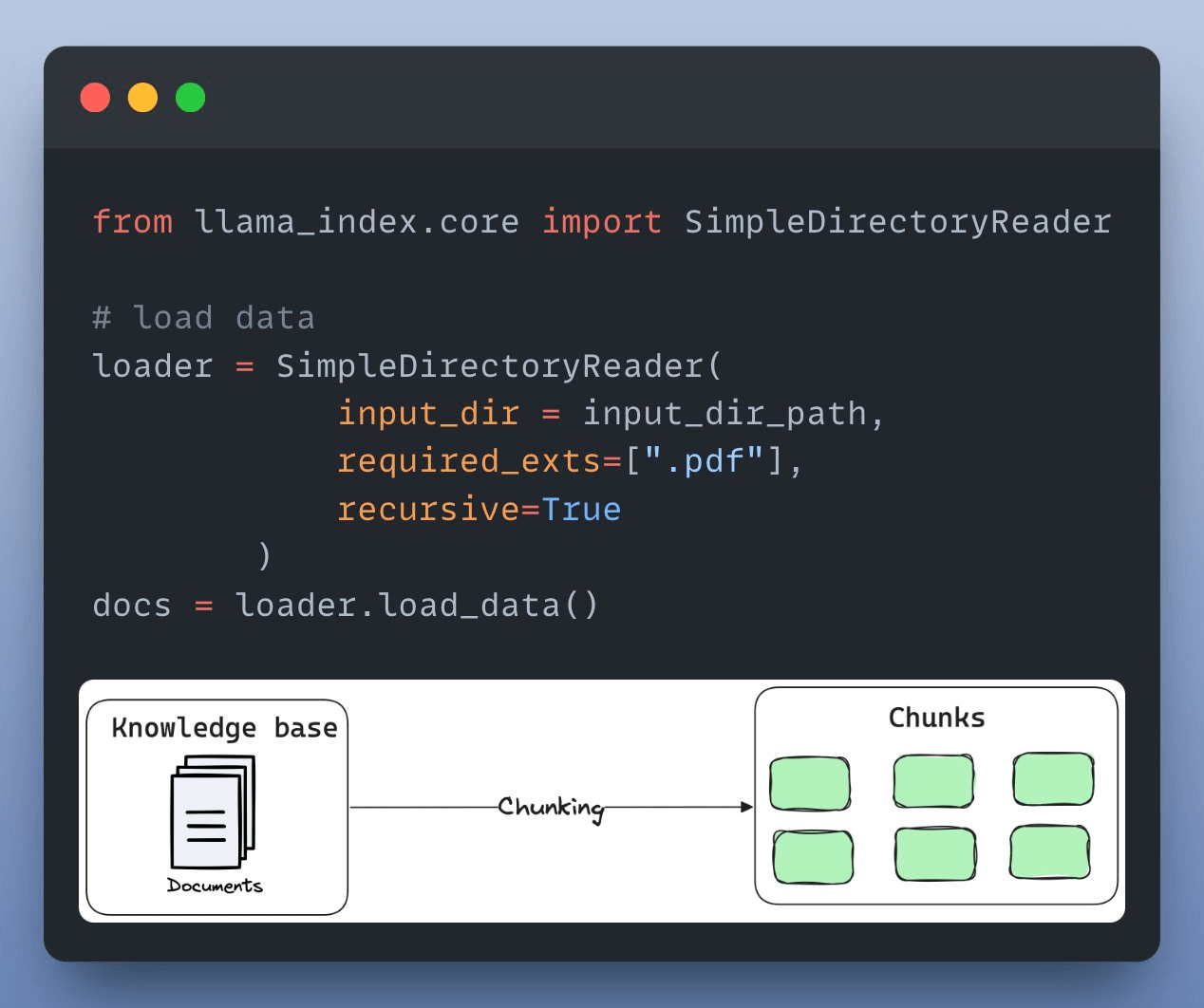
First, we load and parse the external knowledge base, which is a document stored in a directory, using LlamaIndex:
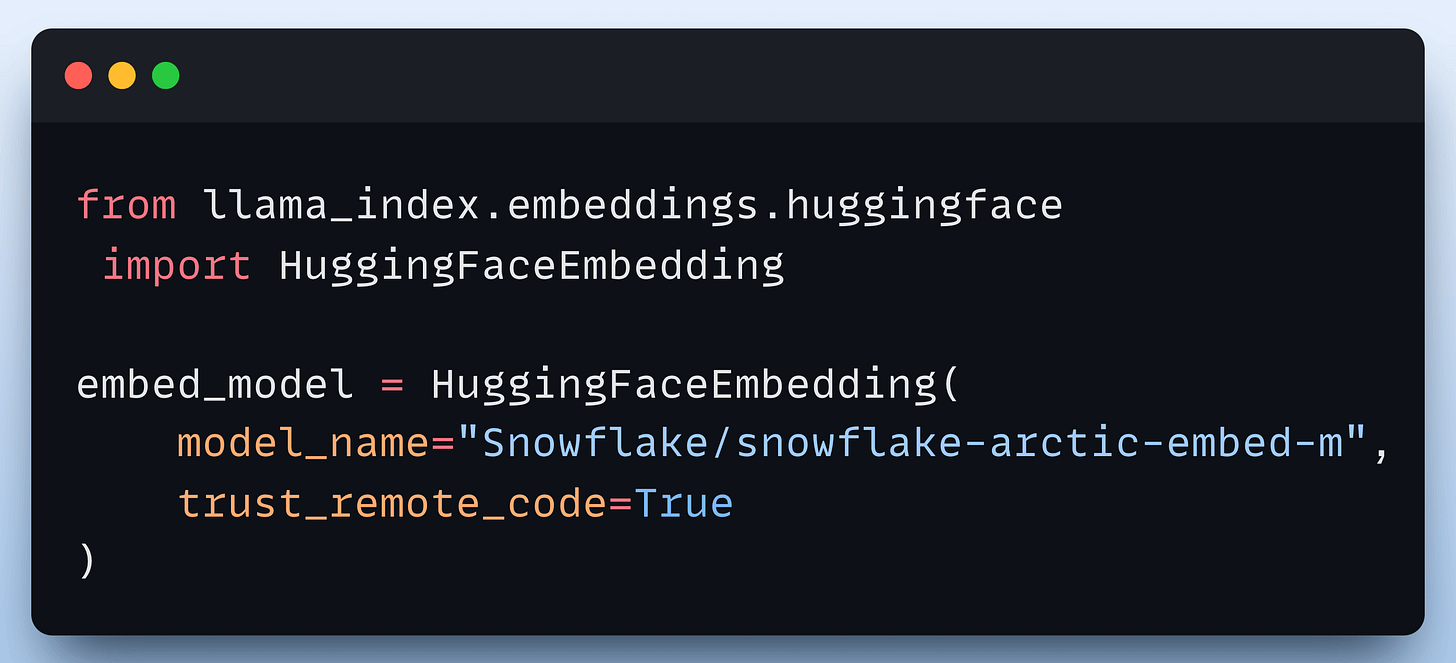
Next, we define an embedding model, which will create embeddings for the document chunks and user queries:
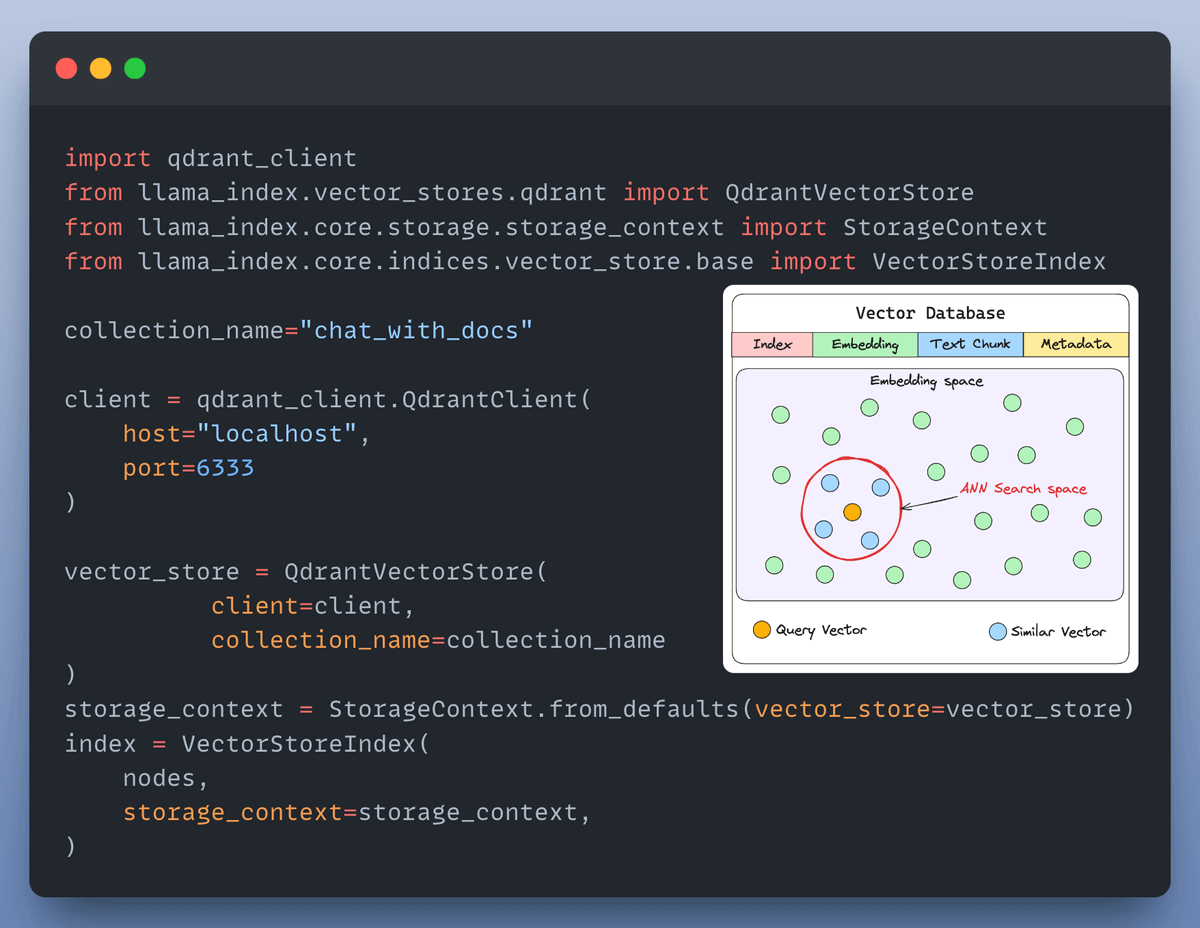
After creating the embeddings, the next task is to index and store them in a vector database. We’ll use a self-hosted Qdrant vector database for this as follows:
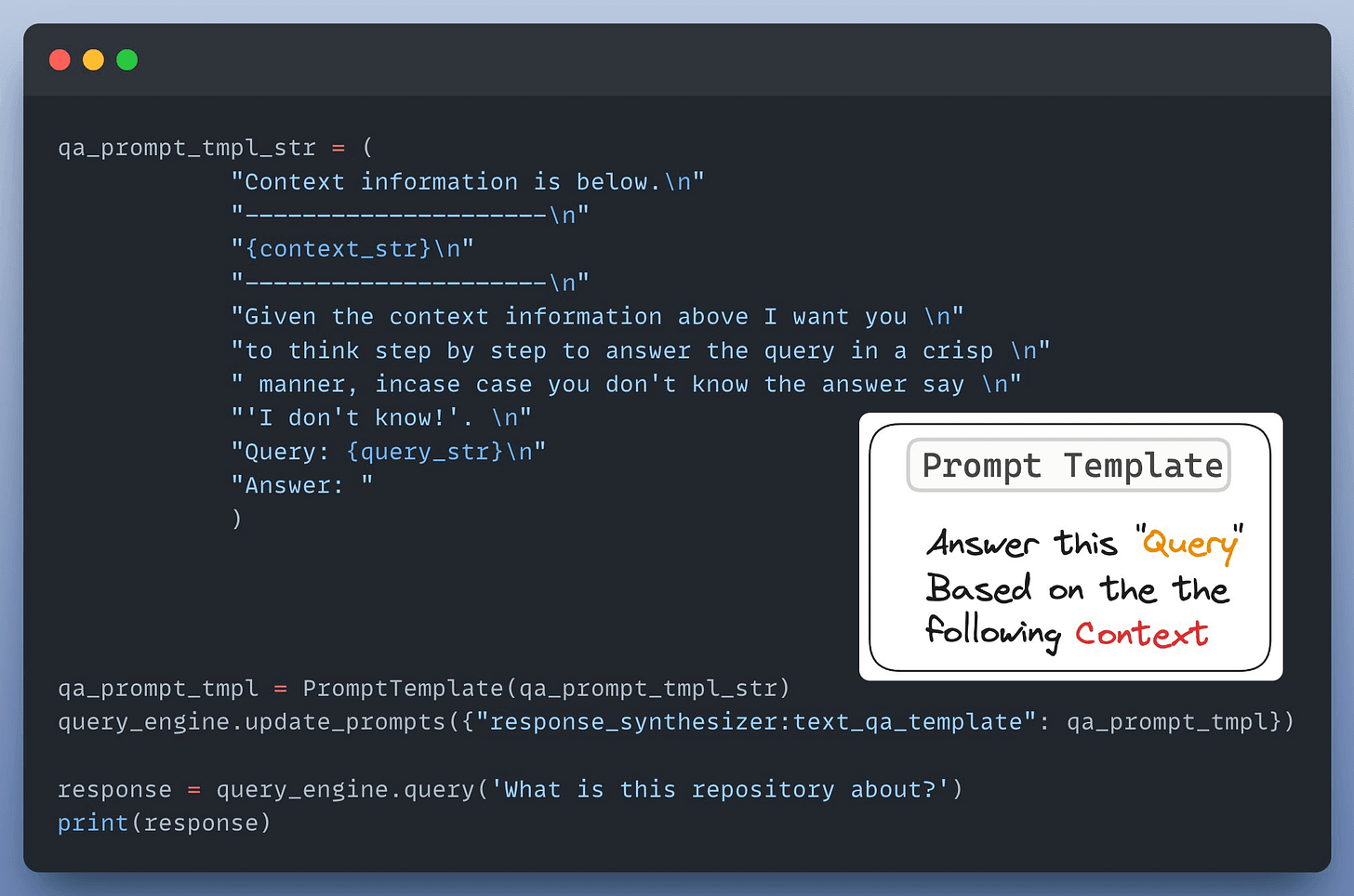
Next up, we define a custom prompt template to refine the response from LLM & include the context as well:
Almost done!
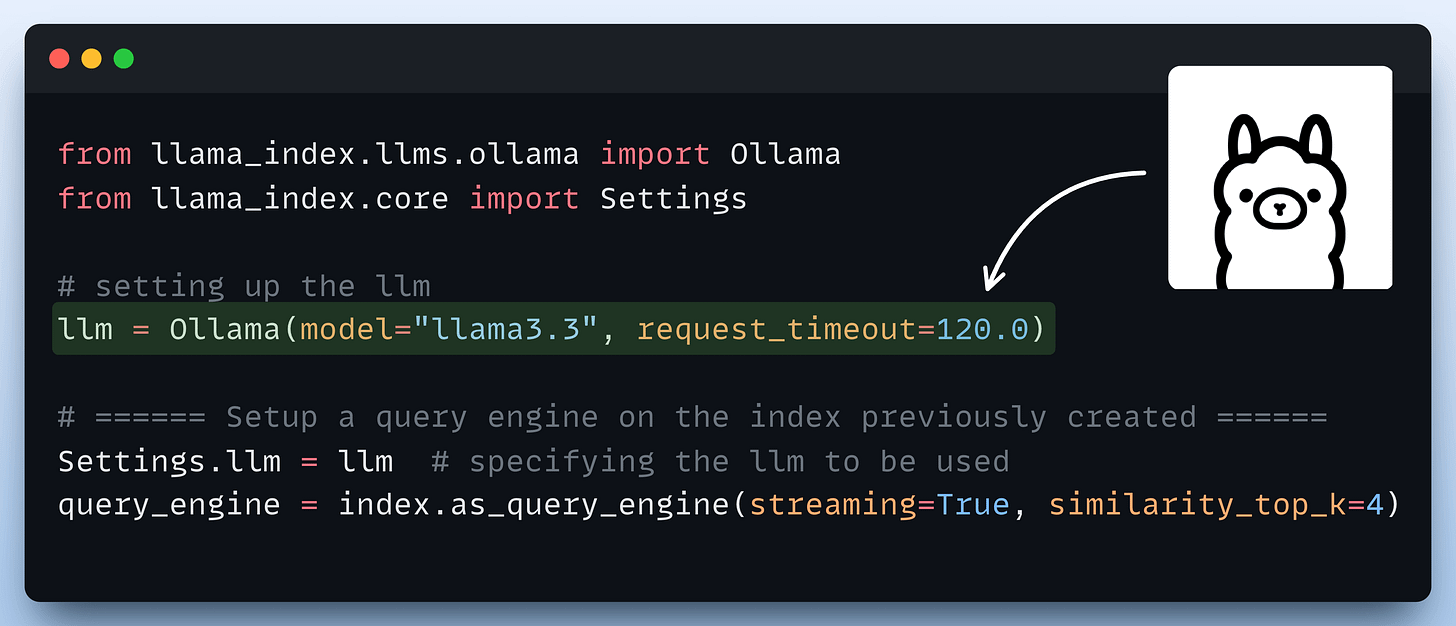
Finally, we set up a query engine that accepts a query string and uses it to fetch relevant context.
It then sends the context and the query as a prompt to the LLM to generate a final response.
This is implemented below:
Done!
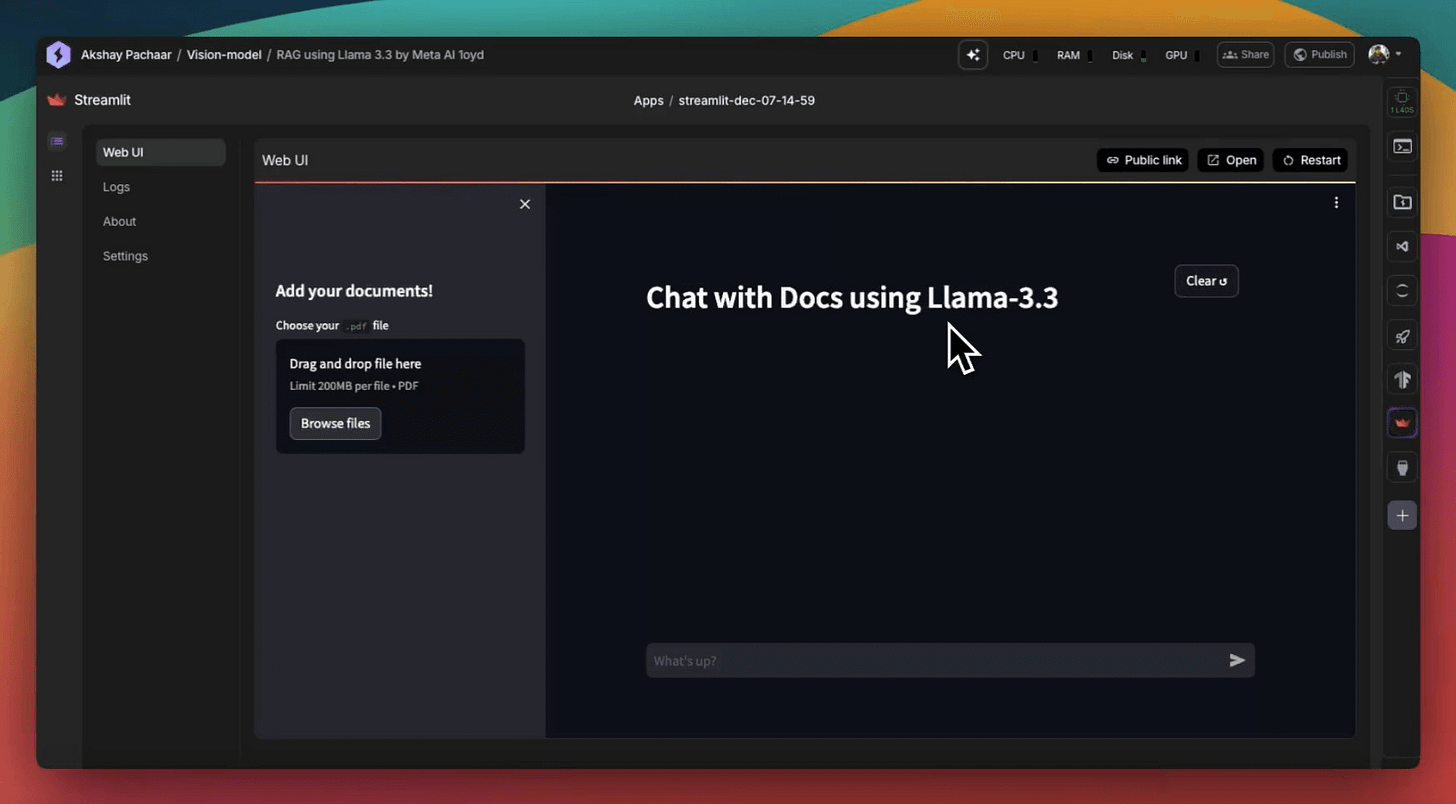
There’s some streamlit part we have shown here, but after building it, we get this clear and neat interface:
Wasn’t that easy and straightforward?
The code is available in this Studio: Llama 3.3 RAG app code. You can run it without any installations by reproducing our environment below:
👉 Over to you: What other demos would you like to see with Llama3.3?
Thanks for reading, and we'll see you next week!
If you are building real-world LLM-based apps, it is unlikely you can start using the model right away without adjustments. To maintain high utility, you either need:
The following visual will help you decide which one is best for you:
Read more in-depth insights into Prompting vs. RAG vs. Fine-tuning here →
Once a model has been trained, we move to productionizing and deploying it.
If ideas related to production and deployment intimidate you, here’s a quick roadmap for you to upskill (assuming you know how to train a model):
This roadmap should set you up pretty well, even if you have NEVER deployed a single model before since everything is practical and implementation-driven.