Pandas
Accelerate Pandas 20x using FireDucks
...by changing just one line of code.

Avi Chawla
...by changing just one line of code.

TODAY'S ISSUE
Two of the biggest problems with Pandas is that:
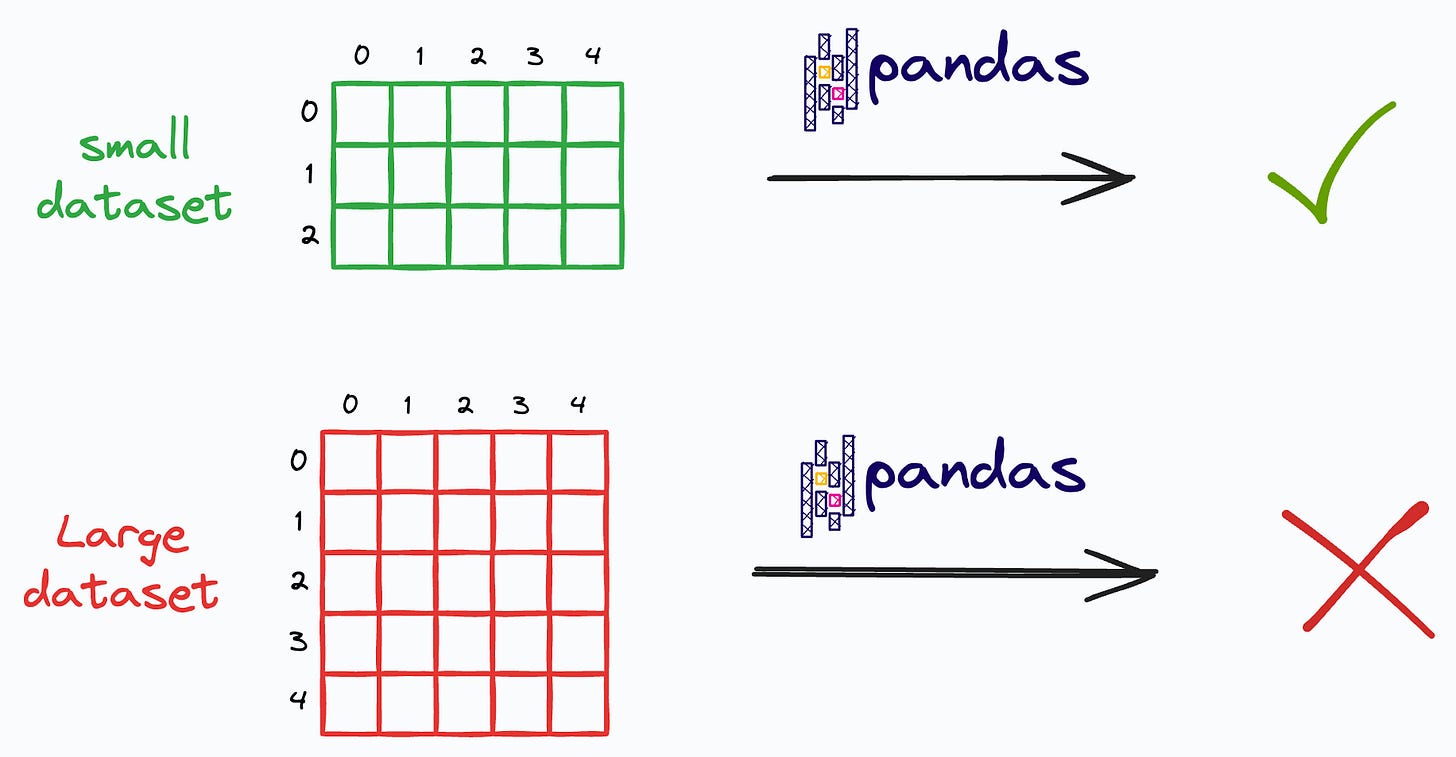
Moreover, since Pandas follows an eager execution mode (every operation triggers immediate computation), it cannot prepare a smart execution plan that optimizes the entire sequence of operations.
FireDucks is a heavily optimized alternative to Pandas with exactly the same API as Pandas’ that addresses these limitations.
Let’s learn more about it today!
First, install the library:
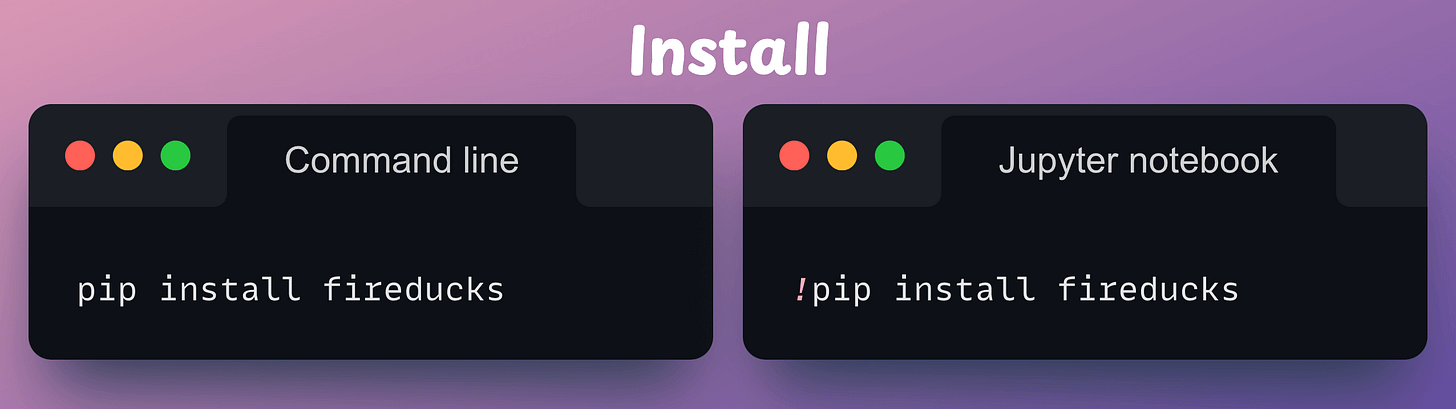
Next, there are three ways to use it:
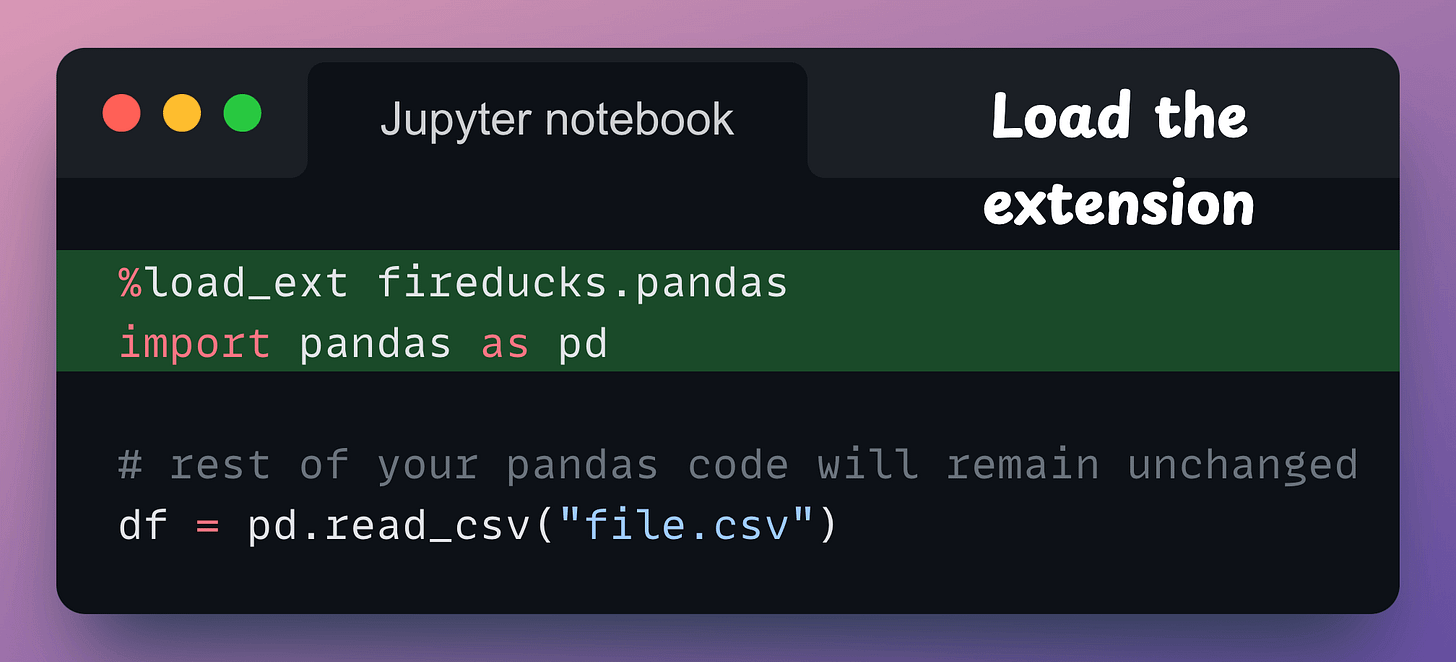
fireducks.pandas), which can be imported instead of using Pandas. Thus, to use FireDucks in an existing Pandas pipeline, replace the standard import statement with the one from FireDucks: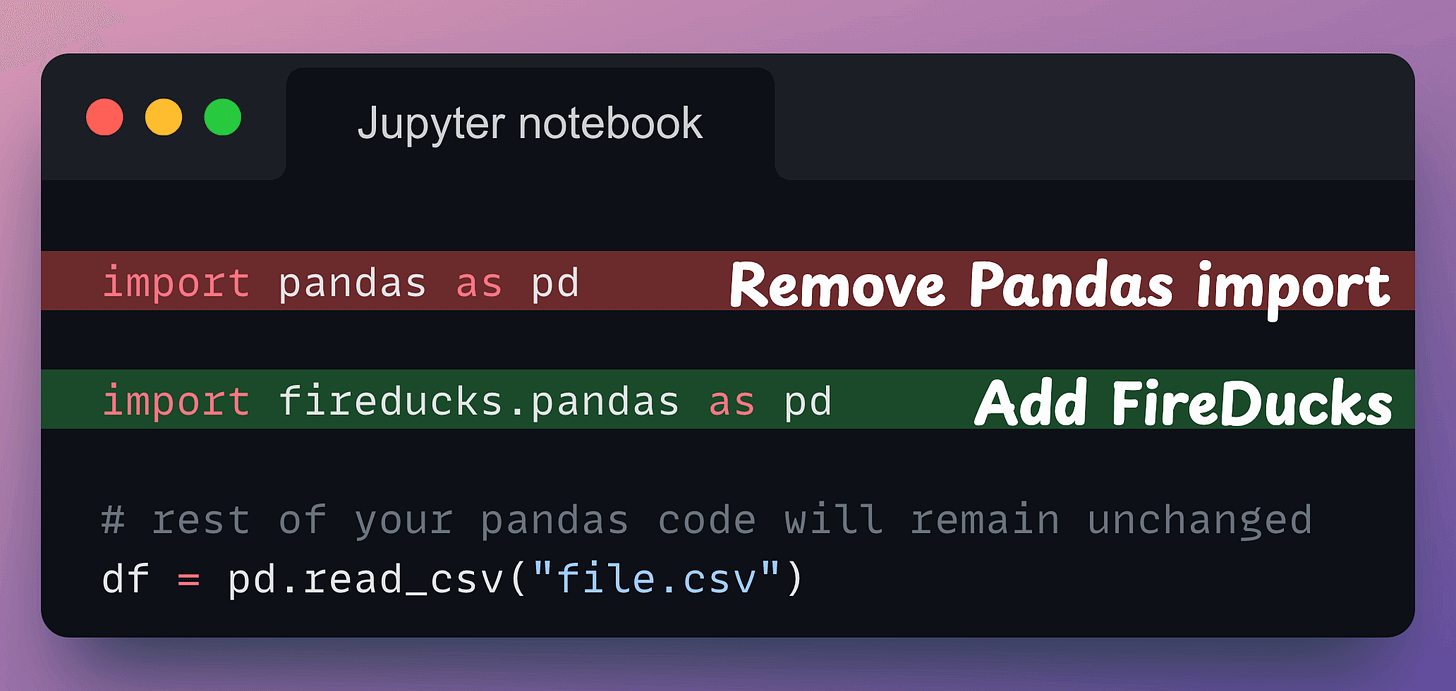
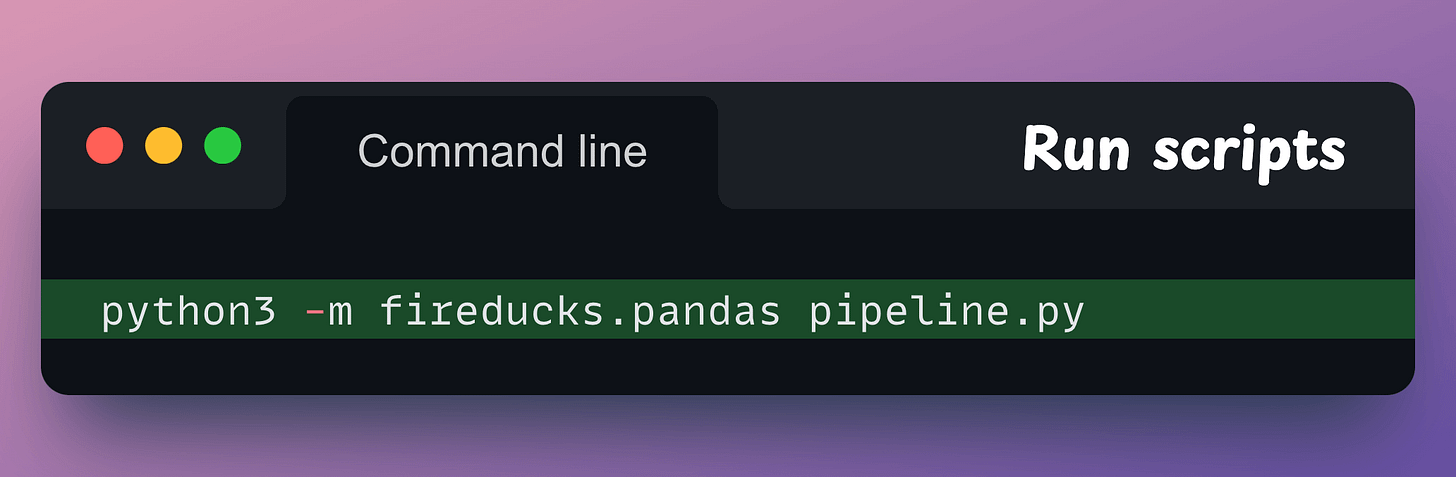
Done!
It’s that simple to use FireDucks.
The speedup is evident from the gif below from my personal experimentation:
Speedups typically vary from system to system since FireDucks is driven with multiple cores. The same code above, on a system with more CPU cores, will most likely result in more speedup. In my experimentation, I used the standard Google Colab runtime and FireDucks 1.0.3.
As per FireDucks’ official benchmarks, it can be ~20x faster than Pandas and ~2x faster than Polars, as shown below on several queries:
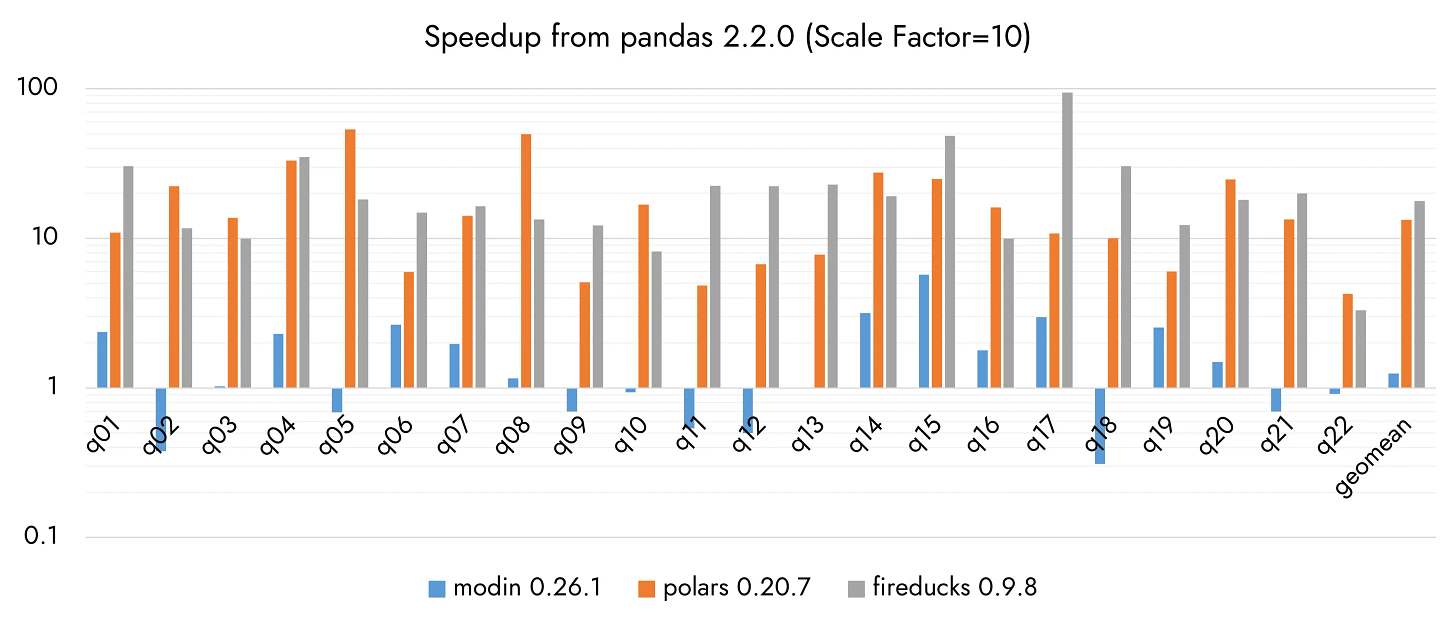
Considering the above benchmarks, FireDucks outperforms Polars on 14 out of 22 benchmarks.
Moreover, another thing that stands in favor of FireDucks is that, unlike Polars, we don’t need to make any code changes.
Whenever %load_ext fireducks.pandas is executed, the “import pandas as pd” statement does not import the original Pandas library, which we use all the time.
Instead, it imports another library that contains accelerated and optimized implementations of all Pandas methods.
This is evident from the image below:
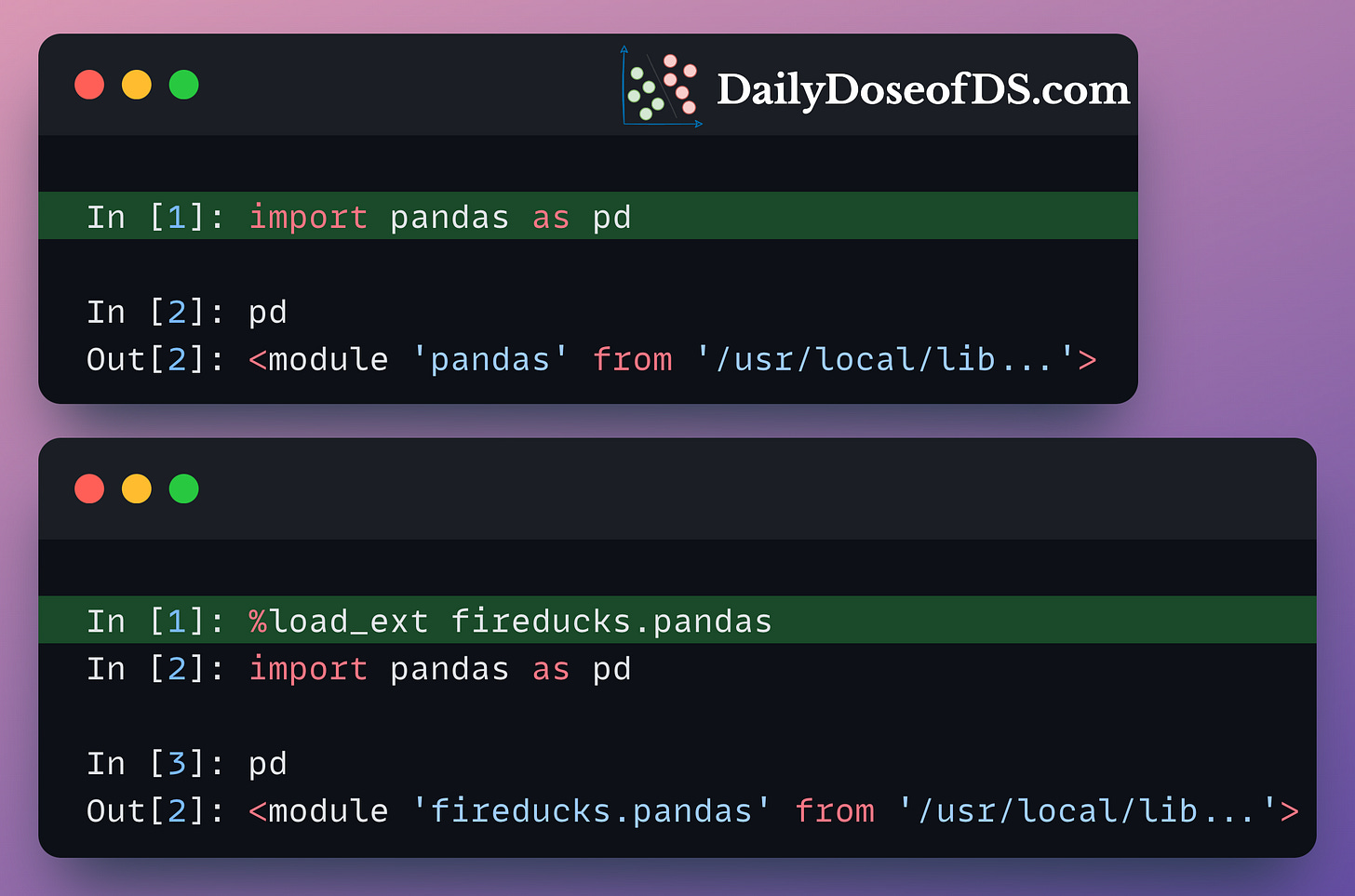
This alternative implementation preserves the entire syntax of Pandas. So, if you know Pandas, you already know how to use FireDucks.
Moreover, unlike Pandas, FireDucks is driven by lazy execution.
This means that transformations do not produce immediate results.
Instead, the computations are deferred until an action is triggered, such as:
By lazily evaluating DataFrame transformations and executing them ONLY WHEN THEY ARE NEEDED, FireDucks can build a logical execution plan and apply possible optimizations.
For instance:
df2 is never used. Thus, FireDucks will never read from the CSV. Pandas, however, will load it anyway.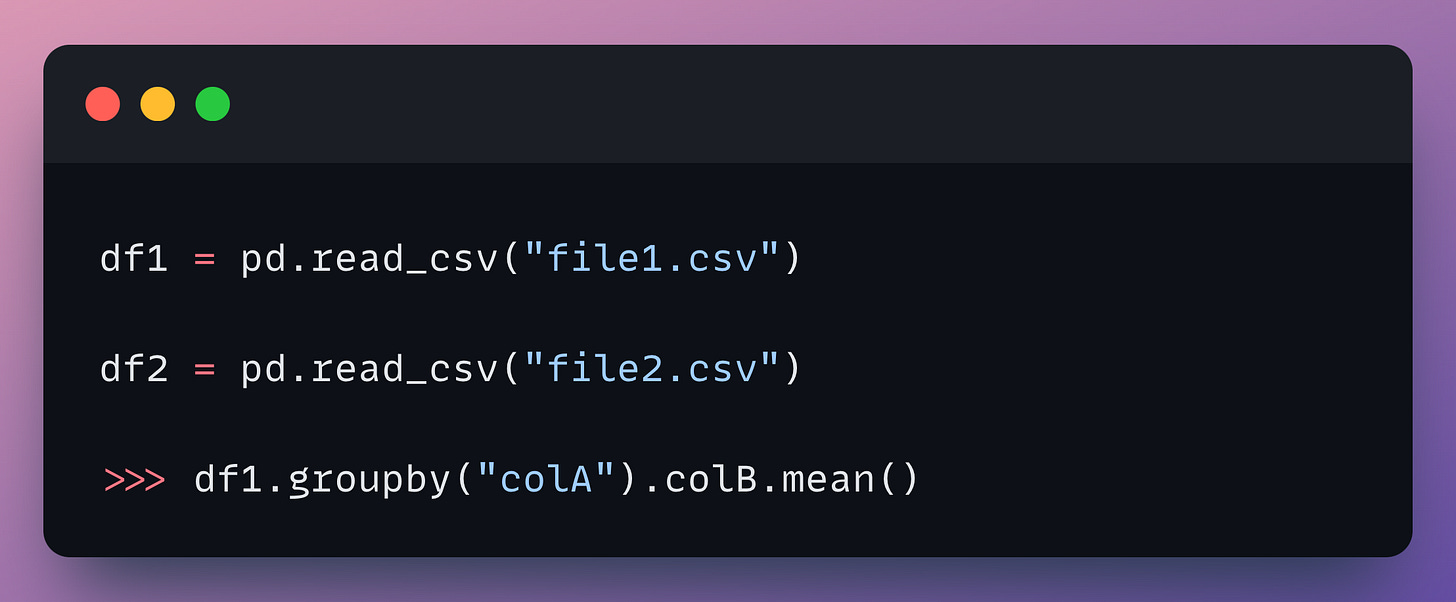
In the following code, assume df contains 10 columns. However, we are only making use of two of them:
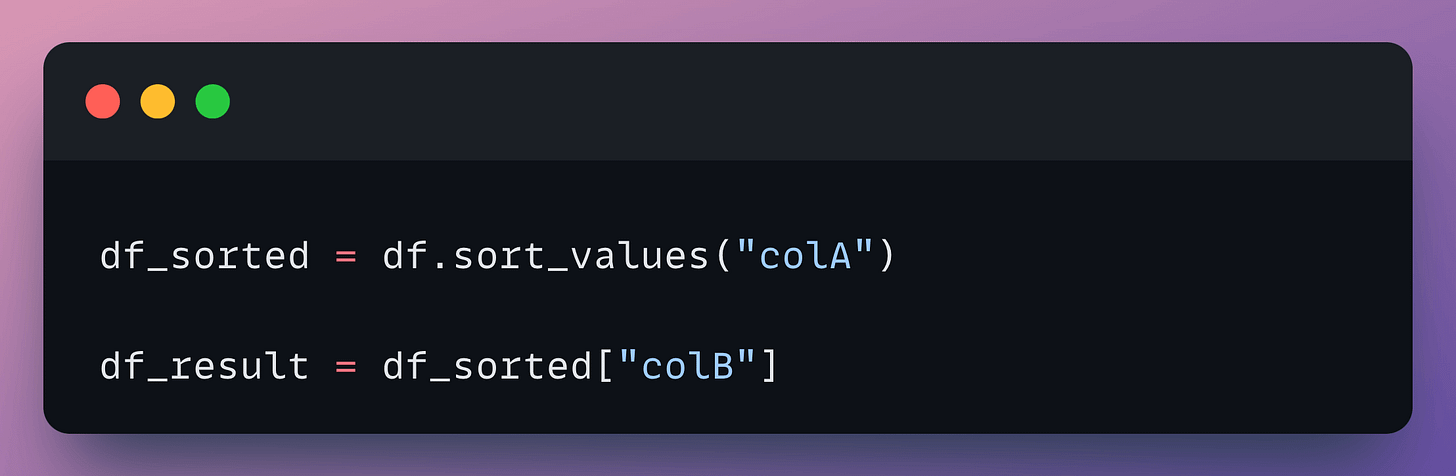
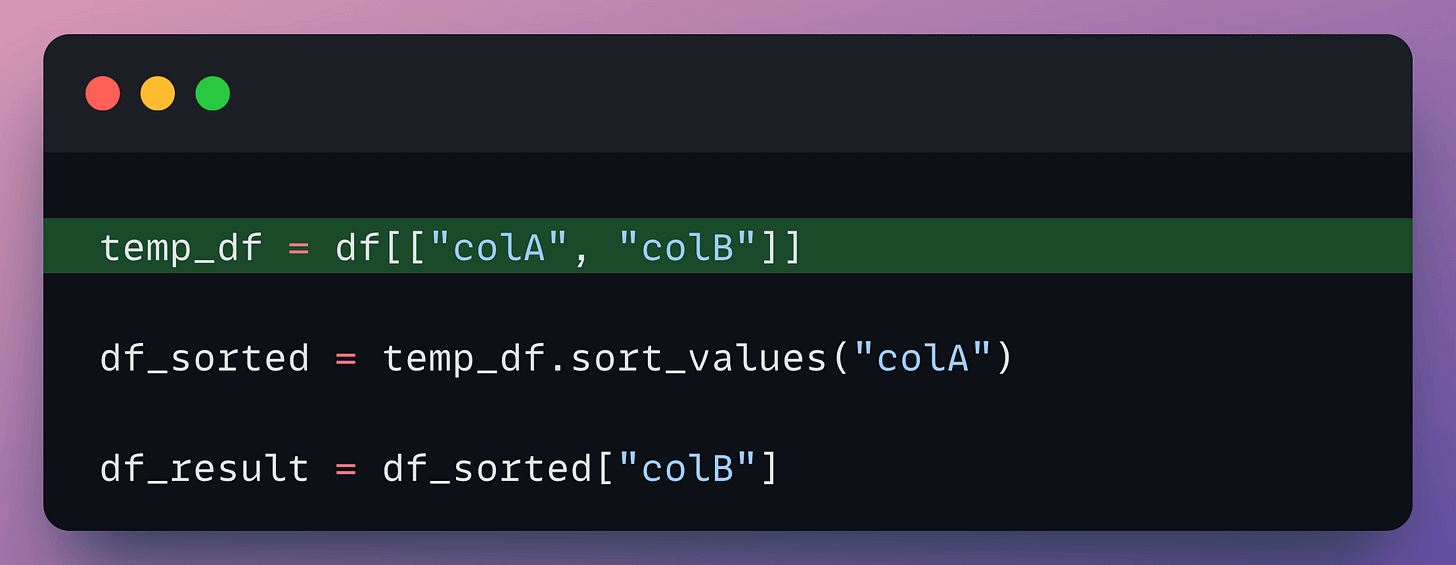
Of course, several other optimizations are involved, which I haven’t covered here, but I hope you get the point.
This way, FireDucks turns out to be much more optimal than Pandas.
That said, FireDucks does support an eager execution mode like Pandas if you prefer to use that. Here’s how to enable it:
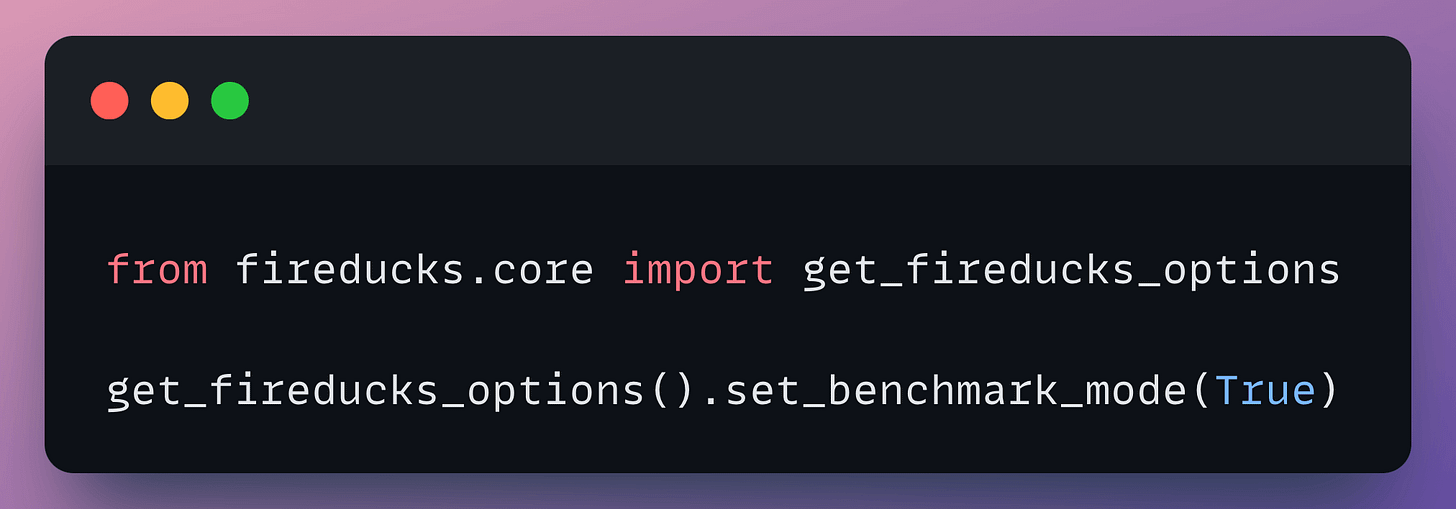
One slight limitation is that it is currently available only for Linux on the x86_64 architecture. As per the official docs, Windows and MacOS versions are currently under development, and their respective beta versions will be released soon.
There is, however, a way to use it on Windows, which you can find here.
You can find the code here: Google Colab.
FireDucks documentation is available here: FireDucks docs.
🙌 A big thanks to FireDucks, who very kindly partnered with us on this post and let us share our thoughts openly.
👉 Over to you: What are some other ways to accelerate Pandas operations in general?
Versioning GBs of datasets is practically impossible with GitHub because it imposes an upper limit on the file size we can push to its remote repositories.
That is why Git is best suited for versioning codebase, which is primarily composed of lightweight files.
However, ML projects are not solely driven by code.
Instead, they also involve large data files, and across experiments, these datasets can vastly vary.
To ensure proper reproducibility and experiment traceability, it is also necessary to version datasets.
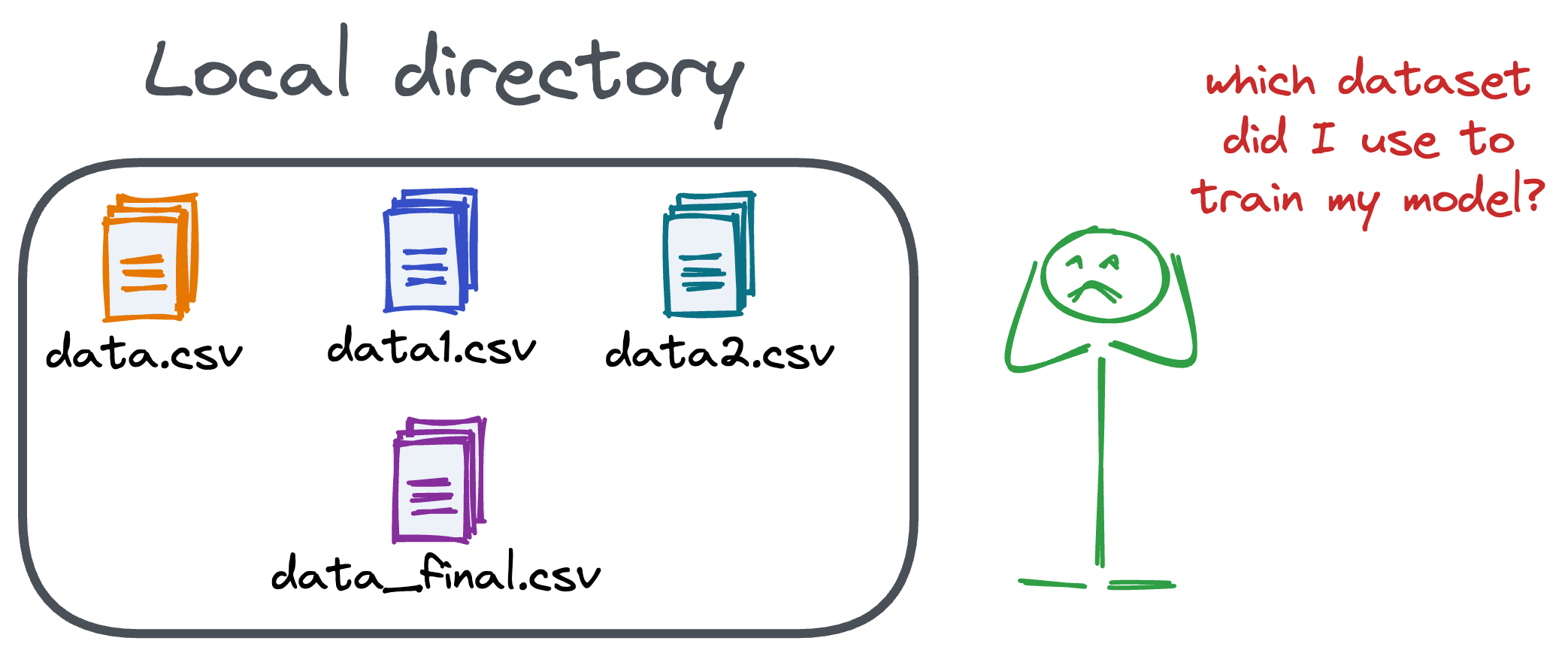
Data version control (DVC) solves this problem.
The core idea is to integrate another version controlling system with Git, specifically used for large files.
̱Here's everything you need to know (with implementation) about building 100% reproducible ML projects →
Model accuracy alone (or an equivalent performance metric) rarely determines which model will be deployed.
Much of the engineering effort goes into making the model production-friendly.
Because typically, the model that gets shipped is NEVER solely determined by performance — a misconception that many have.
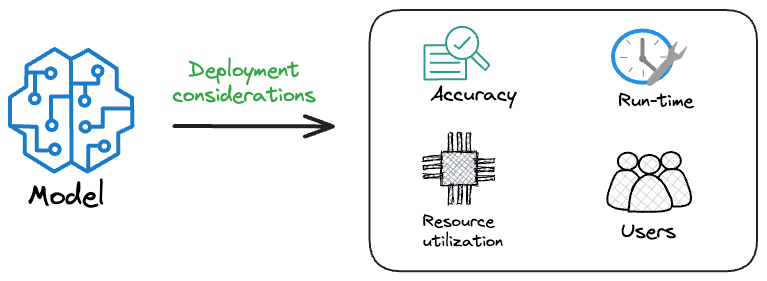
Instead, we also consider several operational and feasibility metrics, such as:
For instance, consider the image below. It compares the accuracy and size of a large neural network I developed to its pruned (or reduced/compressed) version:
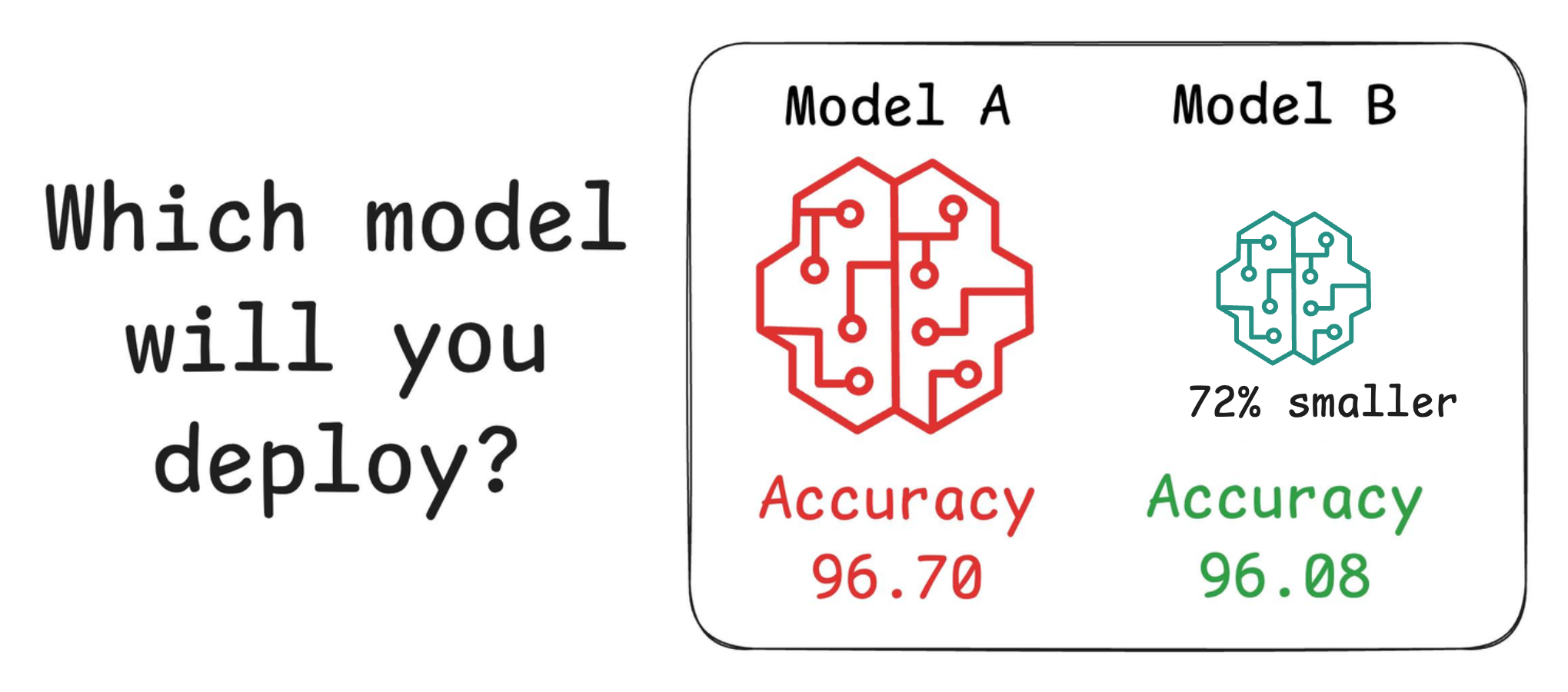
Looking at these results, don’t you strongly prefer deploying the model that is 72% smaller, but is still (almost) as accurate as the large model?
Of course, this depends on the task but in most cases, it might not make any sense to deploy the large model when one of its largely pruned versions performs equally well.
We discussed and implemented 6 model compression techniques in the article here, which ML teams regularly use to save 1000s of dollars in running ML models in production.
Learn how to compress models before deployment with implementation →