Agents
Loop Engineering, Clearly Explained!
Used by top products, including Anthropic, Google, etc.

Avi Chawla
Used by top products, including Anthropic, Google, etc.
Every agent, underneath whatever framework you’re using, runs the same loop.
while True:
    response = model(context)
    if response.has_tool_calls():
        context += run_tools(response.tool_calls)
    else:
breakIt keeps going until the model replies without asking for a tool.
That loop is short, and it’s nearly identical across LangGraph, the OpenAI Agents SDK, and Claude Code, so nobody competes on the while statement.
This is exactly why the engineering effort moved somewhere else.
More specifically, the model and the loop are the parts you don’t write.
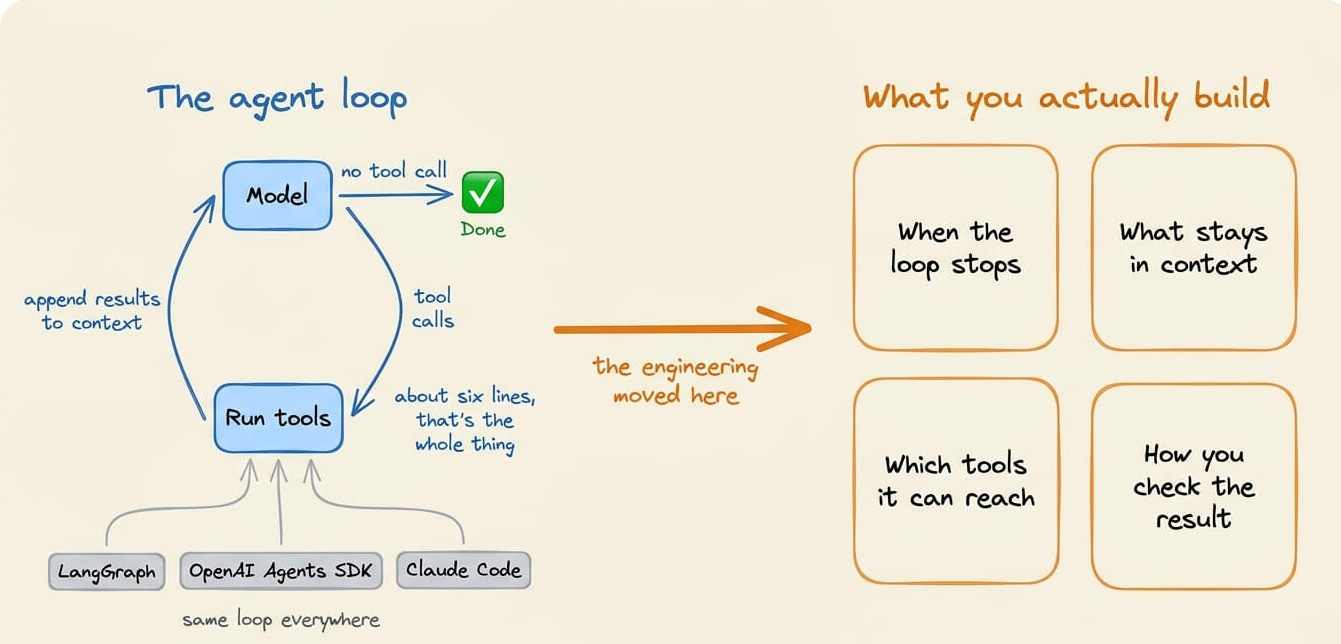
What you write is everything around it, like when the loop stops, what stays in the context, which tools the model can reach, and how you check the result.
So let’s go through the loop itself, then the four parts of it that are hard to get right.
It moved outward, into the layers that wrap the model.
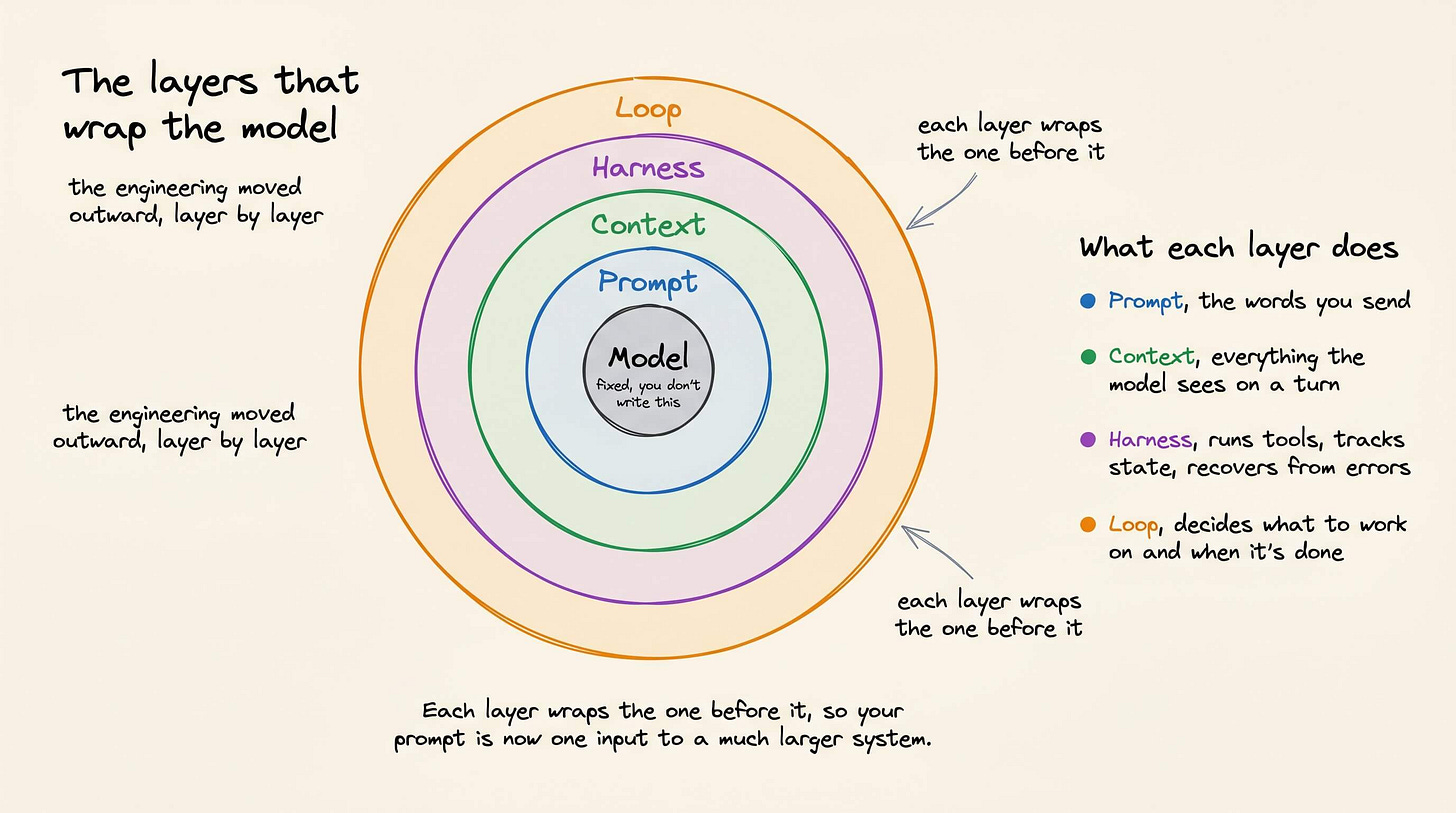
Each layer wraps the one before it, so your prompt is now one input to a much larger system.
Here’s how these systems break today.
The loop stops on exactly one condition, when the model replies without a tool call. So it ends the moment the model decides it’s finished, which means the model is judging its own completion.
while True:
    response = model(context)
    if response.has_tool_calls():
        context += run_tools(response.tool_calls)
    else:
        break
That judgment is often wrong. A coding agent makes an edit, returns a confident summary with no further tool call, and the loop exits even though it never ran the tests, or ran them and they failed. The turn ended, but the task wasn’t done.
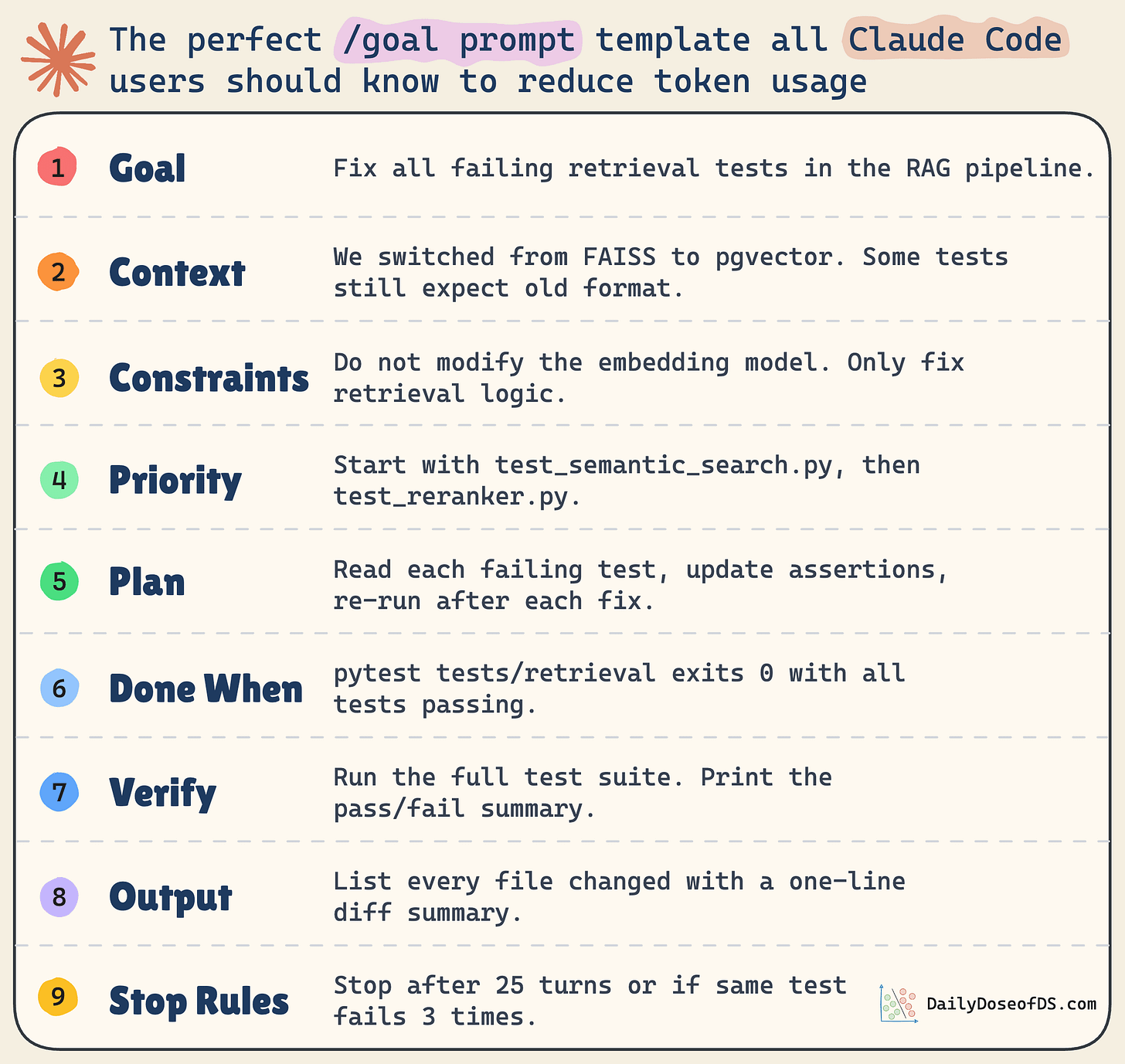
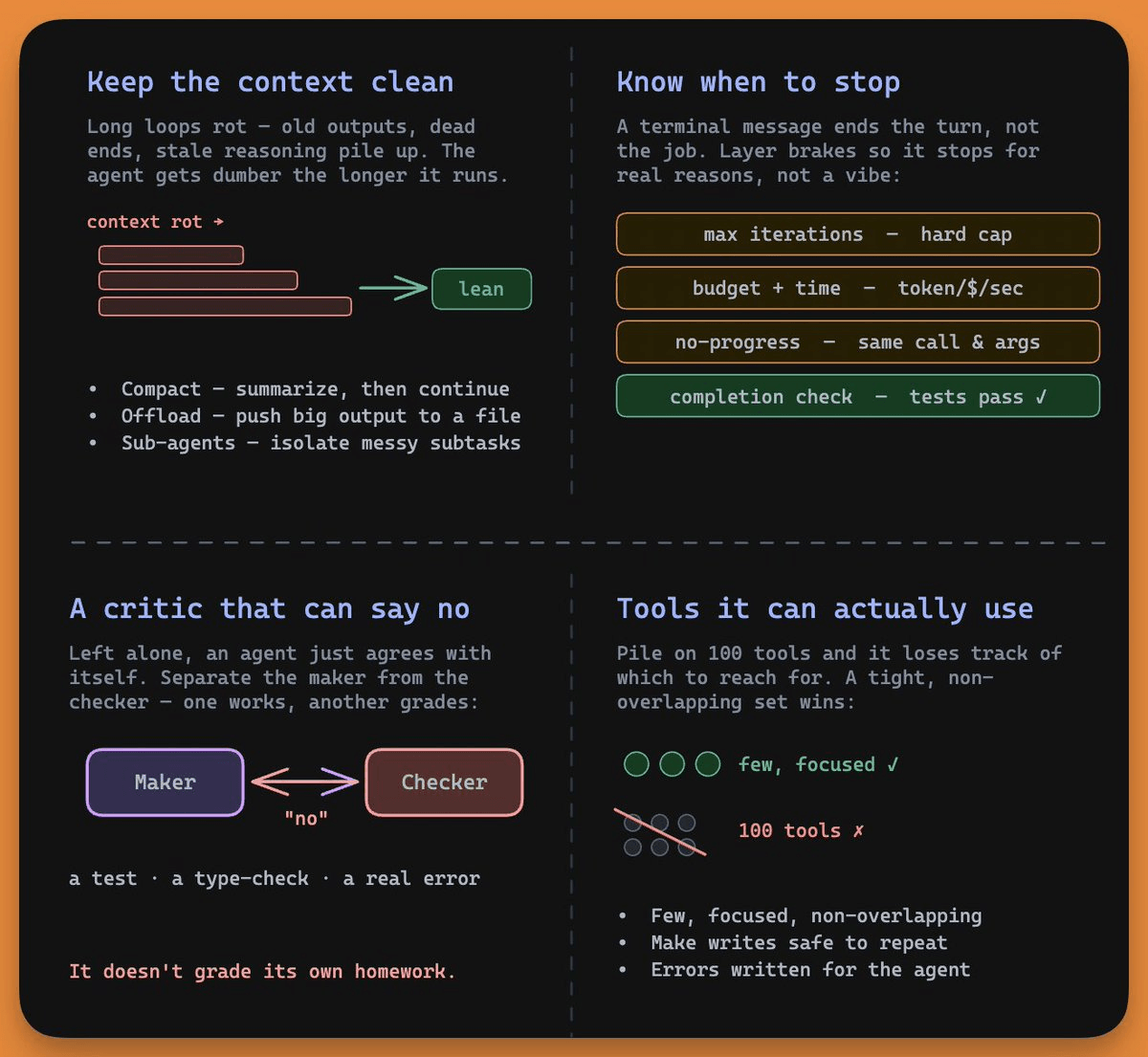
Since you can’t trust the model’s own stop signal, you add conditions it doesn’t control:
Max iterations, a hard cap so a stuck agent can’t run forever.
The completion check is super important, because it’s the only brake that replaces the model’s self-assessment with an objective signal.
“Done” should mean the tests pass, not the model reporting that it’s done. Claude Code’s /goal command works this way, running the loop until a verifiable condition holds and using a separate model to confirm it.
The longer a loop runs, the more its context fills with junk, like old tool outputs, abandoned dead ends, and stale reasoning. Model quality drops as that pile grows, which the field calls context rot.
The loop turns rot into a spiral, where a rotted context produces a worse decision, which adds more noise, which rots the context further.
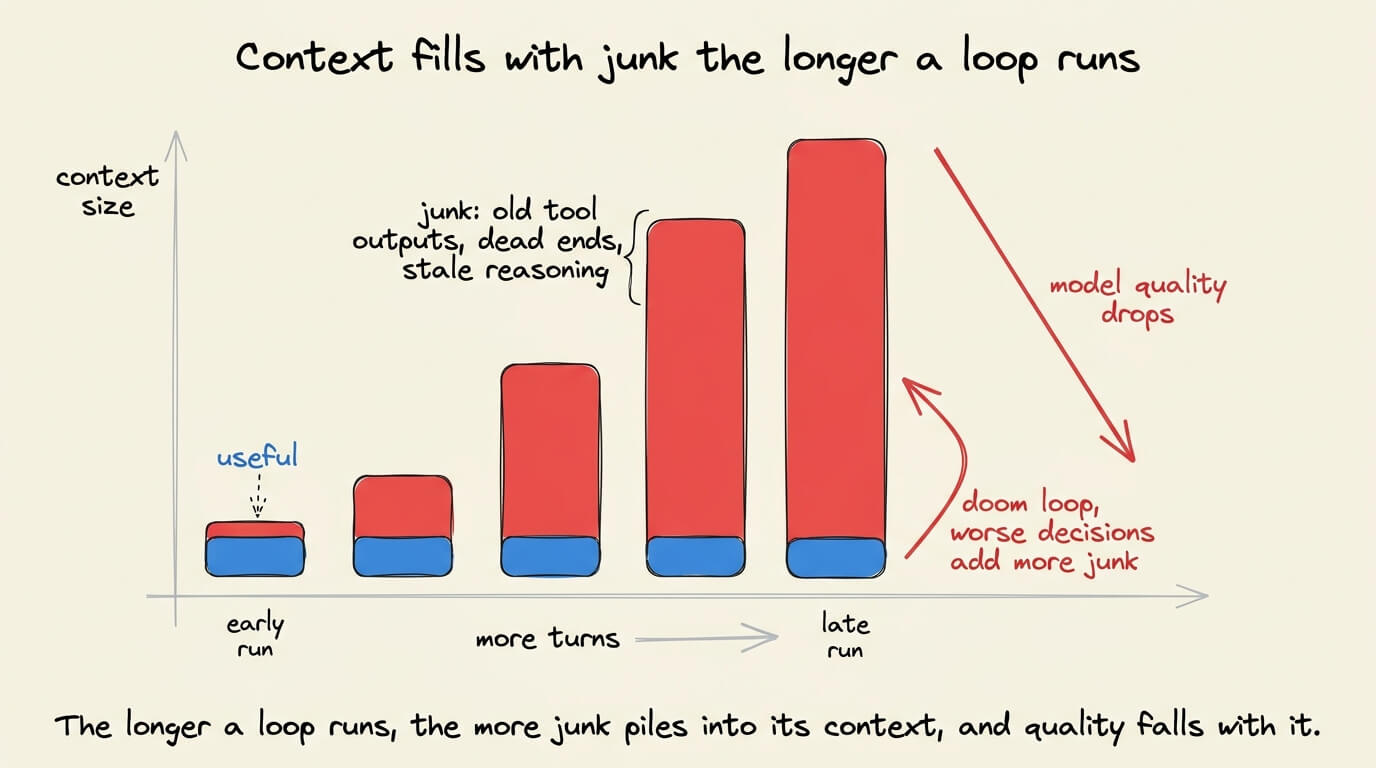
The community calls this the doom loop, and the agent gets less useful the longer it runs. LangChain added middleware specifically to detect doom loops in their harness.
You solve this by treating context as a budget, not a bucket:
The instinct is to keep everything in case it matters later. The skill is knowing what to throw away.
Adding tools makes selection harder, not easier.
Give the agent a hundred overlapping tools and it loses track of which one to call, so a small set of focused, non-overlapping tools works better.
Anthropic’s rule of thumb is that if a human engineer can’t say for certain which tool fits, neither can the agent.
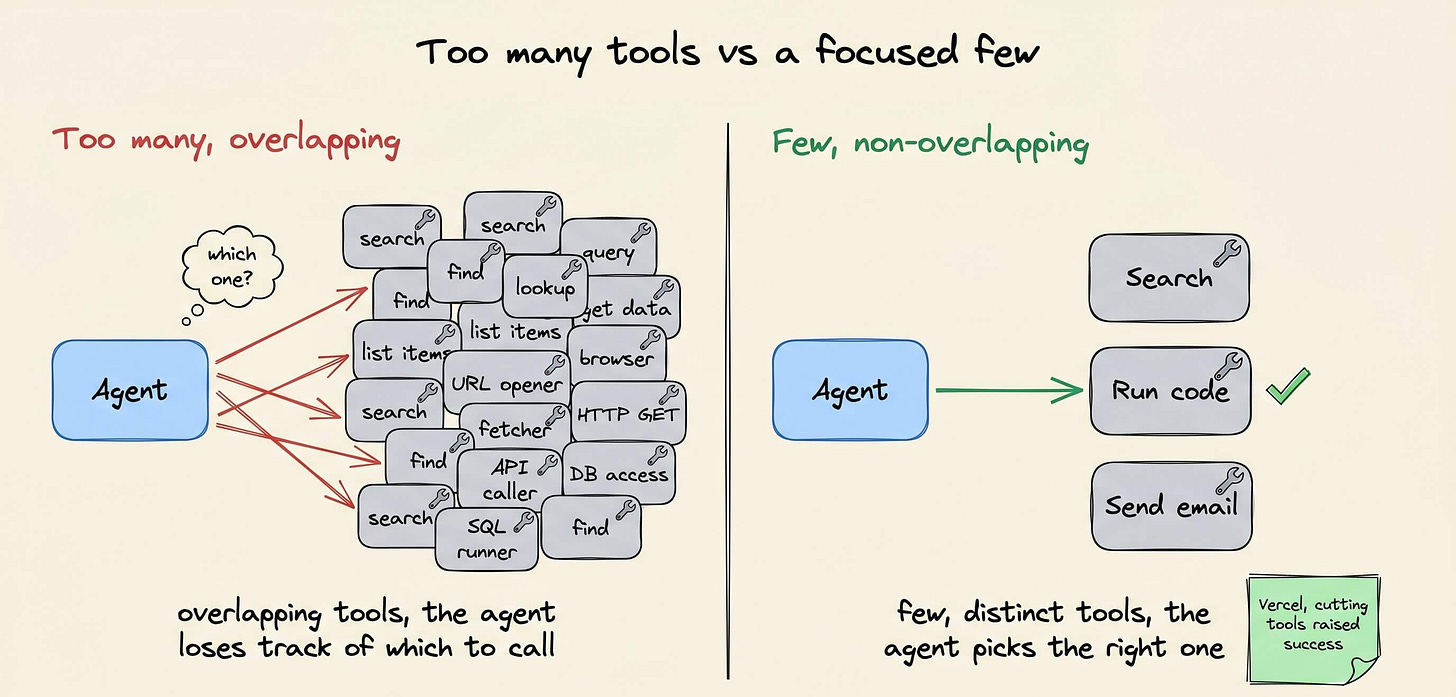
Vercel found that cutting an agent’s available tools raised its success rate.
Two more properties matter specifically because this is a loop, not a single call:
The completion check from earlier is one case of a wider rule.
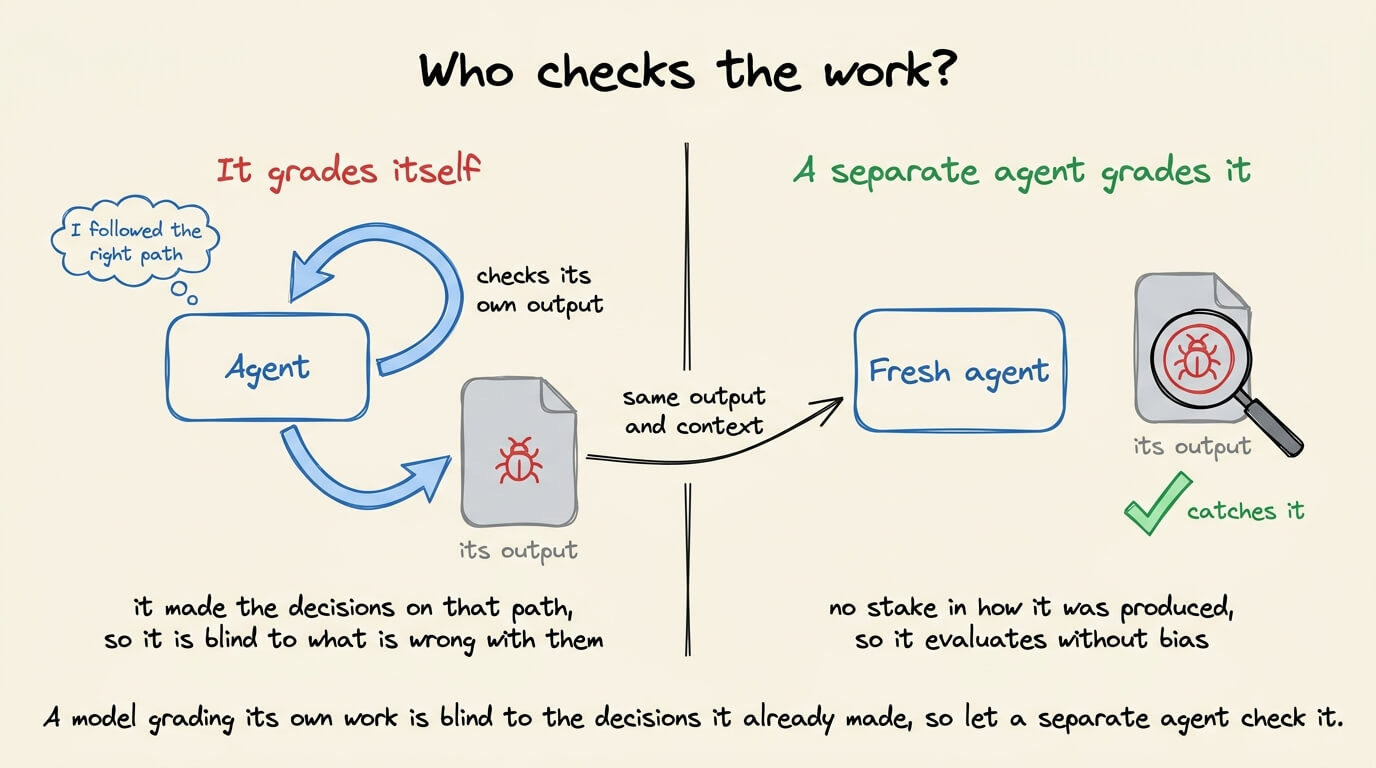
Whatever decides if the work is good can’t be the same model that produced it. A model asked to grade its own output will usually pass it, so a loop with no outside check is just an agent agreeing with itself.
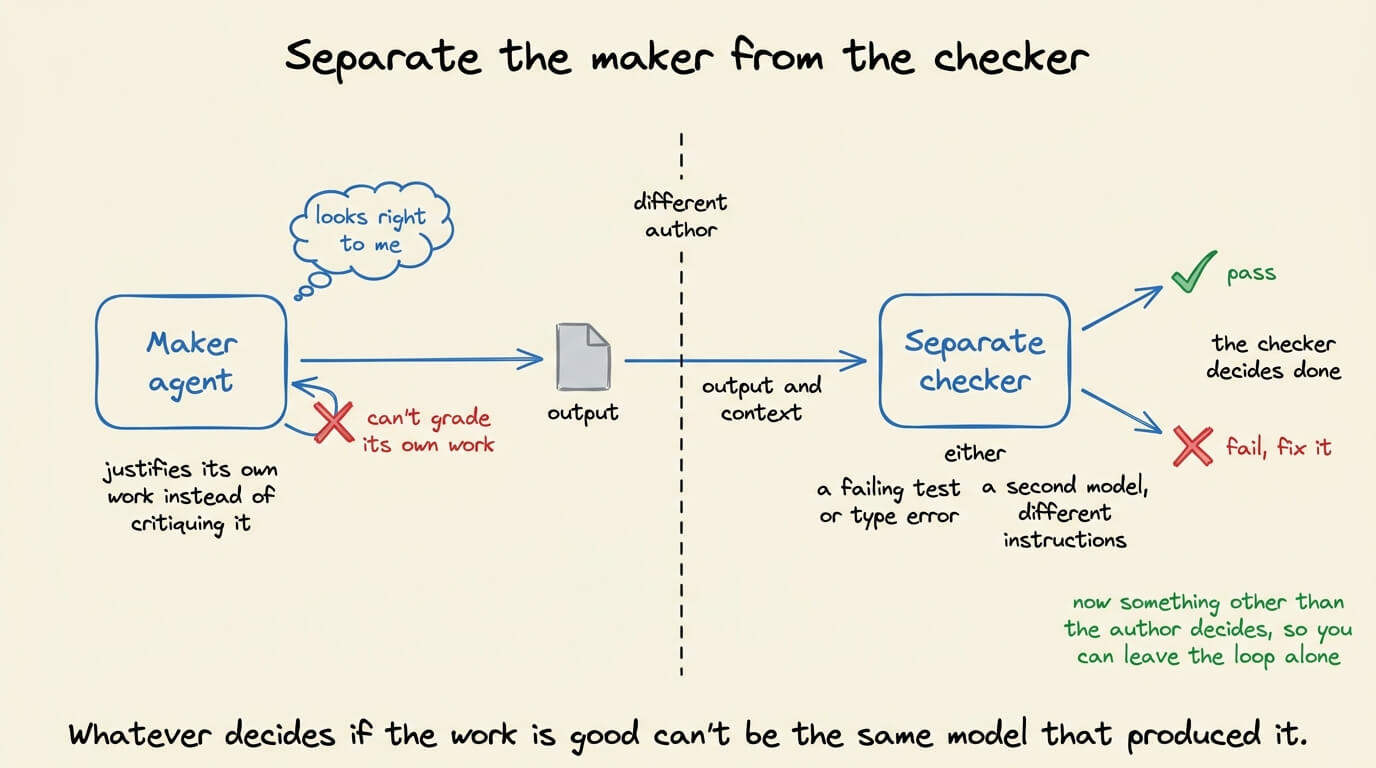
So you separate the maker from the checker. One agent writes the code, and a separate signal grades it, either something hard like a failing test or type error, or a second model running with different instructions.
That check is what lets you actually leave the loop alone, because now something other than the author decides when it’s right.
Prompting steers the agent move by move.
Loop engineering involves building the system that steers it, and then stepping back. The work becomes three artifacts:
Karpathy said something along these lines too.
“Don’t tell it what to do, give it success criteria and watch it go.”
His AutoResearch project runs exactly this, an agent that tweaks a training script, measures the result, keeps what works, and discards what doesn’t, with no human editing the code between rounds. He arranges it once and lets it run.
You don’t need an overnight autonomous agent on day one. Build up to it:
Loop engineering isn’t a framework you install but rather a shift in where you spend effort.
The model is becoming a commodity, and the loop around it is where the engineering now lives.
The builders getting value this year stopped asking what to tell the agent and started asking what system would do the work without them.
👉 Over to you: what’s the first brake you’d add to a loop you already run, a completion check, a budget cap, or a separate verifier?
To dive deeper into harness engineering, we covered it in detail here →
Thanks for reading!