LLMs
Building a Browser Automation Agent
...explained visually and with code.

Avi Chawla
...explained visually and with code.
The browser is still the most universal interface, with 4.3 billion pages visited every day!
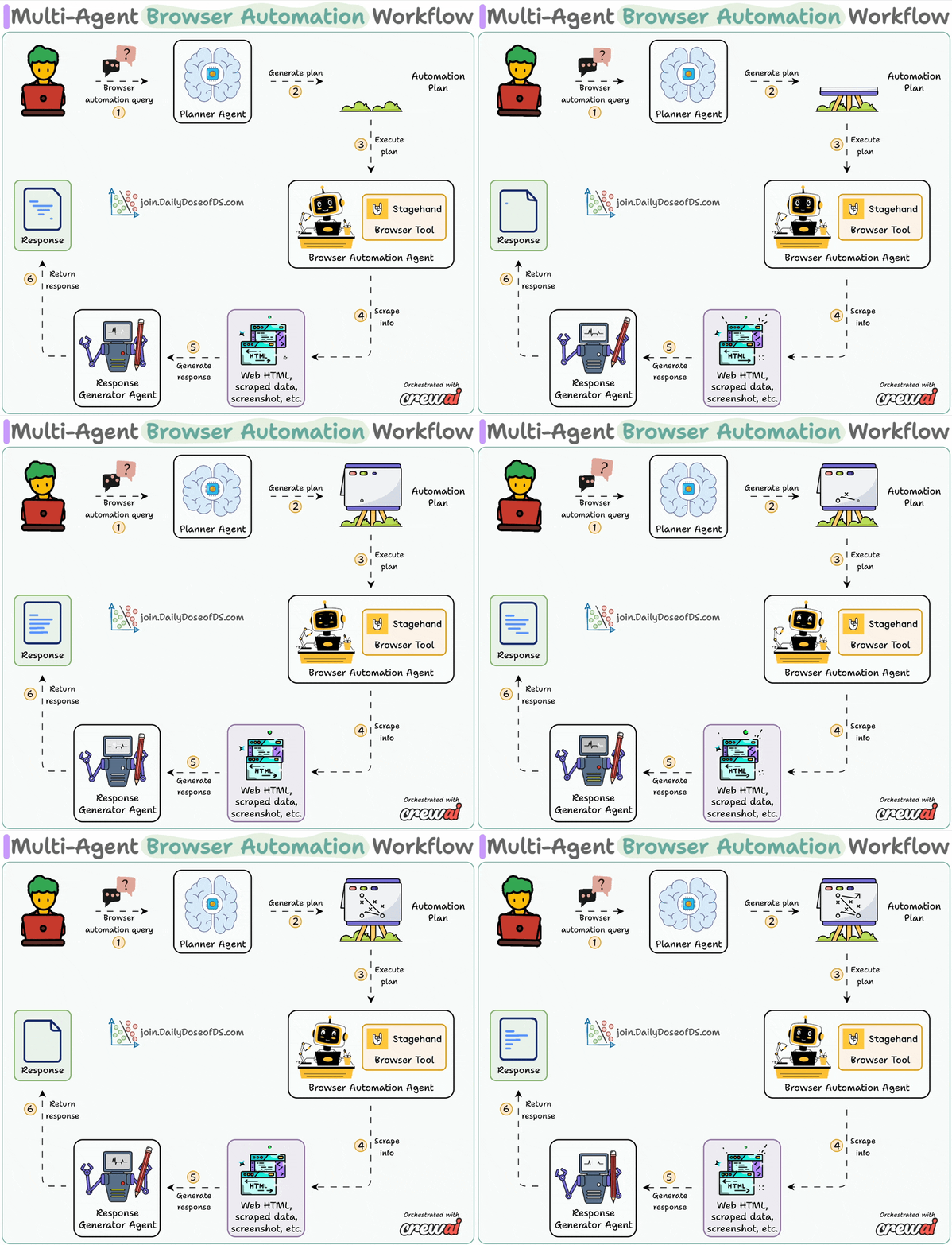
Today, let's do a demo on how we can completely automate it with a local stack:
System overview:
Now, let's dive into the code!
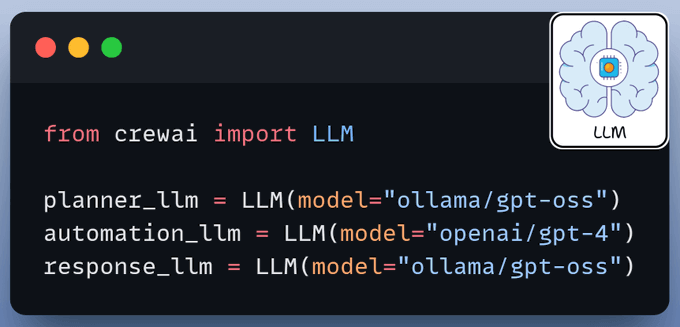
We use three LLMs:
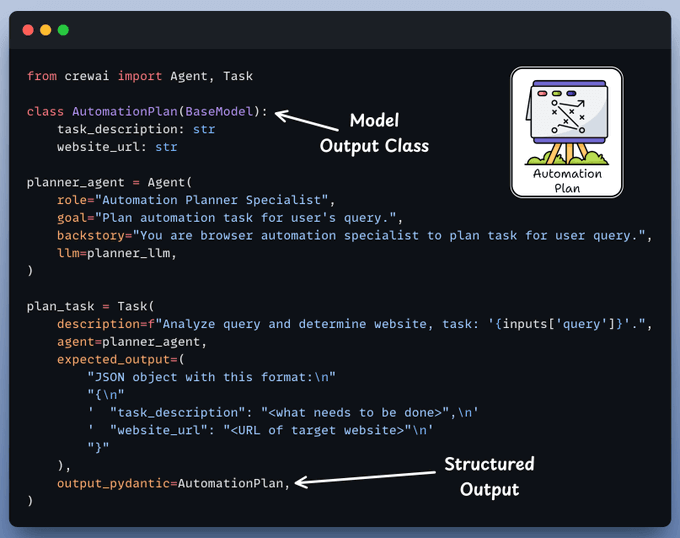
The planner agent receives an automation task from the user and creates a structured layout for execution by the browser agent.
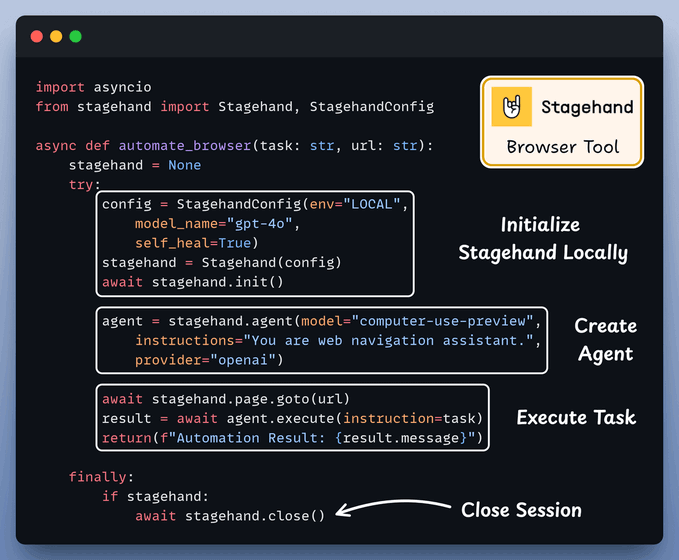
A custom CrewAI tool utilizes AI to interact with web pages.
It leverages Stagehand's computer-use agentic capabilities to autonomously navigate URLs, perform page actions, and extract data to answer questions.
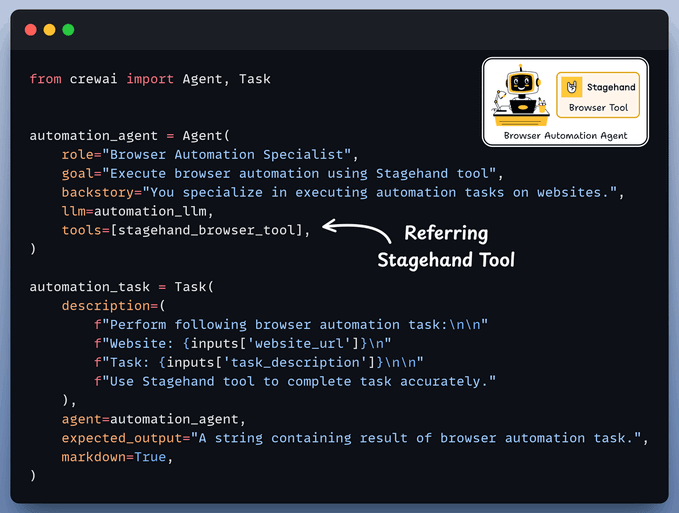
Browser Automation Agent utilizes the aforementioned Stagehand tool for autonomous browser control and plan execution.
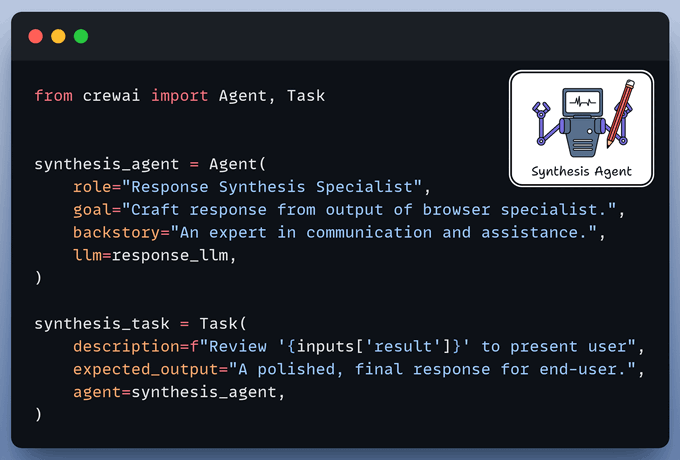
Synthesis Agent acts as final quality control, refining output from the browser automation agent to generate a polished response.
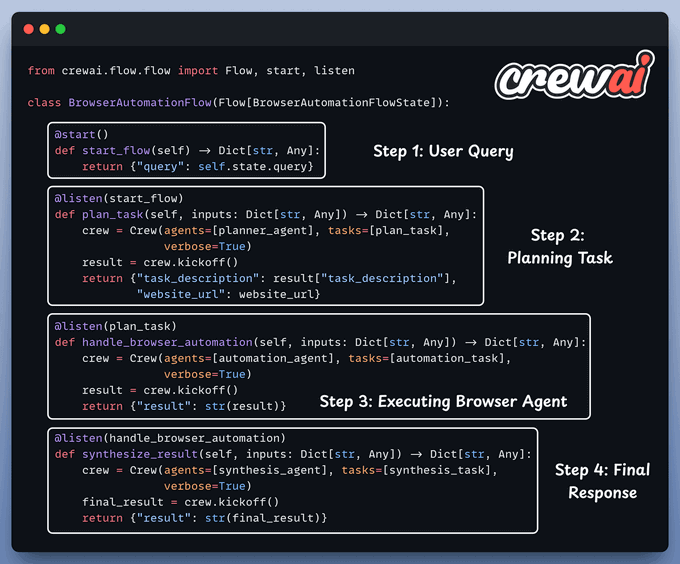
Finally, we connect our Agents within a workflow using CrewAI Flows.
Done!
Here’s our multi-agent browser automation workflow in action, where we asked it to find the top contributor on the Stagehand GitHub repo:
It initiated a local browser session, navigated the web page, and extracted the information.
You can find the Stagehand GitHub repo here →
You can find the code in the GitHub Repository →
Thanks for reading!